

A randomized MAC address is a temporary, software-generated address your device uses instead of its permanent hardware MAC address when connecting to Wi-Fi.
Apple, Android, and Windows devices all generate these private addresses to stop networks and third parties from tracking a device across locations using its real hardware ID.
Every device that joins a network, phone, laptop, smartwatch, broadcasts a MAC address to identify itself. Left unprotected, that address can be logged and used to trace a device’s movement over time. MAC randomization exists to close that privacy gap, but it also changes how IT teams see and manage devices on enterprise Wi-Fi.
But here’s the flip side: that same MAC address can also be used to track you.
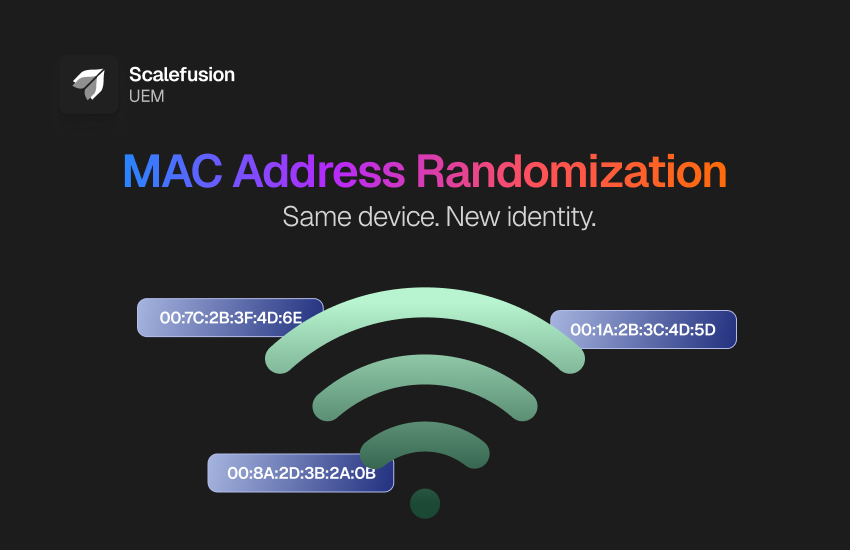
Once your device connects to a network, it broadcasts that address. Without even realizing it, your MAC address can leave digital breadcrumbs, revealing your location history, usage patterns, and even the type of device you’re using. For enterprises, this identifier helps enforce security rules and troubleshoot issues. But for bad actors, it’s a potential way in.
To solve this, device makers introduced MAC address randomization a privacy safeguard that masks your real device ID with a fake one.
Let’s break down what a MAC address is, how randomization works, why it matters, and how Scalefusion UEM helps IT teams stay ahead of the line.
What is a MAC address?
A MAC (Media Access Control) address is a unique, factory-assigned identifier stored on the network interface card (NIC) or adapter of a device. It consists of 12 hexadecimal characters (numbers and letters) and acts as the hardware ID that distinguishes one device from another on the same network. This address is essential for network communication, enabling devices to send and receive data over Wi-Fi, Ethernet, or Bluetooth.
Think of it like a digital name tag. It tells the router:
“Hey, it’s me! Send the internet here.”
Every hardware MAC address is a Universally Administered Address (UAA) — permanently assigned by the manufacturer and, in principle, globally unique. It can reveal:
- The device type (laptop, phone, tablet)
- The manufacturer, via the first three bytes (the OUI, or Organizationally Unique Identifier)
- A fixed identity that persists across networks unless the device uses address randomization
This is different from a private/randomized MAC address, which is a Locally Administered Address (LAA) – generated by software, not assigned by a manufacturer, and not intended to be globally unique. You can typically tell the two apart by checking the second hexadecimal digit of the address: if it’s 2, 6, A, or E, the address is locally administered (and likely randomized or virtual) rather than the device’s real hardware address.
That’s why when your device joins a network, it leaves a permanent trail. Businesses and even public Wi-Fi providers can collect this information to monitor traffic, track user behavior, or restrict access. Since the MAC address never changes, it can be used to track devices across different networks or locations, making it a major privacy concern, especially on public or unsecured networks.
That concern is exactly what led to the rise of random MAC address technology.
What is MAC address randomization?
MAC address randomization is a privacy feature that generates a private, software-based MAC address for your device to use instead of its real hardware address. Depending on the operating system, network security type, and per-network setting, that private address may stay fixed for a given Wi-Fi network or rotate on a schedule — it does not necessarily change on every single connection.
Apple introduced MAC randomization for Wi-Fi scanning in iOS 8, and it’s since become standard on Android, Windows, macOS, iPadOS, and watchOS. On current Apple operating systems (iOS 18, iPadOS 18, macOS 15, watchOS 11, and later), the Private Wi-Fi Address feature supports three per-network modes:
- Off – the device uses its real hardware Wi-Fi address.
- Fixed – a single private address is used consistently on that network, reducing cross-network tracking without changing mid-session. This is the default for secured connections (WPA2/WPA3 Personal and Enterprise).
- Rotating – the private address changes periodically on that network. This is the default for weaker or open connections (WEP, WPA, OWE, captive portals, open Wi-Fi).
(Source: Apple Platform Security – Wi-Fi privacy with Apple devices)
When is it used?
- When scanning for networks
- During location-based services like Maps
- Peer-to-peer sharing (AirDrop, AirPlay)
- Internet Sharing or Hotspot
- Whenever a new SSID is joined
Apple notes that some automatic Wi-Fi scans (like reconnecting to known networks) may still use the real MAC address.
But while great for privacy, randomized MAC addresses bring a few complications for enterprise IT and network administrators, especially when it comes to secure access and policy enforcement.
How does Mac address randomization impact IT management?
A MAC address is a critical piece of how IT manages and secures the network. But the rise of MAC address randomization is making that job a lot more complex.
Here’s why IT teams should pay close attention to randomized MAC addresses:
- Troubleshooting becomes harder: When a single device keeps showing up with a new random MAC address every time it connects, it’s tough to trace issues or track historical data.
- Device filtering can break: If your Wi-Fi is set up to allow only approved MAC addresses (via allowlists), a random MAC address won’t match the registered one, blocking access or flooding logs with “unknown device” entries.
- Security policies lose grip: Time-based access controls, bandwidth limits, and content filtering tied to MAC addresses can stop working properly when a randomized MAC address keeps changing.
- Rogue devices slip in: Since every connection could look like a new device, it becomes harder to spot unauthorized or malicious activity in real time.
- Reporting gets messy: Network reports that rely on MACs to count unique devices or track usage behavior can get skewed because a single device appears multiple times under different random MAC addresses.
In short, while MAC randomization is great for personal privacy, it complicates things for enterprises that rely on stable identifiers for network control and security enforcement. That’s why IT admins need smarter tools and policies to handle MAC address randomization without losing visibility or control.
How MAC address randomization affects secure Wi-Fi
MAC address randomization creates real friction for IT admins when managing secure Wi-Fi networks. Most enterprise routers and access points are designed to recognize devices by their hardware MAC address. With randomization enabled, a device using Fixed mode will still present one consistent private address per network — but a device on Rotating mode, or one that’s forgotten and rejoined a network, can appear to the network as several distinct addresses over time.
Here’s what that means for secure networks:
- Policy enforcement becomes inconsistent: If your firewall or router settings are tied to specific MACs, a randomized MAC address can bypass those rules. The device may still connect, but without the right access restrictions.
- Duplicate entries flood admin consoles: Because private addresses are tied to the network profile (SSID) rather than the radio band, a device can appear with different addresses across networks that use different security types or profile settings — cluttering your management dashboard and making audits harder to reconcile.
- Access control gets weaker: Admins who depend on MAC-based rules, like blocking certain devices or assigning static IPs, may find those rules ineffective with MAC randomization in place.
- Network logs become unreliable: When a device uses a different random MAC address on each connection attempt, logs no longer reflect a clear picture of device activity.
Rather than trying to block randomized addresses at the network layer, most enterprises manage this centrally: they push a Wi-Fi configuration profile through MDM that explicitly disables Private Wi-Fi Address for the corporate SSID. This keeps the setting consistent across reconnects, rather than relying on the network to reject and re-negotiate the connection each time.
That’s why organizations managing Apple, Android, or Windows devices at scale often turn to an MDM or UEM solution that can enforce consistent network behavior by controlling random MAC address settings.
Enabling & disabling MAC Randomization
Manual device settings
For users who want to turn MAC address randomization off (or back on) for a specific network, here’s how to do it manually:
- iPhone / iPad:
- Go to Settings > Wi-Fi
- Tap the network name (SSID)
- Toggle off Private Wi-Fi Address
This disables the use of a random MAC address for that network.
- Android (varies by version):
- Go to Settings > Network & Internet > Wi-Fi
- Tap the gear icon next to the connected network
- Tap Privacy and choose Use device MAC instead of Randomized MAC
Remember: This only applies to the specific network. When users join a new network, MAC randomization is usually reactivated by default, generating a fresh random MAC address.
Via MDM
For enterprises, managing randomized MAC address settings manually isn’t scalable. Using an MDM solution like Scalefusion, IT admins can enforce a consistent MAC identity across all managed devices by:
- Creating a Wi-Fi configuration profile for the corporate SSID
- Including the policy to disable MAC address randomization for that network
- Pushing this profile remotely to all enrolled devices
On Apple devices, this ensures the random MAC address setting is off when connecting to approved networks, helping retain control over device identification, policy enforcement, and traffic logging.
This not only secures your network perimeter but also makes sure MAC randomization doesn’t interfere with compliance, filtering, or threat detection.
Simplify MAC Address management with Scalefusion UEM
- Centralized MAC address management – Scalefusion enforces consistent MAC address behavior across all managed devices, ensuring the network recognizes a single, trusted identifier instead of multiple randomized MAC addresses.
- Seamless policy enforcement – With simple toggles for MAC address randomization, Scalefusion ensures allowlists, time-based rules, and content filters remain accurate, eliminating issues like “unknown device” log entries.
- Improved network visibility – Every device reports its true hardware MAC address, providing clear, reliable network logs and accurate device-count reporting without the need for manual cleanup.
- Consistent internal policy enforcement – Scalefusion pushes Wi-Fi profiles that disable private MAC addresses by default on corporate SSIDs, supporting internal network-identification policies where a stable device identifier is required — without user intervention.
- Reduced support overhead – By addressing random MAC-related connectivity issues, Scalefusion reduces IT support tickets related to network rule application failures or missing devices.
- Stronger layered access control – Corporate Wi-Fi can restrict connections to approved MAC addresses as one layer of defense. Because MAC addresses can be spoofed, Scalefusion recommends pairing MAC-based rules with 802.1X, certificate-based authentication, or identity-aware NAC rather than relying on MAC filtering alone.
- Consistent user experience – End users experience seamless connectivity while Scalefusion handles MAC settings behind the scenes, removing the need to manually adjust device settings or rejoin networks.
- Scalable management – Scalefusion applies robust MAC address randomization controls across any number of devices, ensuring effortless scalability for growing organizations.
A note on MAC-based security: Disabling private addresses on a trusted network isn’t automatically “more secure” — it’s a trade-off. A stable MAC address makes certain network operations (DHCP reservations, NAC, logging) easier, but MAC addresses can be spoofed and should never be an organization’s only access control. Wherever possible, pair MAC-based identification with authenticated identity checks such as 802.1X or device certificates.
Final thoughts
MAC address randomization is a powerful privacy feature, but it brings challenges for enterprises trying to maintain secure, efficient networks. Scalefusion UEM simplifies this by offering centralized management over MAC address behavior, ensuring consistent device identification, stronger security, and smoother network management.
With Scalefusion, IT teams can avoid the headaches of randomization while maintaining tight security and user experience.
Ready to take charge of your network’s security and device management?


FAQs
1. Why do devices use MAC address randomization?
Devices use MAC address randomization to improve user privacy and reduce the risk of being tracked across different Wi-Fi networks. It prevents network operators and third parties from identifying a device based on its hardware MAC address.
2. How does MAC address randomization affect enterprise networks?
MAC address randomization can make device identification, network access control, troubleshooting, and reporting more difficult. Since devices may appear with different MAC addresses, IT teams can face challenges enforcing network policies and maintaining accurate records.
3. Can MAC address randomization be disabled?
Yes. Users can manually disable MAC address randomization for specific Wi-Fi networks through device settings. Organizations can also use an MDM solution to centrally manage and disable MAC randomization on approved corporate networks.
4. Is MAC address randomization available on Apple devices?
Yes. Apple supports MAC address randomization through the Private Wi-Fi Address feature on iPhones, iPads, and Macs. When enabled, devices use a randomized MAC address instead of their hardware MAC address while connecting to Wi-Fi networks.
5. How does Scalefusion help manage MAC address randomization?
Scalefusion allows IT administrators to remotely configure Wi-Fi settings and control MAC address randomization policies across managed devices. This helps maintain consistent device identification, improve network visibility, and enforce security policies more effectively.

