

For most businesses, email is more than just communication. It is the foundation of daily operations, sales outreach, customer support, and collaboration. However, choosing the best email provider for business is not always straightforward.
Many startups begin with free personal email accounts such as Gmail. While convenient, they lack the professionalism and control required for business communication. Customers expect emails from a business email with custom domain, such as name(at)company.com, not company(at)gmail.com.

At the same time, the number of providers has grown rapidly. Businesses now need to compare pricing, security features, integrations, and scalability. This guide simplifies the process by reviewing the best business email hosting providers, including options suitable for startups, freelancers, and small businesses.
What to look for in a business email provider
Before selecting an email service, businesses should evaluate several key factors.
Professional email with custom domain
A professional address, such as contact(at)company.com, builds credibility and trust. Most modern providers allow businesses to easily set up a business email with custom domain.
Security and data protection
Email security is critical, especially for organizations handling sensitive customer data.
Look for
- spam and phishing protection
- encryption
- two-factor authentication
- secure email servers
Providers offering these features are considered secure email providers for business.
Authoritative security recommendations from the Cybersecurity and Infrastructure Security Agency emphasizes encryption, access control, and phishing protection for business email systems, including running a free DKIM checker to verify your domain’s setup.
Scalability
Startups may begin with a few employees but grow quickly. The email platform should support:
- adding users easily
- managing multiple domains
- centralized administration
Pricing and Value
Many small companies search for affordable business email providers or even the cheapest business email hosting options. However, pricing should be evaluated alongside reliability, support, and useful features like an ai email writer, which can improve communication while saving time.
Productivity features
Modern email platforms now include tools that improve efficiency, such as:
- scheduling emails
- reminders
- email tracking
- integrations with collaboration tools
Many teams also pair their email provider with a lightweight database to track outreach, leads, or client communication — Airtable is a common choice, though it’s worth comparing Airtable alternatives depending on your team’s workflow.”
Best email providers for businesses and startups (2026)
1. Neo Mail
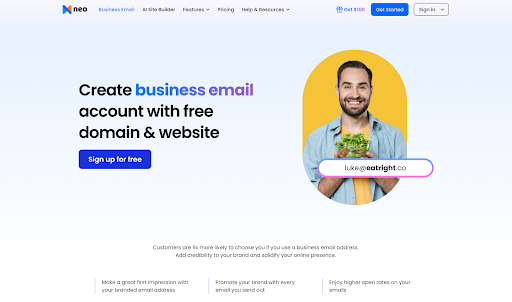
Neo Mail is great for small business owners and entrepreneurs who want a simple and affordable way to set up a professional business email without a complex technical setup. Neo Mail focuses on helping startups, freelancers, and solopreneurs launch professional email for small businesses quickly.
Key features
- Professional email for small business with custom domain – lets businesses create email addresses like name(at)company.com, which looks more professional than using personal email accounts.
- Built-in email tracker and read receipts – helps users know when emails are opened, which can be useful for follow-ups and business communication.
- AI-assisted email writing tools – includes tools that help draft or improve emails, making it easier to respond quickly or write more polished messages.
- Priority inbox and follow-up reminders – helps keep track of important emails and reminds users to follow up if there is no response.
- Optional domain included for new businesses – businesses that don’t yet have a domain can get one during setup, making it easier to start using professional email.
- Free AI website builder bundle for small teams – provides a simple way for startups to create a basic website along with their email setup.
Pros
- Very easy setup for startups and entrepreneurs – the onboarding process is straightforward and doesn’t require technical knowledge.
- Built-in tracking and productivity tools – features like read receipts, reminders, and scheduling help manage business emails more efficiently.
- Affordable pricing compared to most providers – lower entry pricing makes it accessible for small teams and early-stage startups.
- Clean interface designed for business communication – the layout is simple and focused on email productivity without unnecessary complexity.
Cons
- Limited Google Drive integration compared to platforms like Google Workspace – teams heavily dependent on Google tools may find fewer integrations.
- Fewer third-party integrations than large enterprise platforms – businesses needing extensive integrations with other software may find the ecosystem smaller.
Pricing
Neo Mail offers multiple pricing options depending on the features and storage required:
- Starter: starting around $1.25/mailbox/month
- Standard: starting around $3.99/mailbox/month
- Max: starting around $7.99/mailbox/month
Best for
Startups, freelancers, and small businesses are looking for affordable and cheapest business email providers with built-in productivity tools.
2. Google Workspace
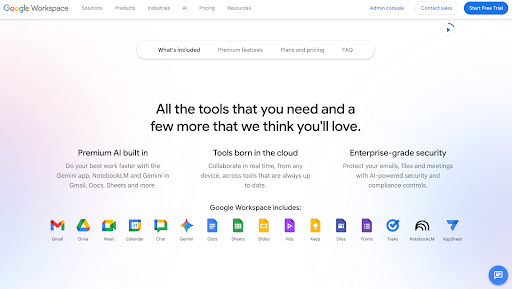
Google Workspace remains one of the most widely used email solutions for businesses. It provides Gmail with a custom domain, along with collaboration tools like Google Docs, Meet, and Drive.
Key features
- Gmail with a custom domain – lets businesses use professional email addresses like name(at)company.com instead of personal Gmail accounts.
- Cloud storage via Google Drive – attachments, documents, and files can be stored and shared easily through Google Drive.
- Built-in collaboration tools – integrates with Google Docs, Sheets, Meet, and Calendar so teams can work together without switching platforms.
- Advanced spam protection – Gmail’s filtering helps block spam, phishing emails, and suspicious messages.
Pros
- Familiar Gmail interface – most users already know how Gmail works, so teams can start using it quickly without much training.
- Strong collaboration tools – real-time editing and file sharing make it easy for teams to collaborate.
- Reliable infrastructure – Google’s global servers provide stable uptime and consistent email delivery.
Cons
- Higher cost as teams grow – pricing increases with each user, which can add up for larger teams.
- Data privacy concerns for some organizations – companies that prioritize privacy may prefer providers focused on encryption and data protection.
Pricing
Starting at about $6 per user/month.
Best for
Startups are already using Google Docs, Drive, and other Google tools.


3. Microsoft Outlook (Microsoft 365)
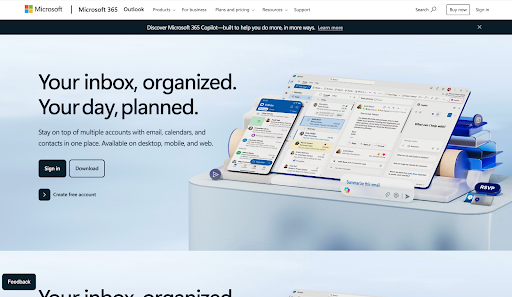
Microsoft Outlook, part of Microsoft 365, is widely used by enterprises and organizations operating within the Microsoft ecosystem.
Key features
- Business email hosting through Exchange Online – provides reliable email hosting with large mailbox storage and enterprise-level infrastructure.
- Integration with Teams, Word, Excel, and SharePoint – connects email with Microsoft’s productivity tools, making it easier to collaborate, share files, and manage communication.
- Advanced security and compliance tools – includes features like data loss prevention, email encryption, and threat protection to help keep business communication secure.
- Large mailbox storage – offers generous mailbox space so users can store emails and attachments without constantly managing storage limits.
Pros
- Strong enterprise security – built-in protection against phishing, malware, and other threats helps keep business email secure.
- Deep integration with Microsoft productivity tools – works smoothly with applications like Word, Excel, and Teams, which many businesses already use.
- Powerful administrative controls – IT teams can manage users, permissions, and security settings from a centralized admin dashboard.
Cons
- Interface can feel complex for small teams – businesses unfamiliar with Microsoft tools may find the platform harder to navigate at first.
- Pricing increases with additional features – advanced security tools and larger storage plans can increase the overall cost.
Pricing
Starts around $6 per user/month.
Best for
Companies are already using Microsoft software and enterprise collaboration tools.
4. Zoho Mail
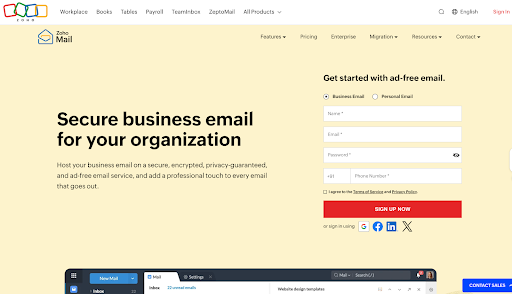
Zoho Mail is known for offering one of the most cost-effective email hosting solutions for small businesses. It provides reliable email hosting with essential business features at a relatively low price.
Key features
- Custom domain email hosting – allows businesses to create professional email addresses using their own domain name, which helps build trust with customers.
- Strong admin dashboard – provides tools for managing users, domains, and email policies from one place, making it easier for administrators to control company email.
- Ad-free email interface – the inbox experience is clean and focused, without advertisements that are common in many free email services.
- Integration with Zoho apps – connects with other Zoho tools like Zoho CRM, Zoho Projects, and Zoho Workplace, which can help businesses manage different workflows.
Pros
- Extremely affordable – Zoho Mail offers some of the lowest pricing among business email providers, making it accessible for startups and small teams.
- Generous free plan – small businesses can start with a free plan that supports custom domain email, which is useful in the early stages.
- Powerful admin controls – administrators get detailed settings for managing security, user access, and email policies.
Cons
- Interface may feel dated – compared to platforms like Gmail or Outlook, the design can feel less modern.
- Fewer third-party integrations compared to Google – businesses relying heavily on external apps may find fewer integration options.
Pricing
Free plan available; paid plans start around $1/user/month.
Best for
Businesses looking for the cheapest business email hosting with solid functionality.
5. Proton Mail
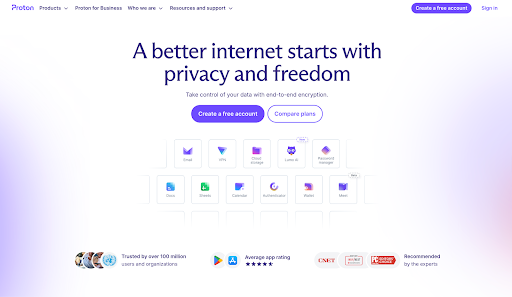
Proton Mail is widely recognized as one of the most secure email services available. The platform focuses heavily on privacy and encryption.
Key features
- End-to-end encrypted email – messages are encrypted so that only the sender and recipient can read them, which helps protect sensitive communication.
- Secure servers based in Switzerland – Proton Mail operates under Swiss privacy laws, which are known for strong data protection standards.
- Custom domains for business plans – businesses can use their own domain name to create professional email addresses.
- Encrypted calendar and file sharing – calendar events and shared files are also encrypted, adding another layer of privacy.
Pros
- Strong privacy protections – the platform is built with privacy in mind, making it popular among users who want more control over their data.
- Encrypted communication – emails between Proton Mail users are automatically encrypted, reducing the risk of interception.
- Open-source cryptography – the encryption technology is open source, allowing independent experts to review how security works.
Cons
- Fewer productivity integrations – compared to platforms like Google Workspace or Microsoft 365, Proton Mail offers fewer integrations with third-party tools.
- Higher price for business plans – business plans can be more expensive, especially for companies that only need basic email hosting.
Pricing
Starts around $6.99/user/month.
Best for
Businesses prioritizing privacy and data protection. For more information about encryption standards used in secure email systems, refer to guidance from the National Institute of Standards and Technology.
6. Fastmail
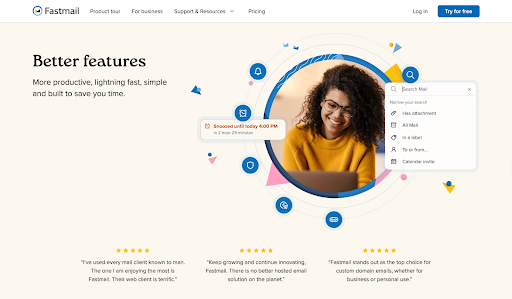
Fastmail is a modern email provider known for speed, reliability, and productivity features. It focuses on delivering a clean, ad-free email experience with strong customization and powerful inbox management tools.
Key features
- Custom domain support – businesses can use their own domain to create professional email addresses, helping maintain a consistent brand identity.
- Advanced email organization tools – includes features like labels, folders, and smart filtering that help users keep their inbox organized.
- Fast search and filtering – the search function is quick and accurate, making it easier to find older emails or attachments.
- Calendar and contact management – built-in calendar and contacts allow users to schedule events and manage communication from one place.
Pros
- Clean and distraction-free interface – the inbox layout is simple and focused, without ads or unnecessary features.
- Powerful email management tools – features like advanced filtering and sorting help users manage large volumes of email efficiently.
- Strong performance – the service is known for fast loading times and reliable email delivery.
Cons
- Smaller ecosystem than Google or Microsoft – it does not offer the same range of productivity apps and integrations.
- Fewer collaboration tools – teams that rely heavily on shared documents or real-time collaboration may find fewer built-in options.
Pricing
Starts at about $5/user/month.
Best for
Professionals who prioritize email productivity and simplicity.
7. Hiver
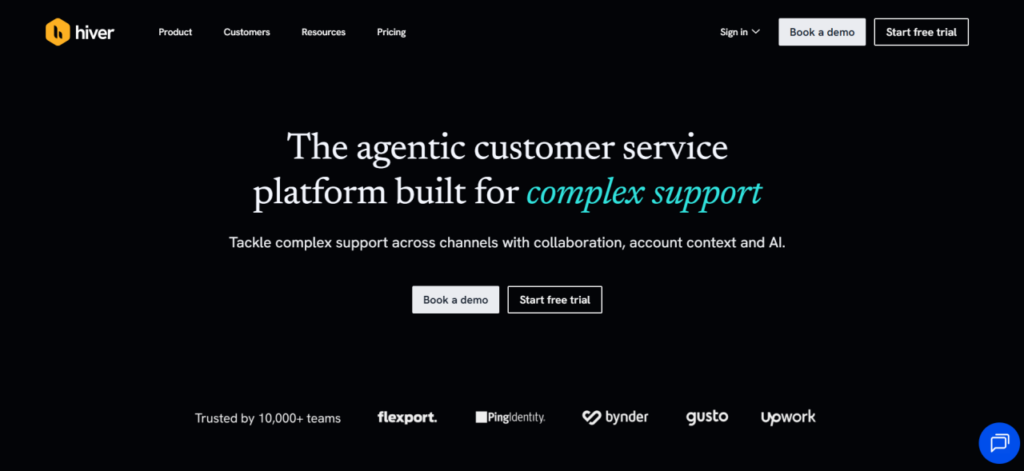
Hiver is an agentic shared inbox platform and email management platform. It allows businesses to tackle complex email support with collaborative shared inboxes, automations, and AI.
Key features
- Omnichannel workspace – Centralizes email, chat, Slack, and voice into a single view.
- AI Agents and Copilot – Automates routine resolutions and assists agents with real-time reply suggestions.
- Full customer context – Integrates with CRMs to provide account-centric data, including revenue and sentiment history.
- Cross-team collaboration – Enables shared visibility and routing across tools like Jira and Salesforce.
Pros
- Powerful AI – AI Agents handle the email communication, and AI Copilot helps teams respond faster
- Account-centricity – Helps prioritize high-value accounts with integrated customer health data.
Cons
- Tiered AI access – Advanced automation and insight features require higher-priced plans.
- Limited free plan features – The free plan offers limited features and may not be suitable for larger teams
Pricing
- Free: $0/month for basic ticketing.
- Growth: $25/user/month.
- Pro: $55/user/month.
Best for
Teams that need to manage email support with cross-departmental collaboration.
Comparison of the best email providers for business in 2026
| Provider | Custom domain | Security | Productivity features | Starting price |
| Google Workspace | yes | strong | collaboration tools | $6/user |
| Neo Mail | yes | strong | tracking, reminders, AI tools | $1.99/mailbox |
| Microsoft Outlook | yes | enterprise-grade | Microsoft integrations | $6/user |
| Zoho Mail | yes | strong | admin controls | $1/user |
| Proton Mail | yes | end-to-end encryption | privacy tools | $6.99/user |
| Fastmail | yes | strong | email organization | $5/user |
How to choose the right email provider
Different businesses have different priorities. The best provider depends on the company’s size, workflow, and budget.
Startups and freelancers
Choose providers that are affordable and easy to set up.
Recommended options:
- Neo Mail
- Zoho Mail
Growing teams
Businesses that rely on collaboration tools should consider:
- Google Workspace
- Microsoft Outlook
Security-focused organizations
Companies handling sensitive data should evaluate encrypted platforms such as:
- Proton Mail
Productivity-focused professionals
Users who want powerful email management tools without complex ecosystems may prefer:
- Fastmail
How to create a business email
Setting up a professional business email is simpler than many companies expect.
Basic steps include:
- register a domain name
- choose an email hosting provider
- create user mailboxes
- configure email security settings
- connect email to desktop or mobile apps
Most modern platforms now automate much of this process, allowing startups to launch a professional email for a small business within minutes.
Final Thoughts
Email continues to be the backbone of business communication. Selecting the best email providers for business depends on the organization’s priorities, whether that is collaboration, affordability, security, or productivity.
- Google Workspace is ideal for teams deeply integrated into Google tools.
- Neo Mail is well-suited for startups and entrepreneurs who want a simple setup and built-in productivity tools like email tracking and reminders.
- Microsoft Outlook works best for enterprise environments using Microsoft software.
- Zoho Mail offers a powerful and budget-friendly option.
- Proton Mail provides strong encryption for privacy-focused organizations.
- Fastmail delivers speed and advanced email management.
For startups, freelancers, and small businesses seeking an affordable and easy-to-use platform, Neo Mail stands out as a practical option. Its built-in tracking, AI writing assistance, and simple setup make it particularly useful for entrepreneurs who want to launch professional email quickly without complex configuration.
By evaluating security, scalability, and productivity features, businesses can choose an email provider that supports both current needs and future growth.
Securing business email beyond the provider
While modern email providers offer strong built-in protections, relying solely on them is no longer enough. Threats like credential theft, phishing attacks, and unauthorized device access continue to evolve, often bypassing traditional email security measures.
This is where businesses need to think beyond just the email platform and focus on identity and access control.
Solutions like Scalefusion OneIdP help strengthen email security by adding an additional layer of protection through Conditional Email Access (CEA). This ensures that only authenticated users on compliant, secure devices can access business email accounts.
For organizations with remote teams, BYOD environments, or distributed workforces, this approach becomes especially important. Even if user credentials are compromised, access can still be restricted based on device posture and security compliance.
By combining a reliable email provider with identity-driven security controls, businesses can significantly reduce the risk of unauthorized access and protect sensitive communication more effectively.

FAQ’s
1. What are the best email providers for business in 2026?
Some of the best email providers for business include Google Workspace, Neo Mail, Microsoft Outlook (Microsoft 365), Zoho Mail, Proton Mail, and Fastmail. Each platform offers different strengths depending on budget, security needs, and collaboration requirements.
2. Which email is best for startups?
Startups typically need affordable and easy-to-manage email hosting for startups. Neo Mail and Zoho Mail are popular choices because they provide professional email, custom domains, and simple setup at lower costs.
3. What are the best Gmail alternatives for business?
Several platforms serve as the best Gmail alternatives for business, including Zoho Mail, Proton Mail, Fastmail, and Neo Mail. These services provide business email hosting without depending on Google’s ecosystem.
4. Do businesses need a custom domain email?
Yes. A business email with a custom domain, such as name(at)company.com, improves credibility, strengthens brand identity, and builds trust with customers compared to free email addresses.
5. What is the best email hosting service for a small business?
The best email hosting service for small businesses depends on factors like budget, security, and collaboration needs. Provider such as Neo Mail is commonly used because they offer professional email with a custom domain and tools suitable for small teams.

