

The best Android TV management solutions help businesses remotely configure, monitor, secure, and control Android TV devices used for digital signage, kiosks, classrooms, hospitality, retail, and shared-screen environments. These platforms allow IT teams to deploy apps, lock devices into specific content, manage settings, push updates, troubleshoot issues, and ensure every Android TV runs reliably without manual on-site intervention.
Best Android TV management software by use case
Not sure which platform fits your setup? Here’s a quick breakdown based on common deployment needs.
- Best overall Android TV MDM: Scalefusion — balances complete device management with ease of use across retail, healthcare, education, and hospitality.
- Best for developer-first / custom AOSP ecosystems: Esper — offers remote debugging, CI/CD integration, and app testing for tech-driven teams.
- Best open-source / self-hosted option: Headwind MDM — full customization and control for teams with strong in-house IT skills.
- Best for education and digital signage: Radix — built for mass deployments with broadcast messaging and fast rollout.
- Best for existing Hexnode UEM users: Hexnode — extends cross-device policy management to Android TVs under one dashboard.
With the rise of Android TVs, they’ve become an essential part of business setups, whether it’s digital signage in retail stores, self-check-in kiosks at airports, or interactive displays in classrooms.
With most leading brands now running Android OS in their TVs, these screens have evolved into powerful business tools. Companies use them for promotions, employee training, customer engagement, entertainment in waiting areas, and even as information boards in public spaces.
But here’s the catch: when you are dealing with a handful of TVs, manual setup works fine. The real challenge comes when your business has hundreds or even thousands of screens spread across multiple locations. Keeping them updated, secure, and consistent becomes almost impossible without the right support.
That’s where Android TV MDM (Mobile Device Management) solutions step in, giving IT teams centralized control over every device from one dashboard. In this blog, we will explore the best Android TV management software available in 2026, so that you can make the right choice.
Why do Android TVs need centralized management?
Managing one or two TVs manually is simple. But when you are handling hundreds across multiple locations, it quickly becomes slow, inconsistent, and risky. That’s why enterprise Android TV management is now a necessity.
Here’s why:
- Bulk setup becomes easy: Without centralized tools, IT teams would need to unbox and configure each TV individually, which takes days or even weeks. With Android TV MDM solutions, you can enroll and configure all devices in one go, saving huge amounts of time.
- Remote monitoring and troubleshooting: If a TV in a store stops working, sending a technician on-site isn’t practical. With Android TV remote management tools, admins can view what’s happening on the screen, reboot the device, or push updates and push content remotely on Android TV from a central dashboard, no travel needed.
- Better content control: Businesses rely on Android TVs to display marketing videos, schedules, or training material. Instead of updating each device manually, IT teams can push content to all TVs at once, ensuring consistency across every location.
- Tighter security: A TV connected to the internet is still a device on your network, and it needs protection. With secure Android TV management software, organizations can enforce password rules, lock devices to kiosk mode, and even wipe sensitive data if a TV is lost or stolen.
- Scalability: Managing 10 devices is manageable, but when that grows to 1,000 or more, manual methods fail. Centralized management ensures every TV whether in a small office or a large stadium follows the same policies, runs the latest updates, and stays compliant.
In short, centralized management takes Android TVs from being potential headaches to becoming reliable, secure, and business-ready tools that scale with your organization.
Quick Comparison: Top Android TV management solutions for 2026
| Software | Best For | Deployment Type | Pricing |
|---|---|---|---|
| Scalefusion | Complete Android TV management | Cloud-based | $2/device/month |
| Esper | Custom Android TV ecosystems | Cloud-based | $4/device/month |
| Headwind MDM | Open-source management | Self-hosted / Cloud | $19.90/device/year |
| Radix | Digital signage and education | Cloud-based | $11.50/device/year |
| Hexnode UEM | Unified endpoint management | Cloud-based | $2.20/device/month |
How we chose these solutions
| Criteria | Why It Matters |
|---|---|
| Android TV / AOSP support | Ensures compatibility with TV boxes and non-standard Android TV hardware |
| Kiosk mode & content control | Core requirement for signage, classrooms, and shared-screen use cases |
| Remote troubleshooting | Reduces need for on-site IT visits across distributed fleets |
| Enrollment options | Zero-touch and bulk enrollment matter for large-scale rollouts |
| Scalability | Platform should handle growth from tens to thousands of devices |
| Pricing transparency | Publicly available or clearly quoted pricing, verified as of July 2026 |
5 Best Android TV Management Software in 2026
1. Scalefusion
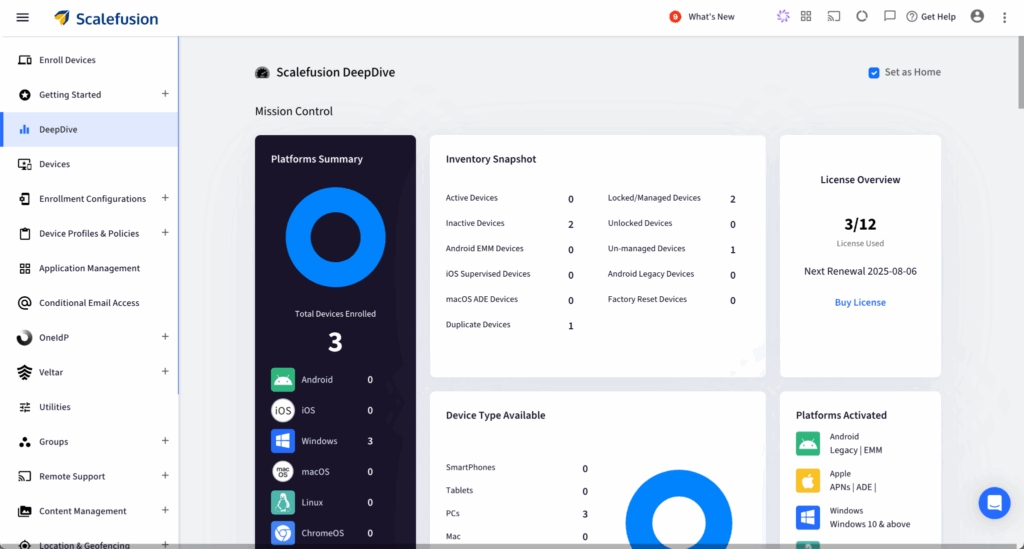
Scalefusion is a widely used Android TV management solution built for enterprise deployments. Built with enterprise use in mind, it helps organizations manage Android TVs in retail, healthcare, education, hospitality, and transportation. Scalefusion combines an easy-to-use interface with a broad set of management features. It’s built for IT admins who need both straightforward remote control and strong security in one platform.
Key Features:
- Bulk onboarding with Zero-touch, IME, or ROM-based enrollment
- Single or multi-app kiosk mode to turn TVs into signage or kiosks
- Silent app install, update, and removal for hassle-free control
- Centralized content management to loop videos, presentations, and ads
- Remote cast and control for troubleshooting devices in real time
- Scheduled OS and security updates without downtime
- Wi-Fi and network configuration management
- Remote device lock with full encryption for added protection
- Works with Android TV, TV boxes, and AOSP-based TVs
Why choose Scalefusion?
Scalefusion is the complete package. Its dashboard is simple, policies can be applied to groups or sub-groups, and admins can get detailed analytics and reports. It is also cost-effective.
Scalefusion Pricing starts at $2 per device/month, with a free 14-day trial.
If you are looking for the best Android TV management software that’s secure, scalable, and user-friendly, Scalefusion is the solution.

2. Esper
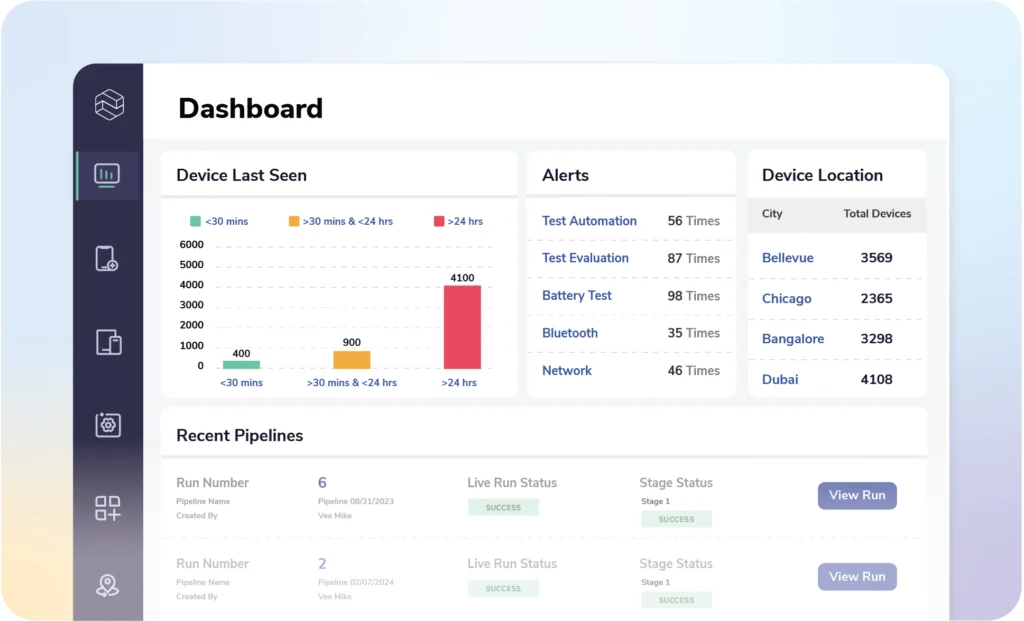
Esper takes a developer-first approach to Android TV management, setting it apart from other tools. It is best suited for organizations working with custom Android TV or AOSP device-based hardware that require deep configuration and testing. Beyond standard management, Esper also offers advanced features like remote debugging, CI/CD integration, and app testing environments, making it a strong option for tech-driven enterprises that want more control over how their devices run.
Key Features:
- Remote debugging and log capture to fix problems faster.
- Application compatibility testing in Esper Labs.
- Managed OS updates with minimal disruption.
- CI/CD integration with a cloud dashboard for continuous rollout.
Why choose Esper?
Esper is not for everyone. It is best suited for enterprises that want to create their own Android TV ecosystem. While setup may require more technical expertise, the customization options are unmatched.
Esper Pricing starts at $4 per device/month, with custom enterprise plans available.
3. Headwind MDM
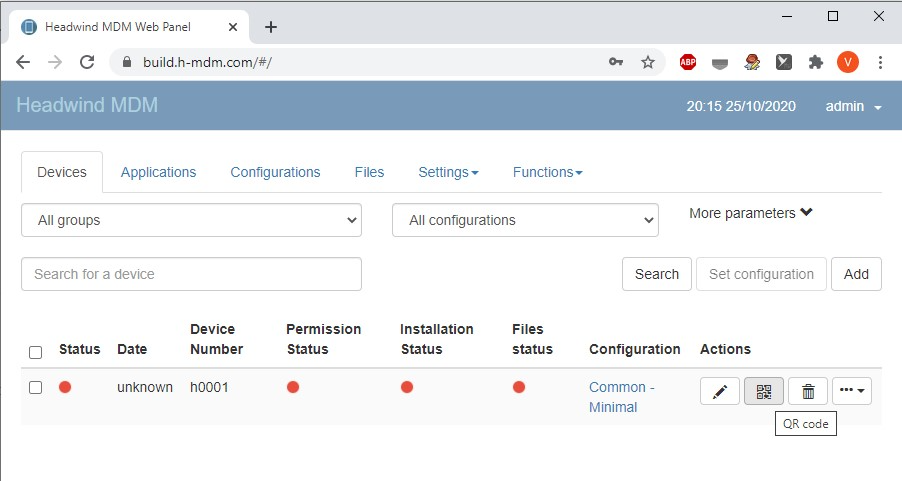
Headwind MDM is an open-source Android TV management software that appeals to organizations with strong in-house IT skills. Since it is open-source, companies have the freedom to customize and extend the platform to match their exact needs. It is also lightweight, meaning it works smoothly even on lower-end devices and hardware with limited resources. This makes Headwind a flexible and budget-friendly choice for teams that want full control rather than a ready-made managed service.
Key Features:
- Kiosk mode and custom launcher for branding and control.
- Remote installation, reboot, and updates.
- Fully open-source codebase for customization.
- Low-resource requirements for affordable hardware setups.
Why choose Headwind?
Headwind is best for IT teams that want a DIY approach and full control over their Android TV setup. The tradeoff is that it requires more technical expertise compared to managed platforms.
Headwind Pricing starts at $19.90 per device/year.
4. Radix Android TV Manager
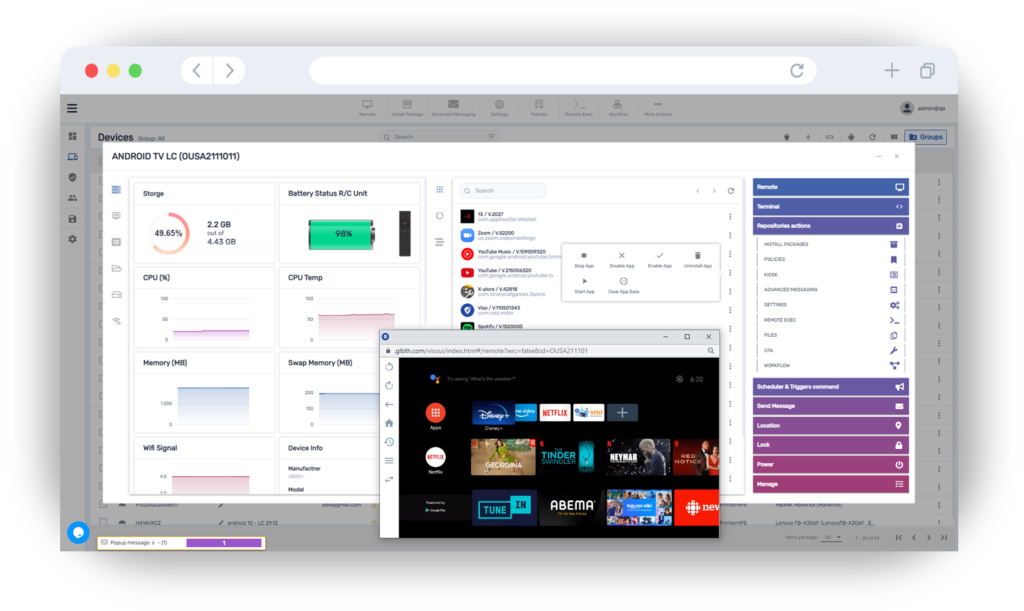
Radix is built with a strong focus on Android TV remote management tools, making it especially useful for service providers, education institutions, and digital signage networks. Its platform is tailored for mass deployments, allowing IT admins to roll out devices quickly across different locations. Along with the setup, Radix also supports centralized communication features like broadcast messaging, which is valuable in industries where announcements and alerts need to reach all screens instantly.
Key Features:
- Remote control with real-time screen view to solve problems instantly.
- Mass deployment capabilities for large-scale rollouts.
- Broadcast messaging for announcements and emergency alerts.
- Device grouping for applying policies based on location or purpose.
Why choose Radix?
Radix is a favorite in the education and digital signage industries because of its fast deployment, communication features, and troubleshooting support. It’s also priced competitively.
Pricing starts at $11.50 per device/year, and a personal demo is available to get started.
5. Hexnode UEM
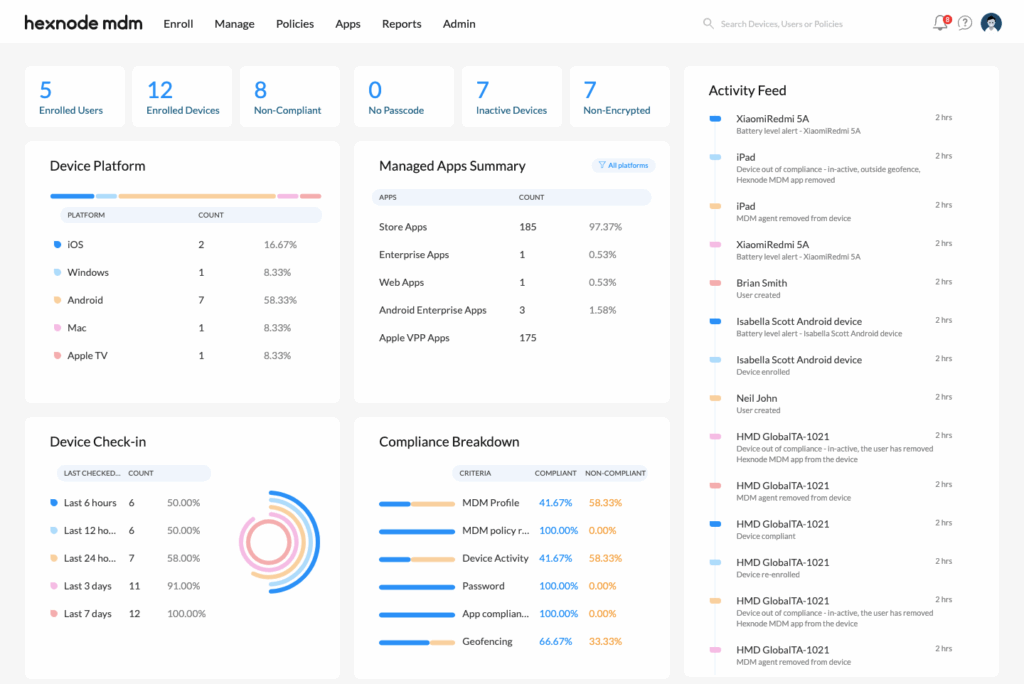
Hexnode recently expanded into Android TV MDM solutions, adding TVs to its already wide device management ecosystem. For businesses already using Hexnode for phones, tablets, or PCs, it’s a natural extension that brings all endpoints under one umbrella. The platform helps companies lock down Android TVs, push updates remotely, and apply consistent policies, making it a practical choice for enterprises that want to reduce complexity by managing everything from a single dashboard.
Key Features:
- Kiosk mode and app whitelisting to lock devices down
- Remote configuration and firmware updates for consistency
- Custom branding to personalize the TV’s UI
- Network security features to protect data
Why choose Hexnode?
Hexnode is relatively new to enterprise Android TV management, but it’s quickly building solid capabilities. Its strength lies in cross-device policy enforcement, making it great for organizations that want one platform for all endpoints.
Hexnode Pricing starts at $2.20 per device/month, with TV management features available in the Enterprise tier starting at $3.20 per device/month.
Which is the Best Android TV Management Solution?
When it comes to enterprise Android TV management, the right choice really depends on your goals. While each of the five platforms we have covered brings its own strengths, Scalefusion is a solid contender. However, among the solutions covered in this guide, Scalefusion stands out as one of the most well-rounded Android TV management solutions in 2026. It combines powerful enterprise-grade capabilities with an intuitive management experience, making it suitable for businesses of all sizes across retail, healthcare, education, hospitality, and transportation. It is both feature-rich and user-friendly, allowing employees and IT teams to operate with greater efficiency.
However, not all solutions are the right fit for everyone. A solution that works perfectly for a small school may not be the best fit for a nationwide retail chain, and vice versa. Hence, your final choice should be guided by factors like your industry requirements, the size of your device fleet, and the level of IT support you have in place.
Test a few platforms before committing, and you will find the best software for managing Android TV in your environment. Making the right investment today ensures your Android TVs remain reliable, secure, and future-ready, no matter how your business grows or how technology evolves.
FAQs
1. Which Android TV management solution is best?
It depends on your needs. Scalefusion is the most well-rounded pick for most businesses. Esper suits custom AOSP setups, Headwind fits open-source/self-hosted teams, Radix works well for education and signage, and Hexnode is ideal if you’re already using it for other devices.
2. Can Android TV MDM solutions manage non-Android smart TVs or TV boxes?
These platforms are built for Android TV OS and AOSP-based devices, including Android TV boxes. They typically don’t manage non-Android systems like Tizen or webOS, so check vendor support if your fleet is mixed.
3. Do I need a separate license for TV devices, or are they covered under a general MDM plan?
It depends on the vendor. Some include TV management in standard plans, while others (like Hexnode) require a higher tier. Confirm with the vendor’s pricing page before purchasing.

