Cyberattacks don’t always start with sophisticated techniques. Most of them begin with something far simpler: an unpatched system. When a vulnerability becomes public, attackers rush to exploit it long before organizations have a chance to respond. This is especially true for Linux environments, which now power most mission-critical workloads across cloud servers, container clusters, development environments, and backend systems.
Despite its reputation for being secure, Linux is not immune to threats. The ecosystem depends heavily on open-source libraries, third-party packages, and constantly updating dependencies. A single outdated library or unattended kernel vulnerability can act as an open door for attackers. Real-world incidents show how privilege escalation flaws, remote code execution bugs, outdated packages, and kernel-level weaknesses lead to major breaches.
What makes the situation more urgent is the speed at which attacks evolve. The moment a new CVE is published, automated bots begin scanning the internet for systems that have not yet applied the patch. In many cases, this happens within minutes. Any delay increases the risk of ransomware, unauthorized access, service outages, and serious compliance violations.
This is why organizations need structured linux patch management. A planned, repeatable, and controlled approach to patching is essential for keeping Linux systems secure, stable, and compliant.
What does Patch Management in Linux mean?
Patch management in linux refers to the full process of identifying, acquiring, testing, applying, and verifying updates on Linux-based systems. These updates commonly known as patches fix bugs, close security vulnerabilities, improve performance, and enhance the overall stability of Linux environments.
Patches come from multiple sources. A distribution’s official repositories supply updates through package managers like apt, yum, dnf, or zypper. Kernel updates arrive separately through maintainers and can be more complex because they affect the base layer of the operating system. Some patches also come from third-party tools, custom-built software, or security advisories outside the main distribution.
Many administrators perform basic updates manually using terminal commands. While this form of linux patching works for personal devices or small setups, it becomes risky and inefficient for production environments. Servers, cloud instances, VMs, and containers need consistent and predictable updates. That requires a structured approach where patches are tracked, prioritized, tested when necessary, deployed on a schedule, and monitored afterward.
Without this formal process, missing a single update can leave the system vulnerable. With proper linux patch management, organizations reduce risk, maintain uptime, and ensure their Linux workloads run reliably across all environments.
Why is Patch Management different from Patching?
Many people assume that updating Linux with a single command like apt upgrade or yum update is enough. But linux patching and patch management for linux are not the same thing.
Patching refers to the act of installing updates. Patch management refers to the entire lifecycle surrounding those updates.
Patch management involves much more than simply downloading and applying patches. It includes:
- Scanning systems regularly to detect missing patches
- Prioritizing updates based on severity
- Testing patches in staging environments
- Scheduling maintenance windows
- Deploying patches across all devices
- Verifying patch installation
- Ensuring a rollback path in case updates break something
Simple patching is reactive. Patch management is strategic.
For example, a team might install a patch on a single server and assume the job is done. But without proper patch management, another department’s servers may still be running outdated versions. Or a patch might cause a compatibility issue that goes unnoticed until it affects production workloads. A package update might break dependencies if not tested beforehand.
These gaps can lead to downtime, malfunctioning applications, or exploitable vulnerabilities. A structured approach ensures that all systems stay aligned and protected. That is why patch management in linux must always go beyond simple patching.
Patch Linux Devices With Confidence
Deploy patches efficiently across your Linux fleet.
Why is Linux Patch Management required?
Linux runs some of the world’s most critical systems, from cloud platforms and databases to IoT devices and enterprise applications. When these systems are not patched regularly, the consequences can be severe. Here are some reasons why Linux patch management is required:
1. Security risks
Linux distributions release patches frequently to fix vulnerabilities in kernels, libraries, and core packages. These range from privilege escalation flaws to remote execution vulnerabilities. Delaying these updates makes systems easy targets.
2. Compliance requirements
Industries like healthcare, banking, retail, and government must follow strict security standards such as HIPAA, PCI-DSS, NIST, ISO 27001, and GDPR. Many of these frameworks demand timely patching in linux as part of security hygiene. Failing to patch can result in fines, failed audits, and legal consequences.
3. Operational stability
Patches are not only about security. They also fix bugs, improve performance, reduce crashes, and enhance compatibility. Without regular updates, systems may run into errors, degrade in performance, or experience avoidable downtime.
4. Multi-distribution complexity
Organizations often use multiple Linux distributions such as Ubuntu, Debian, RHEL, CentOS, SUSE, and Amazon Linux. Each distribution has its own Linux patching tools and release cycles. Managing them manually becomes overwhelming.
5. Consequences of poor patching
Skipping updates leads to serious risks:
- Ransomware infections spreading across servers
- Unauthorized access to critical data
- Service interruptions
- Exploitation of outdated software
- Compromised containers or VMs
For all these reasons, linux patch management is essential for any organization running Linux systems at scale.
How often should Patch Management be performed?
There is no single schedule that fits all environments, but there are general guidelines for patch management in linux:
- Routine patch cycles: Most organizations scan for updates weekly and apply non-critical patches monthly. This keeps systems reasonably up to date without interrupting business operations.
- Critical patches: When a high-severity CVE is released, it should be addressed immediately. Delaying a critical Linux patch can expose servers to known exploits within hours.
- Based on system role: Public-facing servers, production databases, and cloud workloads require more frequent linux patching compared to development or testing systems.
- Compliance-driven frequency: Industries governed by strict regulations may require patching within specific time windows.
The more frequent and organized your patching process is, the stronger your overall security posture becomes.
How to automate Linux Patch Management?
Manual patching works for a handful of devices, but not for full enterprise environments. Manual processes are slow, inconsistent, and error-prone. This is where automation becomes necessary.
Organizations rely on patch management software to automate the repetitive and time-sensitive tasks involved in patch management for linux.
Automation tools help with:
- Continuous scanning for missing patches
- Pulling updates directly from trusted repositories
- Prioritizing patches based on severity
- Scheduling deployments during maintenance windows
- Ensuring consistent linux patching across hundreds or thousands of devices
Automated patching removes human error, reduces delays, and ensures that no system is accidentally left unpatched. When environments grow across cloud workloads, remote teams, and distributed servers, automation is the only reliable approach to maintain security at scale.
How does automated Linux Patch Management software work?
Automated tools bring structure and consistency to linux patch management, especially in environments that rely on multiple Linux distributions, cloud workloads, and large fleets of servers. Instead of manually checking each system, downloading patches, and applying them one by one, the software manages every step in the background with predictable accuracy. This not only saves time but also ensures no system is left unpatched.
Here is a more detailed look at how automated patching tools work behind the scenes:
- Continuous scanning: The software uses an agent or an agentless connection to constantly monitor Linux devices for missing patches, outdated packages, or known vulnerabilities. This scanning happens on a scheduled basis, ensuring the system always has an up-to-date view of what needs attention.
- Integration with package managers: Automation tools connect directly with the native package managers of each Linux distribution. Whether it is apt, yum, dnf, zypper, or others, these integrations allow the tool to read repository updates, pull patch data, and understand exactly which updates are available for each device.
- Kernel and library updates: Beyond basic package updates, automated software also identifies kernel patches, library upgrades, and dependency changes. Kernel-level vulnerabilities are often the most critical, and the tool ensures they are included in the patching pipeline without manual oversight.
- Dependency and conflict handling: Linux updates can sometimes introduce conflicts or version mismatches. Automated patch management for linux tools analyze these dependencies automatically, resolving conflicts, sequencing updates correctly, and preventing installation failures that might cause downtime.
- Scheduled deployment: Administrators can set specific times for patching activities. The tool applies updates during maintenance windows or off-hours, ensuring business operations are not disrupted. Schedules can be customized for different teams, devices, or environments.
- Staged rollout: Instead of patching every system at once, automated solutions support phased deployment. A smaller group of devices receives the updates first. If everything works as expected, the patches are rolled out to the rest of the environment. This staged approach reduces risk and prevents widespread issues.
- Real-time visibility: Central dashboards give IT and security teams a complete view of patch status across all Linux devices. They can quickly see which systems are compliant, which are vulnerable, and which updates are pending. This level of visibility helps teams take timely action and maintain control.
- Reporting and audit trails: Automated tools generate detailed reports showing what was patched, when it was installed, and which systems still need updates. These reports help organizations prove compliance, pass audits, and maintain a record of consistent patching in linux across all environments.
By automating these processes, organizations minimize downtime, eliminate manual errors, and maintain a strong security posture. Automated linux patch management ensures that every device stays aligned, updated, and protected against evolving threats without overwhelming IT teams.
Simplify Linux Patch Management with Scalefusion
Managing linux patch management across multiple environments, device types, and locations can quickly become overwhelming. Different teams operate different Linux distributions, cloud systems must stay aligned, and remote servers need consistent updates regardless of where they are deployed.
Scalefusion’s Linux patch management software makes patch management significantly simpler by centralizing and automating the entire process.
With Scalefusion, organizations gain:
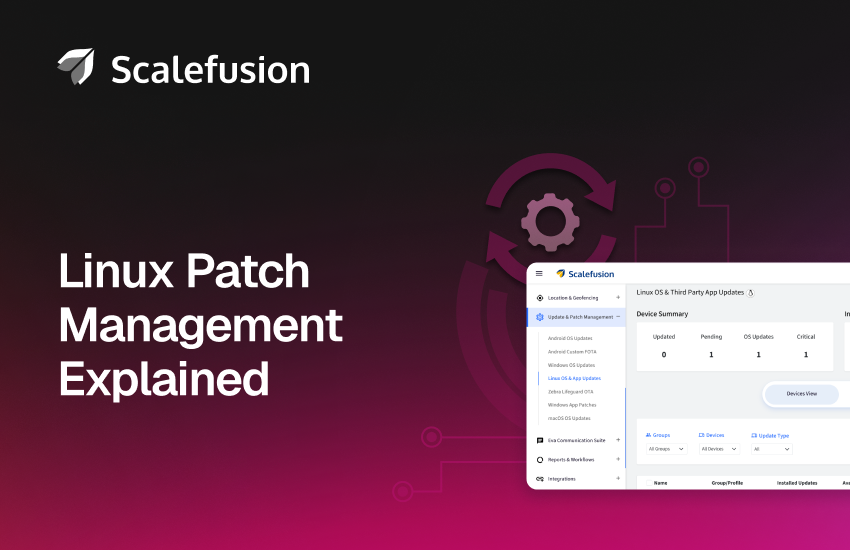
- Unified patch visibility: A single dashboard showing all Linux devices, their patch status, pending updates, and compliance levels.
- Automated scanning: Real-time detection of missing patches across every distribution in your environment.
- Silent patch deployment: Patches install without interrupting users or disrupting critical processes.
- Policy-based rollout: Define patching rules based on teams, device groups, locations, or workloads.
- Flexible scheduling: Choose when updates happen to avoid downtime and maintain productivity.
- Compliance reporting: Easy-to-understand reports that help satisfy audit and regulatory requirements.
By automating linux patching with Scalefusion, organizations reduce risk, close vulnerabilities faster, and maintain consistent security across all their Linux systems.