

From storefront displays to interactive kiosks, digital signage in retail helps retailers promote products, share information, and support different stages of the shopping journey. It allows retailers to update content remotely without replacing physical signage. Content can also be tailored to specific campaigns, store locations, or times of day.
But installing screens is only part of the process. As signage deployments expand across multiple stores, IT teams also need to manage the devices and apps powering those displays.
What is digital signage in retail?
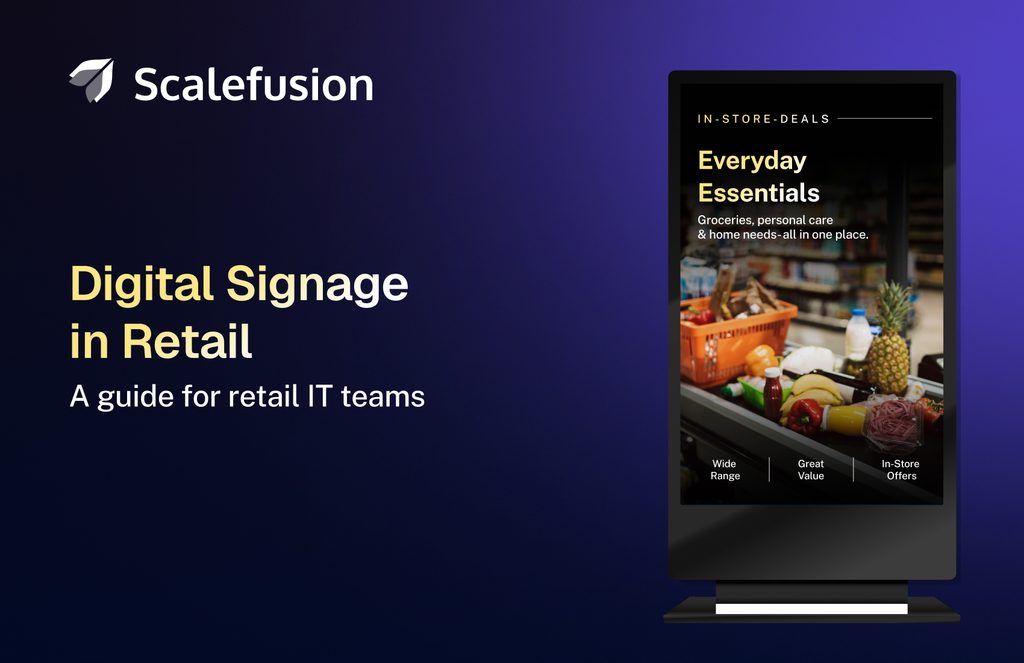
Digital signage in retail is a network of electronic displays (OLED screens or video walls) used to present dynamic, real-time content like promotions, new arrivals, product videos, brand messaging, and wayfinding inside or outside a store. It helps retailers engage, inform, entertain, and advertise to customers across various retail touchpoints, from storefront windows to interactive fitting rooms.
Unlike static printed posters, retail digital signage allows retailers to update content remotely without physically replacing signage materials. Content can also be scheduled for specific times, screens, or store locations, making it easier to manage promotional campaigns across multiple retail outlets from a central dashboard.
How does digital signage work in retail?
Retail digital signage works by connecting electronic displays to digital signage software that controls what content appears on each screen. Retailers can publish promotional content, schedule updates, and manage displays across individual stores or multiple locations.
A typical retail digital signage setup consists of five key components:
- Digital displays: LED or OLED screens, video walls, and interactive kiosks installed at storefronts, product aisles, fitting rooms, and checkout counters to display promotional or informational content.
- Media players: Built-in or external devices that run digital signage applications and deliver content to connected screens. Some commercial displays have integrated media players, eliminating the need for separate hardware.
- Digital signage software: Enables retailers to upload, organize, schedule, and publish content across displays. Content can be managed centrally and updated for specific screens, stores, or locations.
- Network connectivity: Wi-Fi, Ethernet, or cellular connections allow signage devices to communicate with the management platform, receive content updates, and report their operational status, depending on the software.
- Device management: Helps IT teams remotely configure signage devices, manage applications, enforce kiosk restrictions, monitor device status, and troubleshoot issues. Some device management solutions also support content publishing and distribution.
For example, a retail chain operating 50 stores can publish a seasonal promotion across all storefront displays while showing location-specific offers on selected screens. Store managers can focus on in-store operations, while IT teams remotely manage signage content, device configurations, and troubleshooting across locations.
Where is digital signage used in retail?
Retailers can place digital signage wherever timely information or visual communication can improve the customer experience. The placement determines what the signage needs to accomplish. A screen at the entrance may need to capture attention within a few seconds, while an interactive kiosk can support a longer customer interaction.
Common locations include:
- Store entrances: Welcome customers, highlight ongoing promotions, and showcase seasonal campaigns to capture attention as shoppers enter the store.
- Product aisles and shelves: Display product information, comparisons, suggestions, and promotional offers to help customers make informed purchase decisions.
- Checkout areas: Display promotional offers, loyalty program benefits, and related product recommendations while customers wait in line.
- Fitting rooms: Display styling suggestions, complementary products, and promotional offers to help customers explore additional purchase options.
- Service counters: Display pricing, instructions, queue information, or service details.
- Interactive kiosks: Let customers browse products or access services independently.
- Outdoor storefronts: Attract passersby with promotions, product launches, or brand content.
The type of digital signage used in a retail store depends on its location, purpose, and how customers interact with it. From promotional displays to interactive kiosks, retailers can choose different signage formats to support specific shopping experiences.
Types of digital signage in retail
Digital signage can take several forms depending on its location, purpose, and level of customer interaction.
1. Digital displays
Standard digital displays are commonly used for promotions, advertisements, product information, and brand content. Retailers can deploy individual screens or multiple displays across a store.
2. Video walls
Video walls combine multiple displays to create one large visual surface. They are often used in storefronts, flagship stores, and other areas where retailers want to create a prominent visual experience.
3. Interactive kiosks
Interactive kiosks allow customers to actively engage with digital content through touchscreens or other input methods. They can support product discovery, self-service, wayfinding, and catalog browsing.
4. Digital shelf displays
Digital shelf displays can show product details, pricing, and promotional offers directly alongside products, helping customers access relevant information while shopping. They can also make it easier to update information across multiple locations.
5. Digital menu boards
Common in food and beverage retail, digital menu boards display menus, prices, promotions, and other information that may need frequent updates.
The right signage format depends on the intended customer experience. Beyond choosing the type of display, retailers need to consider how digital signage can support different stages of the shopping journey, from promoting products and guiding purchase decisions to improving checkout experiences and supporting in-store operations.
Use cases of retail digital signage
The flexibility of digital signage allows retailers to use the same technology for different stages of the customer journey.
1. Promote products and offers
Retailers can use digital signage to showcase discounts, seasonal promotions, new arrivals, and limited-time offers. Promotional content can be scheduled and updated remotely to align with ongoing campaigns, reducing the need to manually replace printed signage.
2. Provide product information
Screens placed near products can provide specifications, features, comparisons, demonstrations, or other information that helps customers make purchasing decisions.
3. Enable self-service
Interactive kiosks can help customers browse products, search catalogs, check information, or complete specific tasks without requiring assistance from a store associate for every interaction.
4. Support wayfinding
Larger stores can use digital displays to help customers find departments, products, services, or other areas within the store. Interactive displays can make this experience more useful by allowing customers to search for specific destinations.
5. Improve checkout experiences
Digital signage can make waiting at checkout more engaging by displaying useful information like estimated wait times, payment options, store updates, and products customers may be interested in. This helps retailers keep customers informed and engaged while creating opportunities for additional purchases.
6. Deliver brand experiences
Digital signage can go beyond product and promotional content. Retailers can use video walls and large-format displays to showcase brand stories, product launches, campaigns, and other visual content designed to create a stronger in-store experience.
7. Communicate with store employees
Not every digital display needs to face customers. Retailers can also use screens in employee areas to share announcements, training material, operational updates, and other internal communications.
As retailers expand digital signage across different use cases and store locations, deployments can grow from a handful of screens to hundreds or thousands of connected devices. Managing these deployments requires more than choosing the right displays and content. Retailers also need a structured approach to deploying, securing, monitoring, and maintaining signage devices across locations.
Best practices for deploying digital signage in retail
A digital signage deployment can look straightforward when there are only a few screens in one store. The complexity increases when displays are distributed across multiple locations, run different apps, or need frequent content and software updates.
A few practical considerations can make these deployments easier to maintain as they grow.
1. Choose hardware based on deployment
The right hardware depends on where and how the signage will be used. A screen inside a controlled retail environment has different requirements from one placed near a storefront or in an area with high customer traffic.
Consider factors such as screen size, brightness, durability, orientation, touch capability, operating hours, and the computing requirements of the signage app. The media player or endpoint should also have enough processing capacity to run the intended content without affecting playback.
2. Design content for the viewing context
Digital signage content needs to work within the environment where customers will see it. A promotional screen viewed from a distance needs different content from an interactive kiosk used at close range.
Keep important information easy to read and make the primary message immediately clear. Consider viewing distance, screen orientation, lighting conditions, customer dwell time, and whether customers will interact with the display.
3. Use centralized content management
Managing content individually on every display becomes difficult as the number of locations increases. A centralized digital signage content management system allows retailers to schedule, update, and distribute content across multiple screens from one place.
Retailers can also customize signage content for specific stores, regions, screens, or promotional campaigns, depending on the capabilities of their digital signage software.
4. Lock devices to their intended use
A customer-facing display should not become a general-purpose computing device. Interactive kiosks, self-service terminals, and dedicated signage endpoints should be configured to run only the apps and experiences they are intended to provide.
Kiosk configurations can restrict access to unrelated apps and system functions, reducing the chances of customers or unauthorized users interfering with the device.
5. Monitor device health remotely
A screen showing outdated content is a problem. A screen that is offline or unresponsive is another.
Remote monitoring helps IT teams identify device availability and potential issues without relying on store employees to notice and report them. This becomes particularly useful when signage devices are spread across many stores.
6. Keep the underlying devices updated
Digital signage devices run different operating systems, apps, and other software that require regular maintenance. Keeping these components updated helps address security vulnerabilities, compatibility issues, and software defects.
Updates should be planned around store operations so they do not unnecessarily interrupt customer-facing displays.
7. Plan for connectivity failures
Digital signage often depends on network connectivity to receive content and communicate with management systems. Temporary connectivity problems should not automatically result in a blank or unusable display.
Where supported, configure devices to retain and play previously delivered content locally. Retailers should also have a process for identifying offline devices and restoring connectivity when issues occur.
Following these best practices can help retailers manage digital signage more effectively as deployments expand across stores. However, successful implementation also depends on selecting a solution that supports their content requirements, device infrastructure, and long-term management needs.
How to choose a digital signage solution for retail
Choosing a retail digital signage solution involves more than comparing screen sizes or content management features. Retailers should consider how the solution will fit into their existing infrastructure and how easily it can be maintained after deployment.
Consider the following factors:
- Hardware and OS support: Verify that the solution supports the display devices, media players, and operating systems used in the deployment.
- Content management: Look for content scheduling, centralized content distribution, and location-specific content capabilities that match the retail environment.
- Kiosk capabilities: Interactive displays may require kiosk analytics to keep devices dedicated to their intended experience.
- Remote management: A distributed deployment benefits from remote configuration, app deployment, monitoring, and troubleshooting.
- Scalability: The solution should accommodate additional stores and devices without requiring a separate management process for every location.
- Security and updates: Consider how the solution handles device configurations, app and OS updates, and other endpoint maintenance requirements.
- Offline operation: Check whether devices can continue displaying cached content when network connectivity is temporarily unavailable.
- Reporting and visibility: Device and deployment information can help IT teams identify issues and understand the status of signage endpoints across locations.
The right solution should address both content delivery and the ongoing management of signage devices. While some platforms focus primarily on content management, others combine content delivery with endpoint management capabilities. This is particularly relevant for retailers operating signage across multiple stores, where IT teams need to manage content, devices, applications, and security from a centralized platform.
How Scalefusion UEM supports retail digital signage
Retail digital signage requires more than delivering content to screens. IT teams also need to configure, monitor, secure, and maintain the devices powering those displays, particularly when deployments span multiple store locations.
Scalefusion UEM brings content management and endpoint management together. It allows IT teams to publish signage content, configure devices for dedicated use, manage apps, monitor device status, and troubleshoot supported endpoints remotely.
1. Deliver and manage digital signage content
Scalefusion’s Content Management add-on enables retailers to publish and update digital signage content remotely. With Presentation Mode, IT teams can turn supported Android, Windows, and iOS devices into digital signage kiosks, displaying images and videos in JPG, JPEG, PNG, GIF, and MP4 formats. IT teams can publish presentations to selected devices or device groups and update the displayed content remotely from the Scalefusion dashboard.
2. Centrally manage signage devices
Retail signage can span multiple stores, making individual device management difficult to sustain. Scalefusion provides a centralized dashboard where IT teams can configure device settings, apply policies, manage applications, and monitor enrolled signage endpoints without accessing each device individually. IT teams also get a centralized view of all enrolled signage devices across retail locations.
3. Configure devices for dedicated signage
Retail signage devices often serve specific purposes, such as displaying promotional content, running digital menu boards, or supporting interactive kiosks. Scalefusion allows IT teams to configure supported devices with the required apps, settings, and device policies based on their intended use.
4. Lock devices into kiosk mode
Interactive kiosks and customer-facing displays need to remain dedicated to their intended functions. Scalefusion helps IT teams configure supported devices in kiosk mode, restricting access to approved apps and system functions to help prevent unauthorized use or configuration changes.
Retailers can also use supported branding settings to customize home screen and lock screen wallpapers, display lock screen messages, and configure screensaver content where available.
5. Deploy and update apps remotely
Retail signage devices rely on apps for content playback, interactive experiences, and other functions. With Scalefusion, IT teams can remotely deploy, update, and manage supported apps across enrolled signage devices from a centralized dashboard, reducing the need for onsite maintenance.
6. Monitor device status
Scalefusion gives IT teams visibility into the operational status of enrolled signage devices across retail locations. From the dashboard, IT admins can check device status, last-seen information, and other device details to identify inactive endpoints and prioritize troubleshooting.
7. Troubleshoot devices remotely
A malfunctioning signage device can disrupt the customer experience, particularly when IT support is not available onsite. Scalefusion’s Remote Cast & Control capability helps IT teams troubleshoot supported signage devices by viewing their screens remotely and taking control where supported. This can reduce the need for onsite troubleshooting visits.
8. Manage OS updates and security
Retail signage devices require regular OS updates and security maintenance to address known vulnerabilities. Scalefusion UEM helps IT teams manage OS update policies, monitor update status, and apply supported security configurations across enrolled signage devices. For supported Windows endpoints, Veltar Vulnerability Management helps identify, assess, and prioritize OS and app vulnerabilities, while Scalefusion UEM supports remediation through patch management workflows.
Getting the most out of retail digital signage with Scalefusion
An effective retail digital signage strategy goes beyond installing screens and displaying promotional content. It requires choosing the right signage formats, delivering relevant content, and maintaining the devices that support these experiences.
As retailers expand digital signage across locations, a centralized digital signage solution like Scalefusion UEM becomes increasingly important. The right approach helps IT teams maintain device availability, address technical issues remotely, and keep signage operations aligned with changing retail needs.


FAQs
1. What is an example of digital signage?
A digital menu board in a restaurant is an example of digital signage. Other examples include retail promotional screens, airport information displays, and interactive kiosks. Scalefusion helps businesses remotely manage digital signage devices and display content from a centralized dashboard.
2. What are the different types of retail signage?
The six common types of retail signage are promotional, informational, directional, point-of-purchase, outdoor, and digital signage. Digital signage displays promotions, product details, and announcements on electronic screens. Scalefusion helps retailers remotely manage supported digital signage devices and update the content they display.
3. What are the different types of retail signage?
Digital retail signage uses electronic screens to display videos, images, and promotions that can be updated remotely. Traditional retail signage uses printed materials such as posters, banners, and boards that must be physically replaced. Scalefusion helps retailers manage digital signage devices and update content remotely through a centralized platform.

