

Online gaming platforms are designed to capture attention, encourage long sessions, and constantly push notifications or updates. On corporate devices this becomes a direct drain on productivity, bandwidth, and focus. Gaming sites often load high volume media content that slows down networks used for business applications.
Many gaming ecosystems also host third party ads, chat features, and user generated content that introduce risks such as phishing attempts, malicious redirects, or exposure to unsafe communities. When users access these sites across different browsers or networks, the risk footprint widens further. Companies need a reliable way to prevent these distractions and vulnerabilities at scale, especially in mixed device environments.

Veltar’s Secure Web Gateway creates a stronger, device level Defense
Scalefusion Veltar approaches gaming site blocking at the endpoint layer, which avoids the weaknesses of network only or browser based filters. Once the secure web gateway policy is applied to a device, Veltar evaluates every outbound request across all apps, browsers, and networks.
Users cannot bypass restrictions by switching browsers, trying incognito mode, or connecting to mobile hotspots. It identifies gaming domains, gaming platforms hidden behind CDNs, and new or mirrored URLs used by popular game publishers. Since it categorizes requests in real time, Veltar’s SWG reliably blocks gaming sites that static lists typically miss. With unified policy delivery through Scalefusion UEM, IT teams apply the restriction once and maintain consistent enforcement across the entire device fleet.
This quick interactive demo walks you through the exact steps to block online gaming sites using secure web gateway policies in Veltar.
How to block online gaming sites with Veltar
Following is a step-by-step guide on how to block online gaming websites on Scalefusion Veltar
Step 1: Log in to your Scalefusion account and navigate to the Veltar section. Select Secure Web Gateway and click on ‘Create New Filter’ in the top right corner.
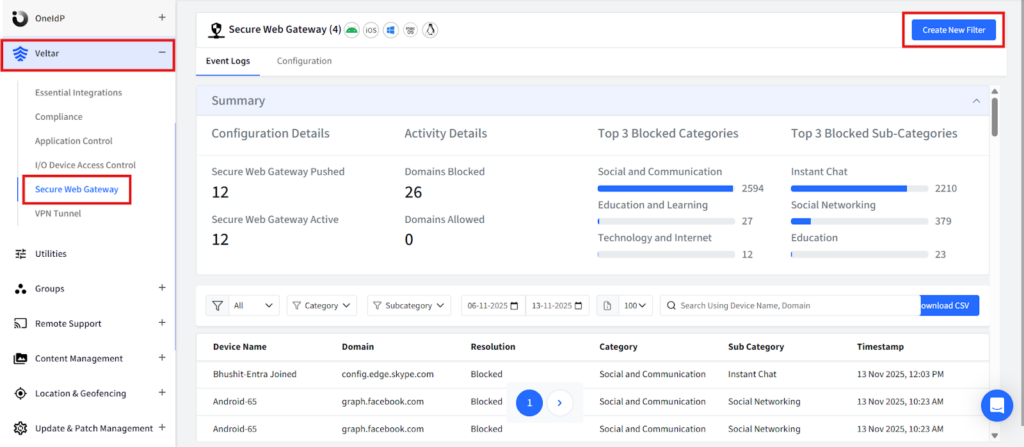
Step 2: Give this filter a unique name.
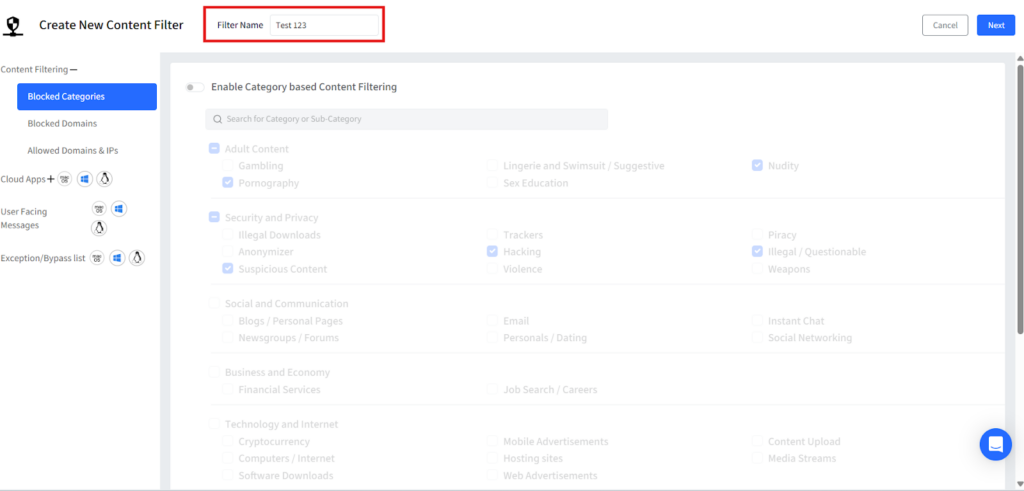
Step 3: Click on blocked categories from the left panel and a list of pre-built website categories will be displayed. Turn on the flag for “Enable Category based Content filtering”.

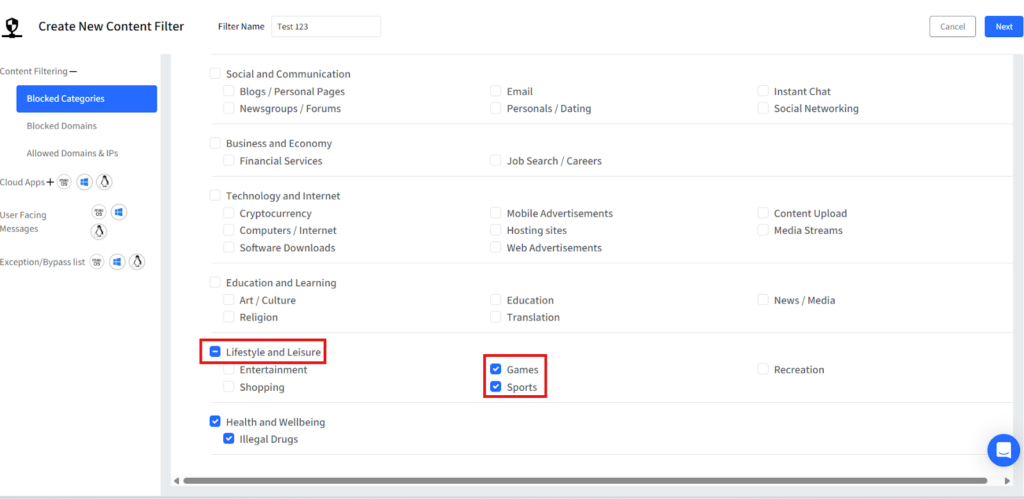
Step 4: Under the ‘Lifestyle and Leisure category’ category, select the options Games and another option Sports.
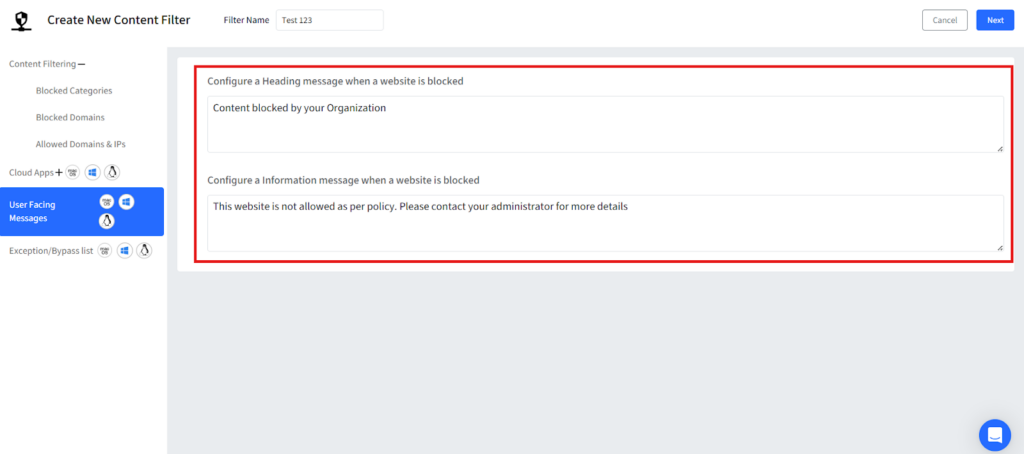
Step 5: Once the categories are selected, customize a message that will be displayed whenever a user tries to visit a gaming site and then save the filter.
Step 6: Once you save it, your filter will be displayed on the dashboard.
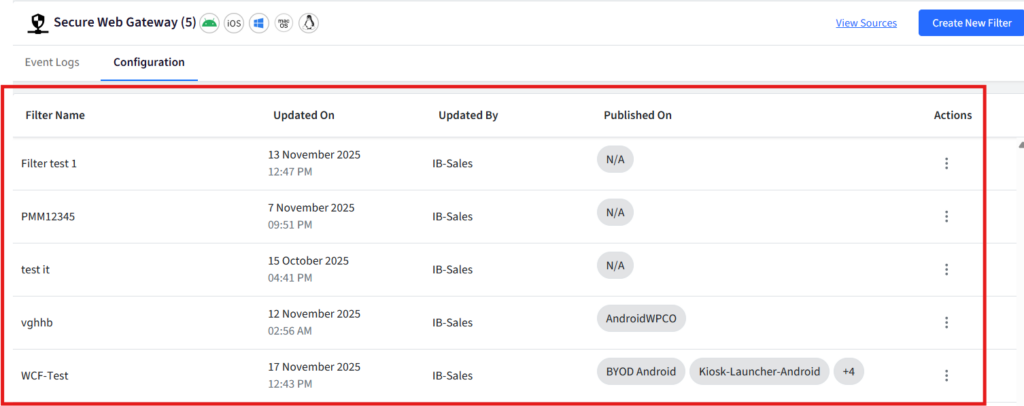
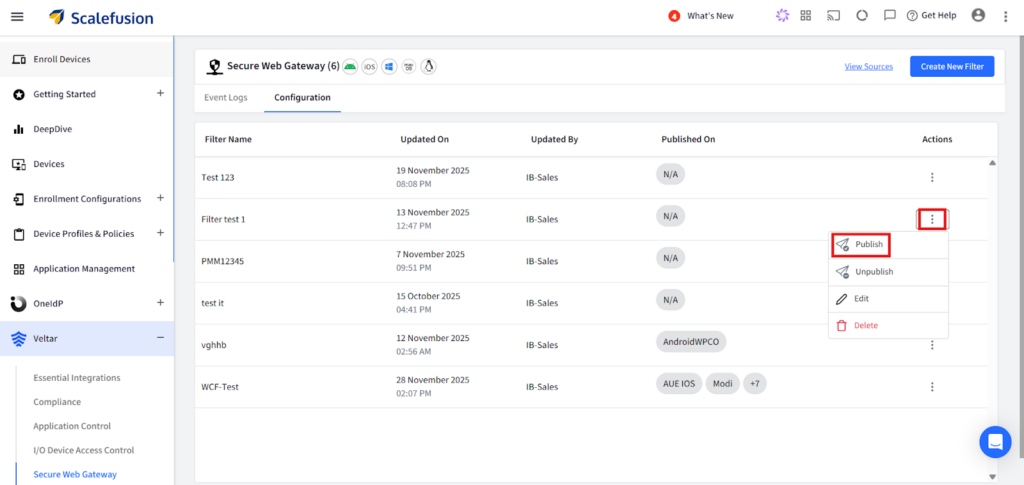
Step 7: Click on the three dots on the extreme right end of the filter configuration and click on publish from the drop down.
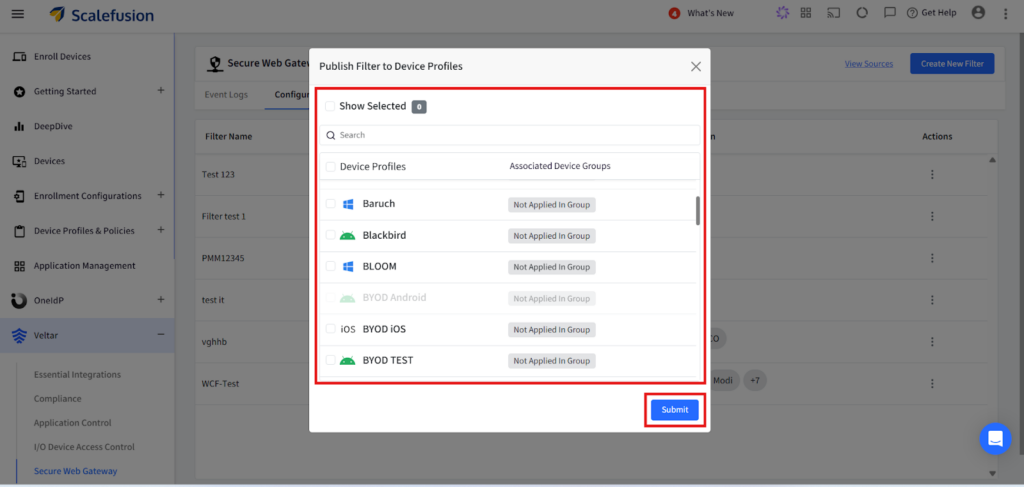
Step 8: Select the appropriate device profile on which you want to enforce the policy and apply this filter configuration.
Secure your web with a reliable Secure Web Gateway
Blocking online gaming sites is not only about reducing distractions but also about eliminating hidden security and compliance risks. Scalefusion Veltar provides a clean, unified, and device centric approach that keeps controls active in every browsing scenario. With Veltar’s secure web gateway, companies create a more focused, safer, and more manageable digital environment across all user devices.
Block online gaming sites and create a safer, more productive digital workplace.
Sign up for a 14-day free trial now.

