The best Windows patch management software helps businesses automate, deploy, monitor, and control updates across Windows laptops, desktops, and servers from a central platform. These tools allow IT teams to fix security vulnerabilities, reduce manual update work, maintain compliance, minimize downtime, and ensure every Windows device stays protected with the latest operating system and application patches.
Key takeaways
The right Windows patch management software helps businesses automate updates, reduce vulnerabilities, and maintain secure, compliant systems across growing IT environments.
- Security Importance: Unpatched software is a major attack vector, and automated patch management tools help close known vulnerabilities quickly, reducing the risk of breaches, malware, and ransomware attacks.
- Core Capabilities: Leading solutions offer automated patch scanning, scheduling, deployment, and reporting, allowing IT teams to manage OS and third-party updates from a centralized dashboard.
- Evaluation Criteria: When choosing a tool, prioritize automation, real-time visibility, patch coverage, rollback support, and integration with existing IT and security systems.
- Operational Benefits: Patch management software reduces manual effort, minimizes downtime, improves system stability, and ensures consistent updates across distributed and remote Windows devices.
- Scalability & Compliance: Modern tools support cloud-based patching, remote workforce management, and compliance reporting, helping organizations scale securely while meeting regulatory and audit requirements.
Almost 60% of cyber attacks happen because of unpatched software. That’s a big risk businesses can’t ignore. In March 2024, AT&T reported a major data breach where details of 70 million users were leaked on the dark web. It’s a clear reminder of how real the threat is.
Keeping your Windows devices updated is one of the easiest ways to avoid security gaps. But with so many patch management tools out there, choosing the right one can get confusing.
This blog covers 10 of the best Windows patch management tools for 2026 along with their key features, pricing, and what makes each one worth considering. It’s a straightforward guide to help find the right fit and keep systems secure.
Why Windows Patch Management Software Is Important in 2026
Windows environments remain one of the most widely used platforms in organizations worldwide, which also makes them a frequent target for cyberattacks. In 2026, the growing number of endpoints, remote devices, and third-party applications has made automated Windows patch management more critical than ever. Without a structured patching strategy, businesses risk leaving systems vulnerable to known security threats that could have been prevented.
1. Protects Against Security Vulnerabilities
Cybercriminals actively look for outdated software and unpatched systems to gain unauthorized access to corporate networks. Microsoft regularly releases security updates to fix vulnerabilities across Windows operating systems and applications. Windows patch management software ensures these updates are deployed quickly and consistently across all devices, significantly reducing the risk of malware, ransomware, and costly data breaches.
2. Ensures Compliance With Regulatory Requirements
Many industries must comply with strict data protection regulations such as HIPAA, GDPR, and PCI-DSS. These frameworks require organizations to keep systems up to date and address vulnerabilities in a timely manner. Patch management tools help IT teams maintain patch compliance, generate audit-ready reports, and demonstrate that security updates have been applied across all endpoints with minimal manual effort.
3. Automates the Patch Deployment Process
Manually managing updates across hundreds or thousands of devices is time-consuming and highly prone to human error. Automated patch management software handles everything from patch scanning and testing to scheduling and deployment. This allows IT teams to keep systems current without interrupting daily business operations or overburdening their staff.
4. Supports Remote and Distributed Workforces
Modern organizations operate in hybrid and remote work environments where devices are not always connected to the corporate network. Cloud-based patch management solutions give IT administrators the ability to push updates to remote Windows devices from anywhere, ensuring consistent security coverage regardless of where employees are working.
5. Improves System Stability and Performance
Patching is not only about closing security gaps. Many updates also include performance improvements, bug fixes, and compatibility enhancements that keep systems running smoothly. Applying patches regularly helps maintain system reliability and reduces the chances of unexpected crashes or application failures that disrupt productivity.
6. Simplifies Third-Party Application Patching
A large number of security vulnerabilities originate not from Windows itself but from third-party applications like browsers, productivity tools, and collaboration software. Advanced patch management tools for Windows allow IT teams to manage both operating system and third-party application patches from a single centralized dashboard, making endpoint maintenance far more efficient.
In 2026, as cyber threats continue to evolve and IT environments grow more complex, implementing a reliable Windows patch management solution is no longer optional. It is a foundational requirement for any organization serious about maintaining security, compliance, and long-term operational efficiency.
Top 10 Windows Patch Management Software 2026
1. Scalefusion Patch Management Software

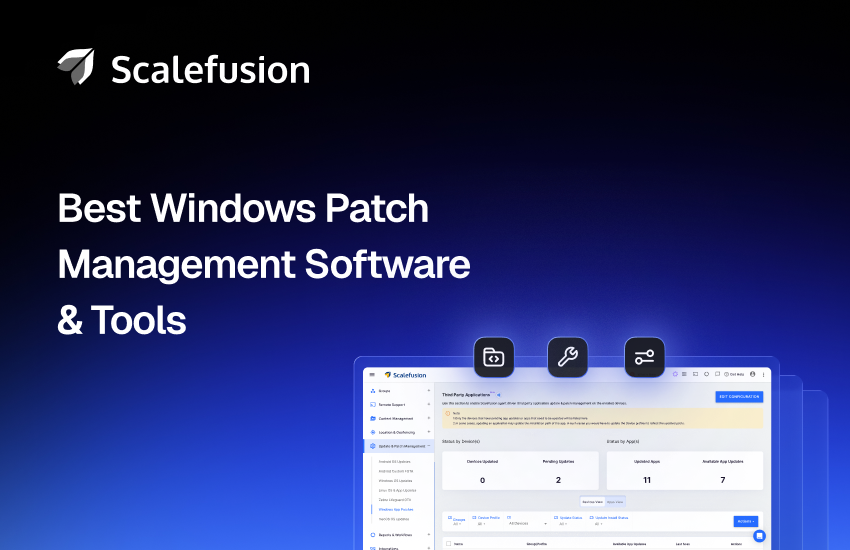
Scalefusion is Unified Endpoint Management software that doubles as a Windows patch management tool. It offers a secure and efficient way to manage and apply patches to your Windows 11, 10, and legacy devices. You can leverage Scalefusion’s patch management capabilities to maintain strong and consistent security and ensure compliance across your entire Windows device inventory. Scalefusion UEM optimizes the IT team’s efforts and the costs involved in the patching process and software updates combined with device management.
Key Features
- Centralized patch management for Windows devices.
- Automate OS and third-party app updates.
- Schedule and delay patch deployment.
- Monitor device update status in real-time.
- Detailed patch reporting and audit logs.
- Security patching for vulnerabilities.
- Bulk deployment of patch across Windows devices.
- Server Patching
Reasons to buy
- Centralized platform for managing OS and application updates with minimal manual effort.
- Automates patch deployment to protect devices from vulnerabilities, ensuring compliance and security.
- Provides remote troubleshooting features, allowing IT teams to resolve issues without physical intervention.
- Schedules and automates updates across a large number of devices saves significant time and ensures consistency.
- Improves visibility by providing reports on unpatched devices, allowing IT teams to prioritize patches.
- Offers granular control and flexibility over scheduling patches.
- Applies patches to user and device groups and deploys pre-approved patches to provide quick resolution.
Pricing
- Offers flexible plans.
- The basic plan starts at $2 per device per month, billed annually.
- A 14-day free trial is available.
G2 Ratings
- 4.7/5
Looking for a smarter way to manage Windows patches?
Streamline patch deployment and endpoint security with Scalefusion.
2. Azure Update Management

Azure Update Management Center offers centralized visibility and control for managing updates across Windows, Linux, and Azure Arc-enabled servers. It streamlines patch deployment, security updates, and compliance monitoring, providing flexibility and security for all types of infrastructure.
Key Features
- Centralized update compliance dashboard
- Flexible update scheduling and deployment
- Patch management with Azure Policy integration
- Extended security updates for legacy systems
Reasons to Buy
- Simplified patch management across diverse infrastructures.
- Enhanced security and compliance with Microsoft’s robust cybersecurity investments.
- Easy integration and no additional charges for Azure resources.
Pricing
- Azure Update Manager comes included in your Azure account.
- Free trial is available.
3. Atera

Atera is a powerful cloud-based remote monitoring and management (RMM) platform designed to simplify IT operations and empower Managed Service Providers (MSPs). As a comprehensive Windows Patch Management solution, Atera offers IT administrators complete visibility and control over their networks and devices, enabling seamless patch deployment for operating systems, applications, and servers. With its centralized interface, Atera automates patching for Windows workstations and servers, ensuring systems remain secure and up-to-date.
Key Features
- Comprehensive Reporting
- Patch Summary
- Automated Patch Management
- Software Bundle
Reasons to buy
- Ensures software, hardware, and OS are up to date
- Configures preferences for Microsoft updates
- Automates patch installs to save time
- Get notified about available patches for all your managed devices
Pricing
- Offers four different plans to choose from.
- The pricing plans start from $149 per technician per month, billed annually.
- Offers a 30-day free trial.
G2 Rating
- 4.6/5
4. Automox

Automox is a cloud-native Windows Patch Management solution designed to streamline and automate critical IT operations. With cross-platform capabilities, it simplifies patching, compliance enforcement, software updates, and security configurations for local, remote, and cloud-based endpoints. Automox empowers organizations to accelerate security and protect Windows devices from vulnerabilities through automated workflows and real-time endpoint management.
Key Features
- Third-party application patching
- Automated Patch Deployment
- Cross-platform OS patching
- Server patch management
Reasons to buy
- Simplifies managing vulnerabilities across diverse operating systems.
- Enables visibility and control over every managed endpoint from a single platform.
- Automates workflows and accelerates security.
Pricing
- The basic plan starts at $3 per device/month, billed annually.
- Provides a 15-day free trial.
G2 Rating
- 4.4/5
5. ManageEngine Endpoint Central

ManageEngine Patch Management, part of the Desktop Central suite, provides an all-in-one solution to automate the patching of Windows, macOS, Linux, and third-party applications. Designed to secure endpoints against vulnerabilities, the tool ensures up-to-date systems by streamlining the patch deployment process. With granular control and reporting features, it caters to businesses of all sizes, offering flexibility and scalability for IT teams.
Key Features
- Automated Patch Deployment
- Test and Approve Patches
- Patch scheduling and rebooting
- Support for Third-party patches
- Patch Decline for legacy applications
- Period Patch scanning
- Vulnerability assessment
Reasons to buy
- Ensures endpoint security with automated and timely patching.
- Simplifies vulnerability management across diverse systems.
- Saves time with centralized and automated patch deployment.
- Enhances compliance with detailed audit and reporting capabilities.
Pricing
- Request a quote to get pricing details.
- A 30-day free trial is available on the cloud and on-prem versions.
G2 Rating
- 4.4/5
6. ITarian

ITarian is a cloud-based IT management platform designed to simplify patch management for Managed Service Providers (MSPs). It supports both Windows and Linux operating systems, providing a robust solution for automating and managing device patching processes. ITarian helps IT admins identify vulnerable endpoints, automate patch deployment, and maintain comprehensive records with in-depth reports on patch update history.
Key Features
- Automated Patch Deployment
- Cross-Platform Support (Windows and Linux)
- Patch Testing
- Endpoint Grouping
- Vulnerability Identification
- Detailed Reporting
Reasons to buy
- Manages patches across both Windows and Linux systems from a single interface.
- Saves time with automated patch deployment and scheduling.
- Ensures safe patch implementation by testing them before deployment.
- Provides in-depth patch update reports to track the status of all managed devices.
Pricing
- ITarian has three pricing modules.
- Pricing structure for each device is as per the count of devices.
- (For more details please visit their website)
G2 Rating
- Not available
7. Kaseya VSA

Kaseya Patch Management is a comprehensive solution designed to streamline and automate the patching process for systems and applications. It enables IT teams to safeguard devices and networks by ensuring they remain up to date with the latest patches and security updates, reducing vulnerabilities and the risk of cyberattacks. Integrated within the Kaseya RMM platform, it simplifies patch deployment across diverse environments, including endpoints, operating systems, and third-party applications.
Key Features
- Automated patch deployment
- Comprehensive patching for operating systems and third-party applications
- Patch reporting and analytics
- Custom patching schedules
- Vulnerability scanning and remediation
Reasons to Buy
- Automates critical patch management tasks, saving time and reducing manual errors.
- Ensures compliance and strengthens security by keeping systems updated with the latest patches.
- Provides deep reporting and analytics to help track patch status and vulnerabilities.
- Integrates seamlessly with Kaseya’s RMM platform for a unified IT management experience.
Pricing
- Request a quote to get pricing details.
- Provides a 14-day free trial.
G2 Rating
- 4/5
8. SuperOps.ai

SuperOps.ai is a modern Windows Patch Management solution designed to simplify and secure IT operations for Managed Service Providers (MSPs) of all sizes. With its unified PSA-RMM platform, SuperOps.ai combines proactive automation with intuitive management features. Its cloud-native patch management capabilities streamline the process of deploying updates across client systems, ensuring security and compliance while minimizing vulnerabilities.
Key Features
- Automated Deployment
- Patch Identification and Logging
- Reporting and Compliance
Reasons to buy
- Deploys patches in bulk.
- Ensures device stability and security.
- Offers a single-pane view of patches.
Pricing
- The pricing plans start at $79 per technician per month, billed annually. (150 endpoints per technician).
- Offers a 21-day free trial.
G2 Rating
- 4.6/5
9. NinjaOne Patch Management

NinjaOne’s Patch Management solution provides automated, centralized management for software updates and security patches across a network of devices. It helps businesses ensure all endpoints are secure by enabling quick patch deployment, reducing vulnerabilities, and automating the update process for operating systems and third-party applications. The solution is designed for ease of use and scalability, making it suitable for companies of all sizes.
Key Features
- Automated patch scanning and deployment.
- Cross-platform support for Windows, Mac, and Linux.
- Centralized dashboard for patch status monitoring.
- Customizable patching schedules and notifications.
- Third-party app patch management.
- Rollback functionality for failed patches.
- Detailed patching reports and compliance tracking.
Reasons to Buy
- Automates the entire patch management process, saving time and reducing manual errors.
- Supports multiple operating systems, including Windows, Mac, and Linux, all from one platform.
- Reduces vulnerabilities by ensuring all devices are up-to-date with the latest security patches.
- Provides detailed reports and compliance tracking to meet regulatory requirements.
Pricing
- Request a custom quote for further pricing details.
- Offers a free trial with full access to all features.
G2 Rating
- 4.7/5
10. SecPod SanerNow Patch Management

SecPod’s Patch Management solution is designed to provide continuous vulnerability and exposure management (CVEM), helping businesses safeguard their IT infrastructure from potential cyberattacks. It offers automated patching, vulnerability detection, and real-time updates to ensure the security and compliance of software and hardware across an enterprise. The platform integrates seamlessly with IT asset discovery, enabling comprehensive visibility and control over devices and applications to prevent security breaches.
Key Features
- Automated vulnerability patching
- Continuous asset monitoring and exposure management
- Real-time patch deployment
- Comprehensive reporting and auditing
- Integration with IT asset discovery
- Customizable patch management policies
- Remote deployment capabilities
- Cross-platform support (Windows, macOS, Linux)
Reasons to Buy
- Protects IT infrastructure with continuous vulnerability and exposure management.
- Streamlines patching and vulnerability remediation, reducing manual intervention.
- Provides immediate alerts and updates to keep your systems secure.
- Suitable for businesses of all sizes with cross-platform support
Pricing
- Request a custom quote to get pricing details.
- Provides a free trial.
G2 Rating
- Not available
What to Look for in Windows Patch Management Software?
Keeping Windows devices updated is one of the most effective ways to reduce security risks and system issues. But not every Windows patch management tool offers the same value. The right one should make patching simple, reliable, and easy to scale no matter the size of your IT setup.
Here’s what to look for:
- Comprehensive Patch Coverage: The patch management tool should support all versions of Windows used across your desktops, laptops, and servers. It’s a plus if it can also manage updates for third-party apps.
- Automation Capabilities: Manual patching is slow and error-prone. A good patch management tool should automate patch scans and deployments, so updates happen on time with minimal effort.
- Granular Control and Customization: Automation is helpful, but IT teams still need control. Look for tools that let you approve or skip patches, schedule updates during off-hours, and set custom rules for different device groups.
- Real-Time Reporting and Insights: You should always know which devices are updated and which aren’t. Choose a patch management tool that offers detailed reports and real-time insights on dashboards to help track progress and spot issues quickly.
- Rollback Features; Some updates don’t go as planned. A good patch management tool lets you roll back patches if they cause problems, so you are never stuck with a broken system.
- Cloud and On-Premise Support: Depending on your setup, you may need cloud-based patching, on-premise control, or a mix of both. Cloud tools work well for remote teams, while on-prem setups offer more direct control.
- Scalability: As your business grows, your patch management tool should keep up. Make sure it can handle more devices without slowing down or complicating workflows.
- Integration with Existing IT Tools: Look for a patch management tool that works with your current RMM, IT service management (ITSM) platforms, or security solutions. Seamless integration helps streamline operations and reduce manual work.
Easy to Use: An easy to use interface can save your team hours. The tool should be simple to navigate, with clear options and helpful documentation for faster onboarding and daily use.istrators and ensures efficient patch management. Choose software with intuitive navigation, clear workflows, and accessible documentation.
Opting for the right Windows Patch Management Solution: A Necessity
Choose the Right Patch Management Tool for Long-Term Security
Windows may be the most widely used OS, but that also makes it a big target for cyber threats. Keeping your systems patched is a critical part of protecting your business.
Patch management tools take care of updates automatically, so your IT team doesn’t have to do everything manually. It shows you which devices are patched and which ones still need attention. A good patch management tool should also work well with your current IT setup, help you meet compliance requirements, and grow with your business as your needs change.
While all the tools discussed in this blog are solid choices, Scalefusion stands out with features like automated patch scheduling, policy enforcement, and deep integration with Windows devices. It’s built to simplify patching at scale and reduce the everyday workload on IT teams.


FAQ’s
1. Which Windows patch management software is best for small businesses?
The best Windows patch management software for small businesses is one that offers automated patch deployment, centralized management, and easy setup. Cloud-based solutions are often preferred because they allow IT teams to manage updates remotely without complex infrastructure. Platforms such as Scalefusion Windows patch management solution help small IT teams automate Windows updates and manage third-party application patches from a single dashboard.
2. Is WSUS good enough as Windows patch management software in 2026?
WSUS can still be used to manage Microsoft updates in Windows environments. However, it has several limitations such as limited automation, basic reporting, and lack of built-in support for patching third-party applications. Modern IT environments often require better visibility and remote management capabilities. Solutions like Scalefusion Windows patch management tool provide automated patch deployment and centralized control across distributed devices.
3. What are the benefits of using a centralized Windows patch management tool?
A centralized Windows patch management tool allows IT teams to deploy and monitor updates across all devices from a single dashboard. This improves visibility into patch status, ensures consistent update deployment, and reduces manual work. It also helps organizations address vulnerabilities quickly, automate patch schedules, and maintain compliance with security policies.
4. Can Windows patch management software update third-party applications?
Yes, many modern Windows patch management tools support updating third-party applications such as browsers, productivity tools, and collaboration software. This helps organizations reduce security risks because many vulnerabilities originate from commonly used applications. Scalefusion Windows patch management software allow administrators to automate updates for both Windows operating systems and third-party applications from one platform.
5. Does Windows patch management software help with compliance?
Yes, Windows patch management software helps organizations meet compliance requirements by ensuring devices receive timely security updates. Many tools provide reporting and audit logs that show patch deployment status across devices. These reports help IT teams demonstrate that systems are regularly updated and aligned with security standards and regulatory requirements.
References
1. Statista