

The best BYOD management solutions help organizations securely manage employee-owned devices used for work without taking full control of personal data. These platforms allow IT teams to enforce security policies, manage work apps, protect business data, enable secure access, and remotely remove only corporate information when an employee leaves or a device becomes non-compliant.
Key takeaways
Choosing the best BYOD management solutions in 2026 is essential to balance employee flexibility with strong security, compliance, and centralized device control.
- BYOD Security Risks: Unmanaged personal devices increase exposure to data leaks, phishing, and compliance violations, making BYOD management critical for protecting sensitive corporate information.
- Core Capabilities: Effective BYOD solutions offer containerization, conditional access, encryption, and selective wipe to secure business data without interfering with personal user data.
- Business Benefits: BYOD management reduces hardware costs, speeds onboarding, improves employee experience, and gives IT teams visibility to help monitor, secure, and respond to device-level risks.
- Solution Differences: Each platform varies in strengths such as ecosystem integration, AI-driven security, deployment flexibility, or affordability, so aligning features with your IT environment is essential.
- Selection Approach: Choose a BYOD solution based on privacy controls, multi-OS support, ease of deployment, and scalability to ensure long-term security without impacting user productivity.
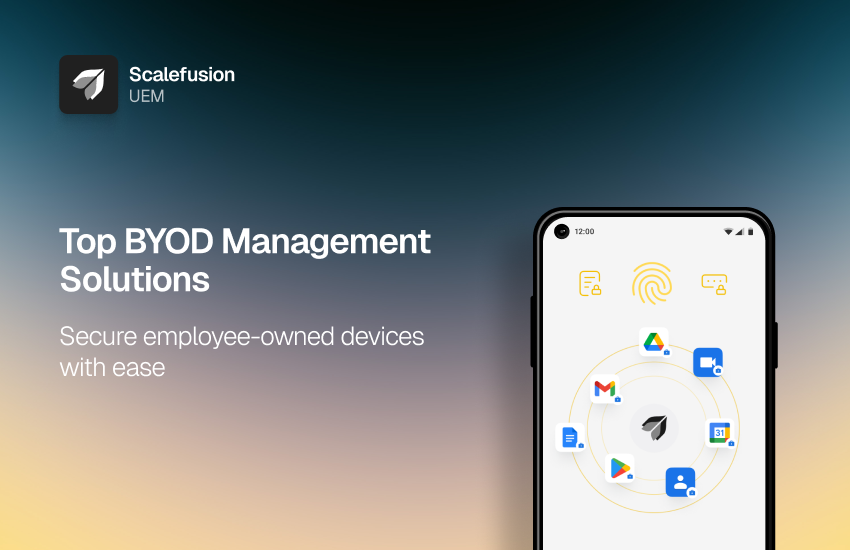
The workplace has changed drastically in the past decade. Employees today prefer using their own smartphones, tablets, and laptops to access work emails, business apps, and cloud files. This Bring Your Own Device (BYOD) culture promises convenience and productivity, but it also opens up a Pandora’s box of risks.
According to industry reports, a large percentage of data breaches involve compromised personal endpoints. With sensitive information crossing over unsecured devices, organizations face threats such as data leakage, phishing attacks, and compliance violations.
This is why companies can no longer leave BYOD unmanaged. They need a way to securely, transparently, and efficiently manage personal devices without intruding on employees’ private data. This balance is made possible with BYOD solutions that are designed specifically to handle BYOD.
In this blog, we will first explore the key benefits of adopting BYOD management software, and then walk through the 5 best BYOD management solutions for 2026 to help you choose the right one for your organization.
How do organizations benefit from BYOD solutions?
Embracing BYOD solution goes beyond letting employees use personal devices for work. It’s about creating a framework where both the organization and employees feel secure. Here’s how BYOD solution management makes that possible:
- Protects business data from leakage: Policies such as selective wipe, data encryption, and restricted sharing ensure that company data doesn’t spill into personal apps or unsecured cloud storage.
- Helps maintain compliance: Industries like healthcare, finance, and retail demand strict regulations. BYOD management tools provide audit trails, enforce encryption, and apply conditional access to support compliance efforts through audit trails, encryption policies, and conditional access.
- Improves employee experience: Instead of taking over an entire phone, MDM/UEM solutions create a clear divide between work and personal spaces. Employees keep their privacy intact while still being productive.
- Reduces costs and speeds onboarding: Companies no longer need to purchase hardware for every new hire. With BYOD, employees can get started within minutes by enrolling their own devices.
- Enables better visibility and incident response: IT admins can monitor which devices access company data, apply security updates remotely, and take quick action if a device is lost or compromised.
In short, BYOD management ensures that employees enjoy the flexibility of personal devices while organizations maintain the control and security they need.
| BYOD Solution | Best For | Key BYOD Strengths | Supported Platforms | Pricing | Main Limitation |
|---|---|---|---|---|---|
| Scalefusion | SMBs, enterprises, frontline teams, and multi-OS BYOD environments | Work profile, iOS User Enrollment, DLP, selective wipe, conditional access, remote troubleshooting, OneIdP integration | Android, iOS, Windows, macOS, Linux | Growth plan includes BYOD at $3.5/device/month | Best suited for managed business use cases, not unmanaged personal-only environments |
| Microsoft Intune | Microsoft 365 and Entra ID-heavy organizations | MAM, app protection policies, Conditional Access, compliance policies, Microsoft 365 integration | Android, iOS, Windows, macOS | Plan 1: $8/user/month | Can be complex outside Microsoft-first environments |
| ManageEngine MDM Plus | SMBs, regulated industries, and teams needing cloud or on-prem deployment | Containerization, app/email management, compliance reporting, remote troubleshooting | Android, iOS, Windows, macOS, ChromeOS | Starts at $64/month for 50 devices | Learning curve may be higher for smaller teams |
| IBM MaaS360 | Large enterprises and security-focused teams | Threat defense, analytics, compliance, app/content management | Android, iOS, Windows, macOS | Available on request | May be more complex for SMBs |
| Miradore | SMBs and startups | Simple onboarding, selective wipe, app management, passcode/encryption policies | Android, iOS, Windows, macOS | Free plan available; paid plans listed in article | May lack deeper enterprise controls compared with larger UEM platforms |
5 Best BYOD Management Solutions for 2026
1. Scalefusion

Scalefusion is a modern Mobile Device Management (MDM) and Unified Endpoint Management (UEM) solution built with BYOD in mind. It focuses on making device enrollment and policy application simple for both IT teams and employees. The platform emphasizes privacy-conscious controls, ensuring corporate data is secure without intruding on an employee’s personal space. This makes it particularly effective in organizations that want to encourage BYOD (Bring your own device) adoption without creating friction for users.
Key features:
- Work and personal separation: Support for Android work profile and iOS User Enrollment creates a secure workspace for business apps and data while leaving personal apps untouched.
- App and content management: IT teams can push business apps, restrict usage of non-approved apps, and manage corporate content in a secure container.
- Conditional access & certificate-based security: Only compliant devices are allowed to access corporate email, files, or networks.
- Data loss prevention (DLP): Policies can restrict copy-paste, screenshots, and unauthorized file sharing from the work container, where supported by the OS, app, and enrollment model.
- Privacy-first controls: Scalefusion makes it clear to employees that personal data such as photos, messages, or browsing history, remains private.
- Remote Troubleshooting: IT admins can view and control devices remotely to quickly resolve issues without needing physical access.
- Multi-OS support: Manage Android, iOS, Windows, macOS, and Linux devices from a single unified console.
- Optional OneIdP integration: For organizations needing advanced identity and access management, Scalefusion offers a seamless single sign-on (SSO) solution and multi-factor authentication (MFA).
G2 Rating: Scalefusion has earned a 4.7 out of 5 rating on G2, highlighting its ease of use, responsive support, and value for money.
Pricing:
Scalefusion follows a transparent pricing model:
- Essential: $2/device/month
- Growth (BYOD included): $3.5/device/month
- Business: $5/device/month
- Enterprise: $6/device/month
Pricing is billed annually with a 10-device minimum, making it affordable for organizations of all sizes to roll out BYOD management at scale.


2. Microsoft Intune
Microsoft Intune is a cloud-based endpoint management solution that integrates tightly with Microsoft 365. It gives IT teams the flexibility to manage both company-owned and personal devices through either full enrollment or app-level protection policies. For organizations already invested in the Microsoft ecosystem, Intune is a natural choice for securing BYOD without forcing device-wide controls.
Key features:
- App-level protection: Apply security policies such as PIN, encryption, and data transfer restrictions directly on business apps like Outlook or Teams even if the device isn’t enrolled.
- Conditional access: Works seamlessly with Microsoft Entra ID (formerly Azure AD) to allow only compliant devices or apps to access sensitive company resources.
- Multi-OS support: Manage Android, iOS, macOS, and Windows devices in one platform.
- Data protection policies: Prevent copy-paste, screenshots, or unauthorized data sharing from managed apps.
- Integration with Microsoft 365: Smooth deployment of Office apps, updates, and compliance controls.
- Reporting and analytics: Detailed device compliance and usage reports for security audits.
G2 Rating: Microsoft Intune holds a 4.5 out of 5 rating on G2. Users often highlight its seamless integration with Microsoft services as its biggest strength.
Pricing:
- Intune Plan 1: $8/user/month
- Intune Plan 2: $4/user/month
- Enterprise App Management add-on: $2/user/month
Intune is also bundled with select Microsoft 365 plans, which can make it cost-effective for organizations already subscribed to the Microsoft suite.
3. ManageEngine Mobile Device Manager Plus
ManageEngine Mobile Device Manager Plus (MDM Plus) is a comprehensive MDM solution designed for businesses of all sizes. Available both on-premises and in the cloud, it offers flexible deployment options that fit into diverse IT infrastructures. The platform emphasizes granular policy controls, app management, and compliance enforcement, making it suitable for BYOD management in organizations that want strong oversight over personal devices without compromising security. It is a good choice for organizations that want full control over both corporate and personal devices, prefer on-premises deployment options, or operate in regulated industries where detailed compliance reporting is critical.
Key features:
- Multi-OS support: Manage Android, iOS, macOS, Windows, and ChromeOS devices from a unified console.
- BYOD containerization: Separate work and personal apps, ensuring user privacy while maintaining corporate control.
- Application and email management: Distribute, update, and manage business apps while securing corporate email access.
- Compliance reporting: Generate detailed reports to ensure devices meet organizational and regulatory requirements.
- Remote troubleshooting: IT admins can remotely troubleshoot, lock, or wipe devices.
- Flexible deployment: Choose between on-premises or cloud deployment based on organizational needs.
G2 Rating: ManageEngine MDM Plus holds a 4.5 out of 5 rating on G2. Users appreciate its feature richness and deployment flexibility, though some mention the learning curve can be steep.
Pricing:
- Standard plan: Starts at $64/month for 50 devices (cloud-based).
- Professional plan: Starts at $119/month for 50 devices (cloud-based).
- Free edition: Available for up to 25 devices.
Pricing varies depending on the edition, number of devices, and whether you choose cloud or on-prem deployment.
4. IBM MaaS360
IBM MaaS360 is a BYOD management tool that stands out for its AI-powered threat defense and analytics. Built to handle large and complex IT environments, MaaS360 provides strong BYOD support while offering visibility into security risks. Its Watson AI integration gives IT teams deeper insights into device health, potential vulnerabilities, and usage trends, which makes it appealing for organizations that need more than basic MDM.
Key features:
- Multi-OS support: Manage Android, iOS, macOS, and Windows devices from a single dashboard.
- BYOD-friendly enrollment: Create secure containers for corporate apps and data while maintaining personal privacy.
- AI-powered threat defense: Proactive detection of risky apps, jailbroken devices, or suspicious activity using IBM Watson insights.
- Compliance enforcement: Apply role-based access, encryption requirements, and conditional access policies across devices.
- App and content management: Securely distribute and update apps, restrict data sharing, and enforce DLP policies.
- Analytics and reporting: Advanced insights into device usage, security posture, and compliance status.
- Remote troubleshooting: Remotely lock, wipe, or assist users in case of device loss or technical issues.
G2 Rating: IBM MaaS360 holds a 4.2 out of 5 rating on G2. Users highlight its scalability and security features, though some note that the interface could feel dated compared to newer solutions.
Pricing: IBM offers multiple editions (Essentials, Deluxe, Premier, and Enterprise), with pricing available on request. Costs typically depend on the chosen edition, number of devices, and additional security modules.
5. Miradore
Miradore, now part of the GoTo family, is a cloud-based MDM platform designed with simplicity and affordability in mind. It is particularly popular among small and mid-sized businesses that want to manage BYOD without the complexity or cost of enterprise-grade tools. With fast setup, a clean interface, and core security features, Miradore offers a straightforward way to protect corporate data on personal devices. It is ideal for SMBs and startups that want to start with a budget-friendly BYOD management tool with fast setup before moving to advanced tools.
Key features:
- Multi-OS support: Manage Android, iOS, Windows, and macOS devices through a single web-based console.
- BYOD support with containerization: Separate business apps and data from personal usage while protecting employee privacy.
- App and patch management: Distribute apps, enforce updates, and block unapproved software.
- Compliance rules: Enforce passcodes, encryption, and OS version requirements to keep devices secure.
- Remote troubleshooting: Lock, wipe, or push fixes remotely when devices are lost or compromised.
- Selective wipe: Remove only company data from a device, leaving personal content untouched.
- Simple onboarding: Users can self-enroll devices with minimal IT intervention.
G2 Rating: Miradore has a 4.6 out of 5 rating on G2. Customers often mention its ease of use, quick deployment, and affordability as standout factors.
Pricing:
- Free plan: Basic device management features with limited functionality.
- Premium: $2.75/device/month.
- Premium+: $3.95/device/month, which adds advanced reporting and automation capabilities.
Choose the best BYOD software for your organization
In 2026, managing BYOD is a necessity. As employees increasingly rely on personal devices for work, IT teams must find the right balance between security, compliance, and user privacy. Each BYOD solution explored in this article brings unique strengths to the table.
- Scalefusion stands out for its simplicity, multi-OS support, and privacy-first approach, making it a strong fit for organizations that want an easy yet powerful solution.
- Microsoft Intune is ideal for Microsoft 365-heavy environments that value seamless app-level protection.
- ManageEngine MDM Plus offers granular controls and flexible deployment, which is perfect for compliance-driven industries.
- IBM MaaS360 provides AI-driven threat defense and analytics, appealing to large enterprises with complex security needs.
- Miradore delivers affordability and simplicity, well-suited for SMBs and startups.
While each solution has its merits, Scalefusion is a strong fit for organizations that need privacy-conscious BYOD management, multi-OS support, transparent pricing, and optional identity/access controls; the balance of usability, transparent pricing, and strong BYOD features often makes it the best BYOD software for organizations of all sizes. That said, the best way to decide is to test and pilot these BYOD solutions in your own IT environment. A trial run with real users will reveal which BYOD management solution truly aligns with your security goals, compliance requirements, and employee experience.
FAQs
1. How to manage BYOD devices?
Managing BYOD devices requires enforcing security policies, controlling app installations, and monitoring usage. Scalefusion offers a seamless solution to securely manage and monitor BYOD devices remotely.
2. What is the best BYOD management solution for SMBs?
The best BYOD management solution for SMBs depends on factors such as ease of deployment, affordability, security features, and multi-platform support. Businesses should look for solutions that offer work profile management, selective wipe, app management, and compliance policies without requiring complex administration. Scalefusion is a strong option for SMBs due to its straightforward deployment, cross-platform support, and comprehensive BYOD management capabilities.
3. What is the best BYOD management solution for Microsoft 365 environments?
Organizations using Microsoft 365 often benefit from BYOD solutions that integrate with Microsoft services such as Microsoft Entra ID, Conditional Access, and Microsoft Intune. Businesses with broader device management needs may also consider platforms that integrate with Microsoft 365 while supporting multiple operating systems and additional security controls.
4. What is the difference between MDM and MAM for BYOD?
Mobile Device Management (MDM) manages the device itself by enforcing security policies, configuring settings, and protecting corporate data. Mobile Application Management (MAM) focuses only on managing business applications and their data without requiring full device management. Many organizations use a combination of MDM and MAM to secure employee-owned devices while maintaining user privacy.
5. Can BYOD management protect employee privacy?
Yes. Modern BYOD management solutions are designed to separate work data from personal data using technologies such as Android Work Profile and iOS User Enrollment. This allows IT administrators to manage corporate apps and data without accessing personal photos, messages, contacts, or other private information.
6. Can IT wipe personal data from a BYOD device?
In most BYOD deployments, IT administrators can perform a selective wipe that removes only corporate apps, work profiles, and business data. Personal files, photos, messages, and applications remain untouched, provided the device is enrolled using supported BYOD management methods.
7. What is selective wipe in BYOD management?
Selective wipe is a security feature that removes only business-related data from an employee-owned device without affecting personal information. It is commonly used when a device is lost, becomes non-compliant, or an employee leaves the organization.

