
Unrestricted access to gambling websites poses serious risks to employees, students and organizations security posture. With Scalefusion Veltar’s Secure Web Gateway, blocking gambling sites is simple, fast, and fully enforceable on every managed device, both on and off network.

Why Scalefusion Veltar’s Secure Web Gateway works better
When organizations block gambling sites, the effectiveness of the control depends entirely on how accurately and consistently the filtering configuration detects risky domains. This is where Scalefusion Veltar’s secure web gateway solution delivers a distinct advantage. It is built directly into the Scalefusion UEM stack, so it operates at the device level and enforces policies even when users switch networks, use personal hotspots, or move outside the corporate perimeter.
Veltar applies real-time inspection on every request instead of relying only on static URL lists. It evaluates domains, subdomains, IP addresses, and content categories to prevent access to gambling websites even when they attempt to mask themselves behind mirrors or newly registered URLs. This closes the gaps that traditional network filtering solutions often leave open.
Policy consistency is another strength. Because device, user, and compliance policies all originate from a single platform, IT teams avoid fragmented rule sets and bypass risks. Once a rule is applied, Veltar enforces it uniformly across Windows, macOS, iOS, Linux and Android devices without depending on a specific network architecture. This is crucial for distributed teams, hybrid workers, and student devices.
Veltar also provides clear visibility into access attempts and see which devices tried to reach gambling domains, how policies responded, and whether any suspicious patterns emerge. This creates a feedback loop that helps refine compliance posture over time.
This quick guide walks you through the exact steps to block gambling websites using secure web gateway policies in Veltar.
How to block gambling sites with Veltar
Watch this interactive demo to experience every step of the process –
Following is a step-by-step process on how you can block gambling websites with the help Scalefusion Veltar.
Step 1
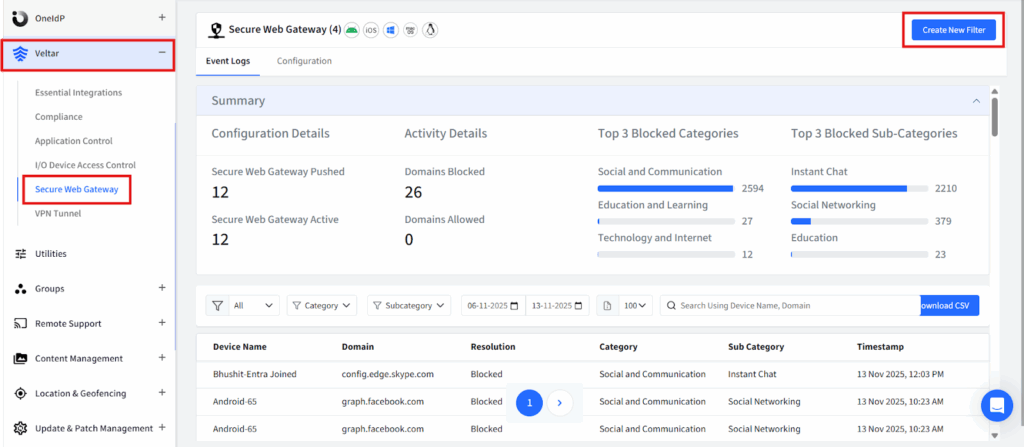
Log in to the Scalefusion dashboard, navigate to your Scalefusion Admin Dashboard and access the Veltar section. Under it select Secure Web Gateway and click on create new filter in the top right corner.
Step 2
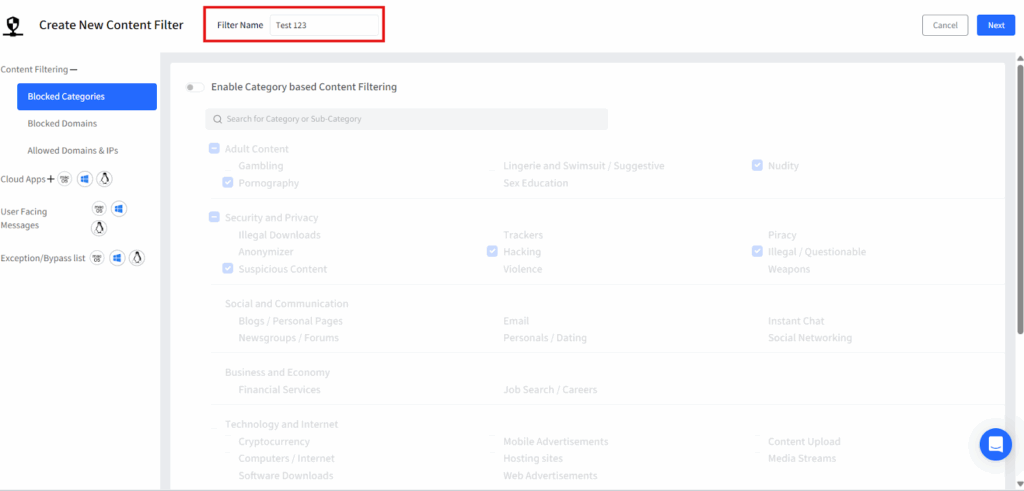
Add a unique name to this filter so that it is easily recognizable.
Step 3
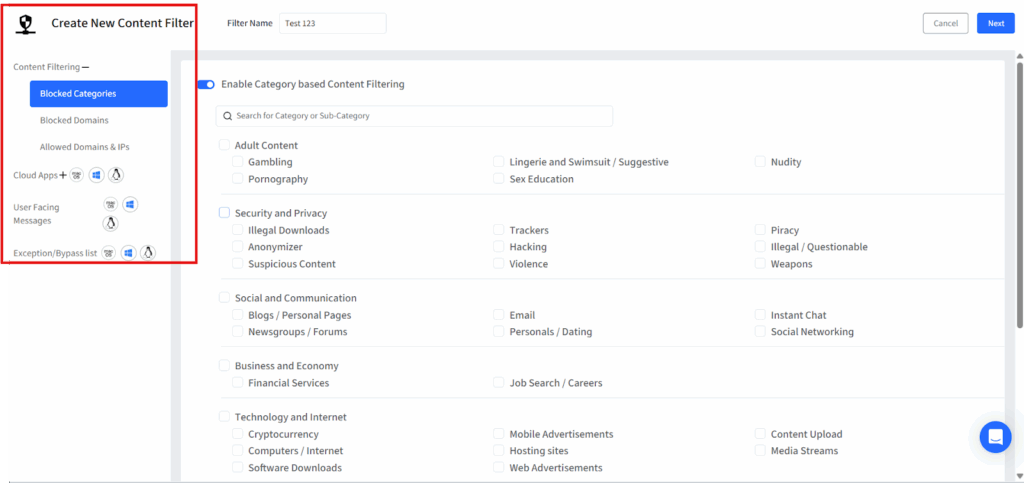
On the left-hand panel, select blocked categories. List of blocked website categories will be displayed on the screen.
Step 4
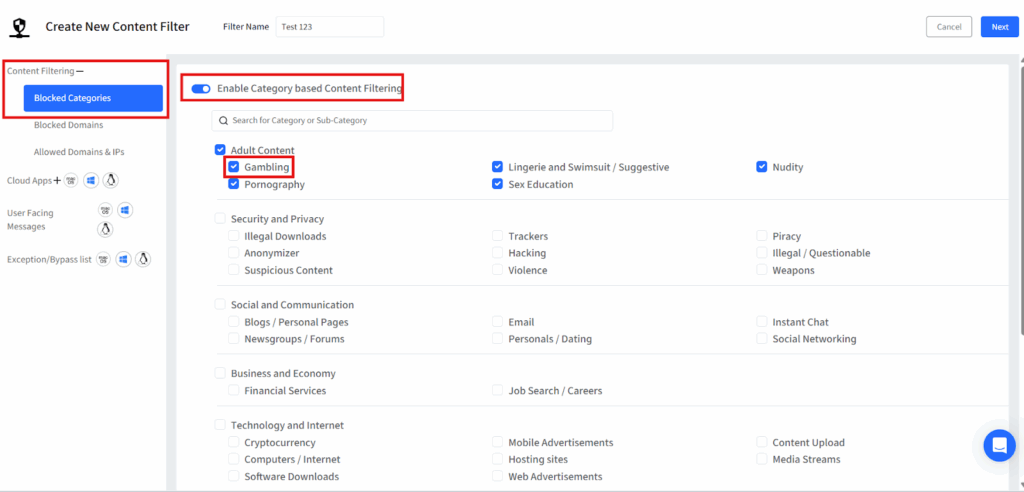
Switch on the toggle for ‘Enable Category based blocking’ and under Adult content select ‘Gambling’.
Step 5
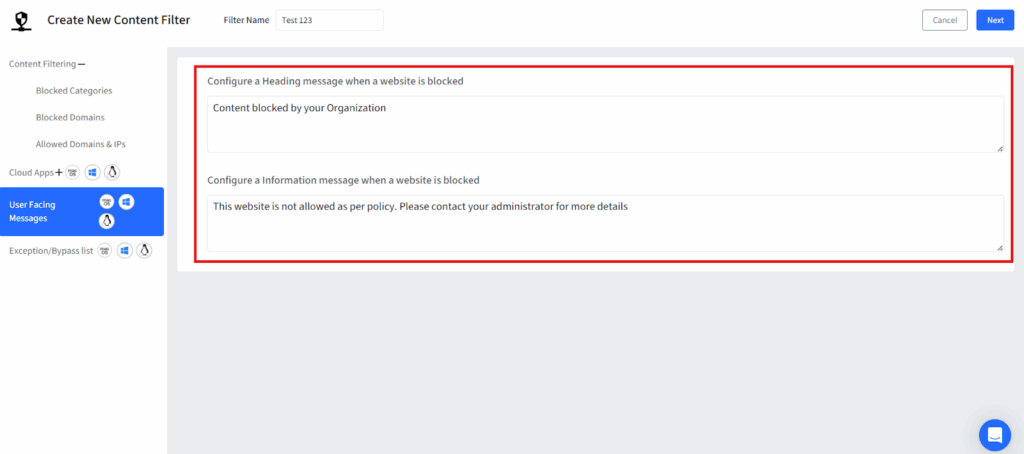
Customize a message that will be displayed if a user attempts to access a blocked website and click on next and then save the filter.
Step 6
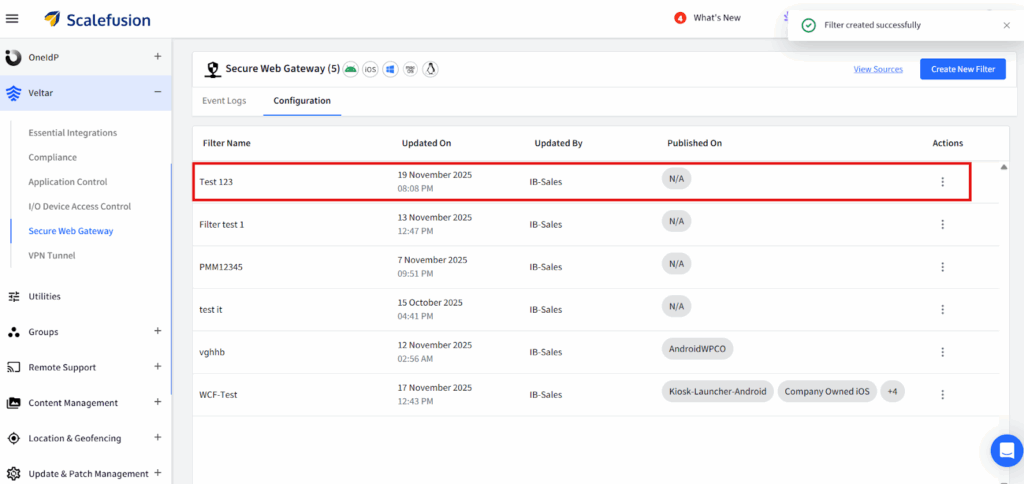
Your filter will be displayed on the dashboard.
Keeping distractions in check with Veltar
With Scalefusion Veltar, gambling content is automatically blocked at the endpoint level, ensuring protection no matter where the device is used at home, school, or public networks.
This ensures a safe, distraction-free learning environment for employees and students.
Take the first step towards staying focused and securing your organization.
Sign up for a 14-day free trial now.

