

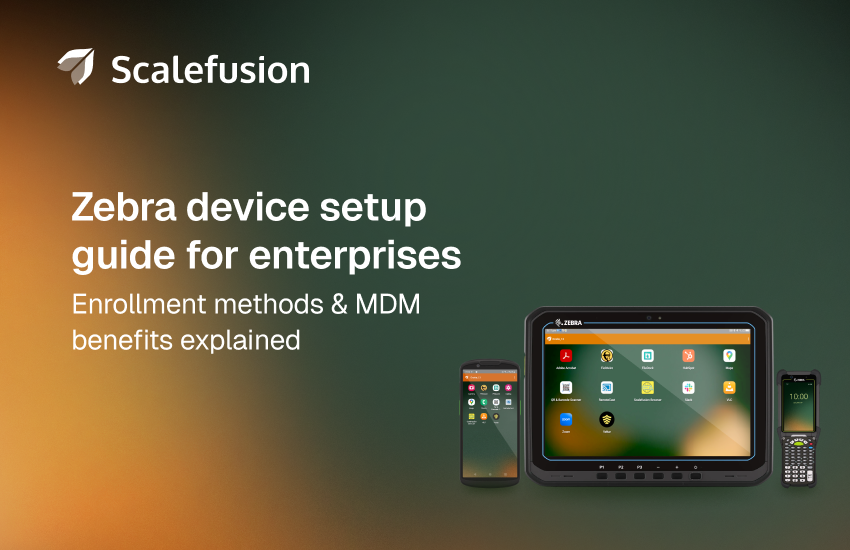
Zebra devices power some of the most demanding frontline environments in the world. From warehouses and retail floors to delivery vehicles and manufacturing lines, Zebra scanners, handhelds, tablets, and printers are built to survive drops, dust, temperature changes, and long working hours. These devices are designed for places where consumer hardware simply doesn’t last.
But buying rugged devices is only the first step, the real challenge begins after the devices arrive.
Without proper setup, configuration, and long-term management, even the best Zebra hardware can become difficult to secure, inconsistent to use, and expensive to support. Devices may ship with default settings, outdated firmware, unnecessary apps, and no protection against misuse or data loss. That is where Mobile Device Management (MDM) becomes essential.
MDM helps organizations turn rugged Zebra devices into enterprise-ready tools that are secure, standardized, and easy to manage at scale. In this guide, we explain why MDM is critical for Zebra deployments and walk through how to set up Zebra devices for seamless enterprise use.
Why is MDM important for setting up Zebra devices?
Choosing Zebra mobile devices is only half the job done. Deploying them across multiple locations and frontline teams without centralized control quickly becomes difficult. Even the most reliable hardware still needs consistent configuration, strong security, proper app management, and regular maintenance.
Zebra devices operate in fast-moving environments where downtime directly affects business. A scanner failure can delay shipments, a frozen handheld can slow checkouts, and a misconfigured tablet can expose sensitive data.
Manual device management does not scale in these settings. Manually configured devices, disconnected tools, and local scripts lead to inconsistent setups, delayed updates, uneven security policies, and time-consuming troubleshooting. Lost or stolen devices can also become serious risks.
This is why an MDM platform becomes essential.
MDM gives IT teams one central console to enroll devices automatically, push configurations remotely, secure data, manage apps, deploy firmware updates, and resolve issues without physical access, keeping every Zebra device reliable, secure, and ready for work.
Here is why MDM is critical for managing Zebra devices effectively:
- Centralized device setup and configuration: MDM ensures every Zebra device is provisioned with the same settings, restrictions, and business apps from day one. This eliminates configuration drift and reduces setup time during large rollouts.
- Consistent app and OS management: Business-critical applications and operating system updates can be pushed remotely and applied in a controlled manner, keeping devices stable and secure without disrupting frontline work.
- Stronger security and policy enforcement: MDM enforces passcodes, encryption, factory reset protection, and data loss prevention policies to protect corporate data on every device.
- Remote monitoring and troubleshooting: IT teams can monitor device health, track issues early, and resolve problems remotely to reduce downtime and avoid on-site visits.
- Support for kiosk and task-based usage: Zebra devices are often dedicated to specific workflows. MDM allows IT teams to lock devices into single-app or multi-app modes so they stay focused on work tasks only.
What are the ways to set up Zebra devices for enterprise use?
There are several ways to set up Zebra devices for business use. While the tools and workflows may differ, most enterprise deployments rely on MDM as the foundation.
The three most common approaches are:
- Zero-touch enrollment
- Zebra OEMConfig configuration
- Zebra StageNow provisioning
Each method plays a different role depending on deployment size, device ownership, and operational complexity.
1. Easy setup with Zero-Touch Enrollment
Zero-touch enrollment is the fastest and most scalable way to deploy Zebra devices in large environments.
With zero-touch enrollment, devices are pre-registered with the organization before they are powered on for the first time. When a new Zebra device connects to the internet, it automatically enrolls into the MDM platform and applies all required configurations without any manual IT involvement.
This means:
- Devices can ship directly from the vendor to employees or warehouses
- No IT staff is needed on-site to configure devices
- Every device is provisioned with the same policies, apps, and security controls
Zero-touch enrollment is ideal for large rollouts, distributed teams, and rapid expansion. It reduces deployment time from hours to minutes and ensures every Zebra device is business-ready as soon as it turns on.
2. Setup with Zebra OEMConfig
Zebra OEMConfig is built to simplify how Zebra Android devices are set up and configured through an MDM or EMM platform.
It gives IT teams access to Zebra-specific device controls that are not available in standard Android management. Using the Zebra OEMConfig app, administrators can manage settings for scanners, audio, display, wireless connectivity, RFID, power behavior, and many other hardware features directly from their MDM console. The app works with Zebra’s MX Config management layer and Android Enterprise, so these configurations can be applied remotely and at scale.
To use OEMConfig, IT admins first install the Zebra OEMConfig app from the Google Play Store and connect their MDM platform to Zebra’s configuration schema. They can then create setup profiles, define how each device should behave, and push those settings automatically to selected devices or device groups.
This method allows organizations to configure Zebra devices before deployment, ensuring every unit is correctly set up, role-ready, and consistent across locations the moment it reaches the frontline.
3. Setup via StageNow
StageNow is Zebra’s own provisioning tool used for initial device setup.
It works by creating configuration profiles that can be applied by scanning barcodes or using NFC. When a new device scans the barcode, it automatically applies Wi-Fi network settings, installs apps, enrolls into MDM, and configures basic policies.
StageNow is useful for:
- Small or medium batch deployments
- Environments with limited connectivity
- Initial factory staging
However, StageNow alone is not designed for long-term management. Once devices are deployed, organizations still need an MDM platform to handle updates, security, monitoring, and remote support.
In most enterprise environments, StageNow is used only for initial provisioning, while MDM handles the full lifecycle of the device.
Benefits of using an MDM solution for setting up Zebra devices
MDM does much more than enroll devices. It becomes the control center for the entire lifecycle of every Zebra device. Here are the key benefits of using an MDM solution for Zebra deployments:
- Centralized device enrollment and configuration: MDM allows IT teams to enroll hundreds or thousands of Zebra devices remotely and apply standardized profiles automatically. Every device follows the same baseline, reducing setup errors and saving time.
- App management and version control: Business apps can be pushed silently, updated remotely, and restricted to approved versions. This ensures frontline teams always use the right tools without disruption.
- Firmware Over-The-Air (FOTA) updates: Zebra firmware updates (FOTA) can be deployed remotely in controlled phases. This keeps devices secure and stable without requiring on-site visits or manual flashing.
- Remote monitoring and troubleshooting: IT teams can track device health, battery levels, storage usage, and connectivity in real time. Issues can be diagnosed and fixed remotely before they impact operations.
- Single-app and multi-app modes: Devices can be locked into kiosk modes so they only run approved applications. This prevents misuse and keeps Zebra devices focused on work tasks.
- Custom integrations: MDM platforms integrate with ITSM tools, ticketing systems, and backend workflows to automate device management and support processes.
- Factory Reset Protection (FRP): FRP prevents unauthorized reuse of devices after a factory reset. Only authorized accounts can reactivate the device, protecting hardware investments and corporate data.
- Data Loss Prevention (DLP): MDM enforces restrictions on USB access, bluetooth file sharing, screenshots, and cloud sync to reduce the risk of sensitive data leaking from frontline devices.
- Compliance and data protection: Protect sensitive business data and meet compliance requirements by enforcing encryption on Zebra devices and restricting app and resource access based on location or user context.
How to choose the right MDM solution for Zebra devices?
Not every MDM platform handles Zebra devices well. Zebra deployments require deep hardware integration, advanced configuration controls, and strong lifecycle management. When evaluating an MDM solution for Zebra devices, consider the following factors:
- Native Zebra support: Choose an MDM that is officially validated by Zebra and supports OEMConfig, StageNow, and LifeGuard updates.
- Zero-touch enrollment and scalable provisioning: The platform should support automated enrollment and large-scale rollouts without manual effort.
- Advanced kiosk and task-based controls: Look for strong single-app and multi-app modes designed for frontline workflows.
- Firmware and OS lifecycle management: The MDM should support LifeGuard OTA updates, controlled rollouts, and version visibility.
- Security and compliance features: Passcodes, encryption, FRP, DLP, and role-based policies are essential for protecting enterprise data.
- Remote support and monitoring: Remote control, screen viewing, diagnostics, and real-time health tracking reduce downtime and support costs.
- Ease of use and scalability: Frontline environments move fast. The platform should be intuitive for IT teams and scalable as deployments grow.
Simplify Zebra device setup and management with Scalefusion
Managing Zebra devices at scale requires more than rugged hardware. It needs a platform that combines automation, deep device control, and strong security. Scalefusion is a Zebra-validated UEM solution built to manage rugged Android devices reliably across large deployments.
Scalefusion supports Zebra TC, MC, and ET series devices and integrates closely with Zebra’s ecosystem. With zero-touch enrollment, devices can be shipped directly to users and enroll automatically with the right apps, settings, and policies.
Scalefusion’s deep Zebra OEMConfig integration gives IT teams precise control over scanners, hardware buttons, radios, power settings, and performance tuning, while LifeGuard OTA support enables firmware and security updates to be deployed remotely across the entire fleet.
For frontline use cases, Scalefusion enables single-app and multi-app kiosk modes for warehousing, retail, logistics, and manufacturing. Centralized dashboards provide visibility into device health, location, and activity, making remote troubleshooting and lifecycle management simple.
By implementing Scalefusion Zebra Device Management, organizations can deploy faster, enforce security, and keep devices consistent and productive.
See how Scalefusion simplifies setup of zebra devices
Sign up for a 14-day free trial now.

