

Unrestricted access to online shopping sites leads to productivity loss, distractions, and increased security risks on managed devices. Whether you’re managing corporate laptops, remote workstations, or shared devices, controlling access to these sites is essential.
With Scalefusion Veltar’s Secure Web Gateway, you can block shopping websites effectively at the endpoint level, ensuring that policies are enforced consistently across all networks, on-premise, remote, or public.

This step-by-step guide will walks you through on how to block shopping websites with Veltar. You can create and apply policies to block online shopping websites, all with an interactive demo for easy understanding.
By following this guide, you’ll ensure devices remain secure, focused, and aligned with your organization’s productivity and compliance goals.
Why Scalefusion Veltar’s Secure Web Gateway is better than other filtering solutions
Blocking shopping sites effectively requires controls that remain active regardless of how users browse the internet. Most traditional tools rely on browser settings or network-based restrictions. These approaches are easy to bypass when users switch to another browser, use private browsing, install shopping apps, or move to a different network. As a result, maintaining consistent control, especially in remote, hybrid, or mobile environments is a big hassle.
Scalefusion Veltar overcomes these limitations by enforcing policies directly at the endpoint. Once the secure web gateway is active on a device, it monitors and filters every outbound request across all browsers and apps. Users cannot bypass the block by changing networks, installing alternative apps, or using personal hotspots because Veltar does not depend on network infrastructure to function.
This allows it to detect newly created or disguised shopping URLs that traditional static lists often miss. Since Veltar is part of the Scalefusion UEM ecosystem, policy deployment and compliance checks come from a unified platform. IT teams apply one policy and Veltar enforces it across all managed devices without manual intervention or separate configurations. Administrators also gain visibility into blocked attempts, helping them track user behavior and validate that restrictions are working as intended.
How to block shopping websites with Veltar
Watch this interactive demo to experience every step of the process –
Following is a step-by-step guide for blocking shopping websites using Scalefusion Veltar’s secure web gateway.
Step 1
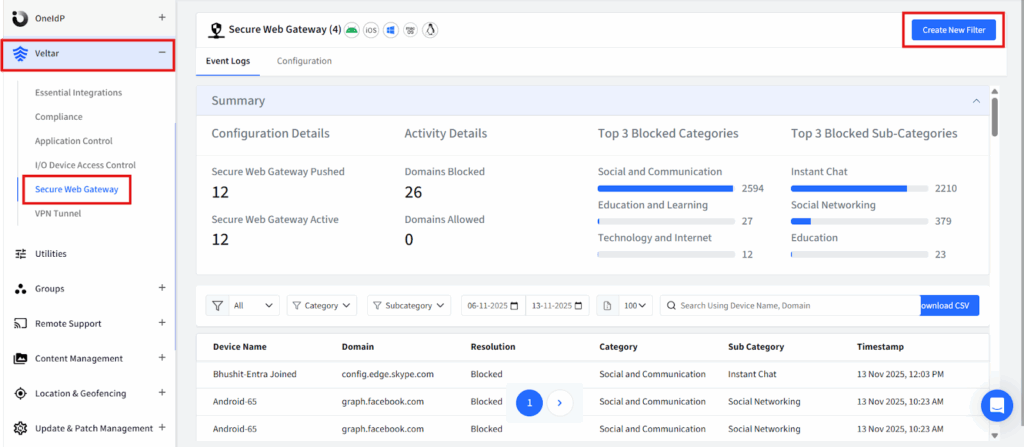
Log in to your Scalefusion account and navigate to the Veltar section. Select Secure Web Gateway and click on ‘Create New Filter’ in the top right corner.
Step 2
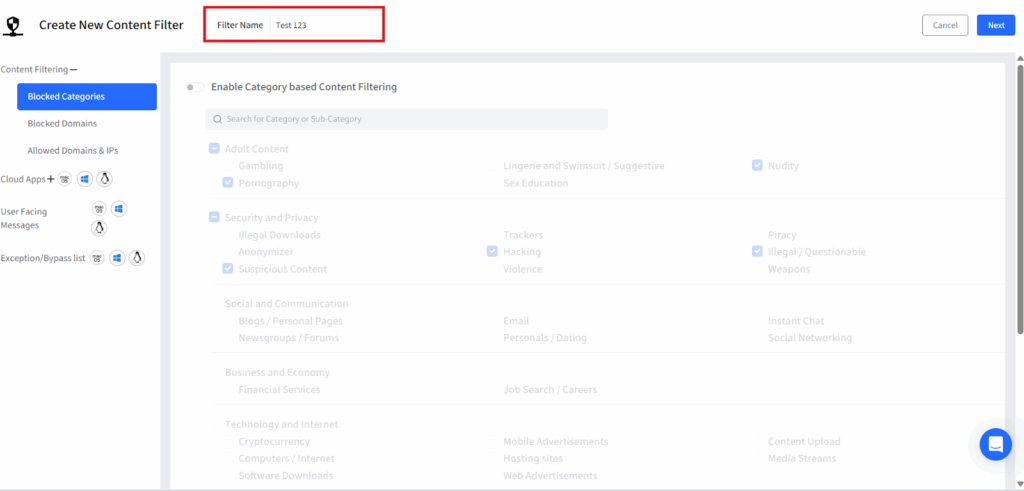
Give this filter a unique name.
Step 3
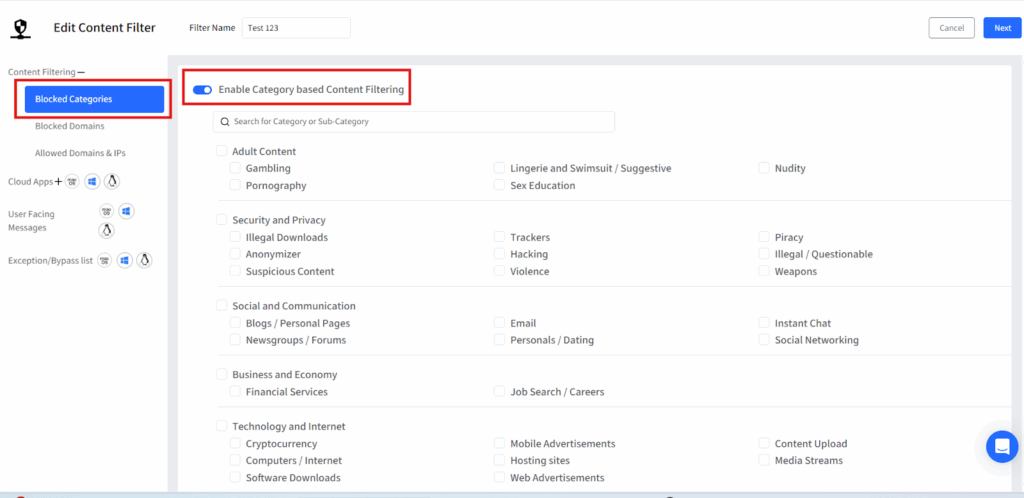
Click on blocked categories from the left panel and a list of pre-built website categories will be displayed. Turn on the flag for “Enable Category based Content filtering”.
Step 4
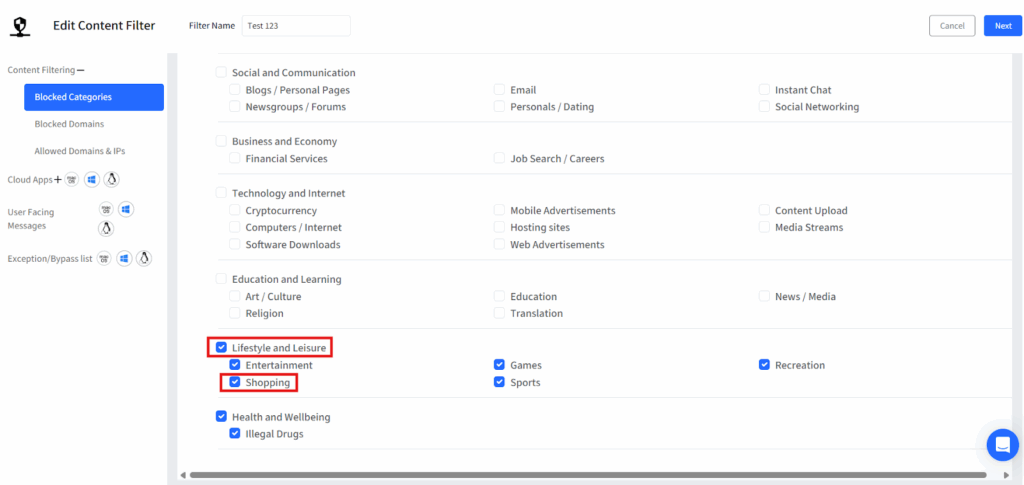
Select shopping sub-category under Lifestyle and Leisure.
Step 5
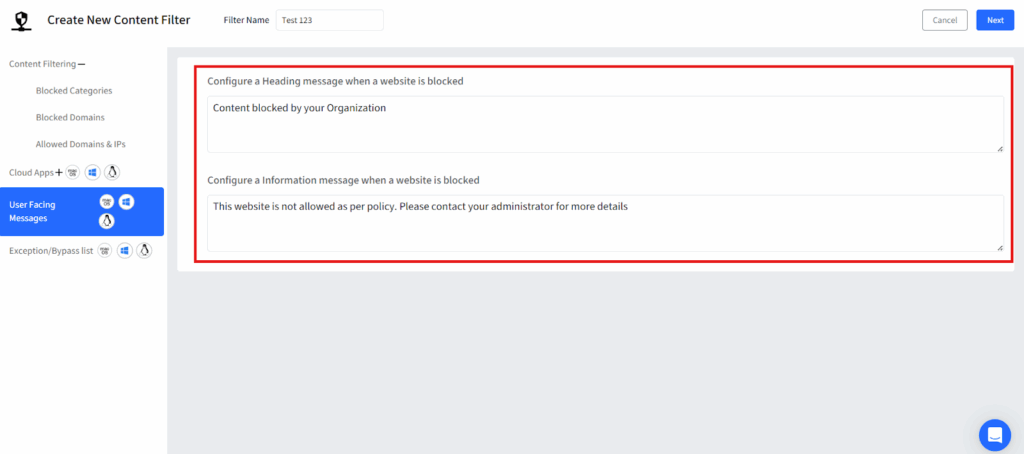
Configure a message that will be displayed whenever a user attempts to access a shopping website and click on next to save the filter.
Step 6
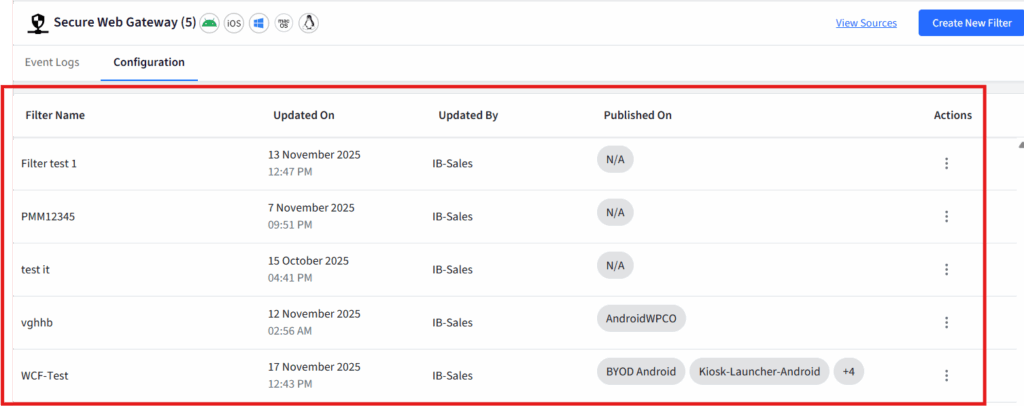
Once you save the filter configuration, your filter will be displayed on the dashboard.
Step 7
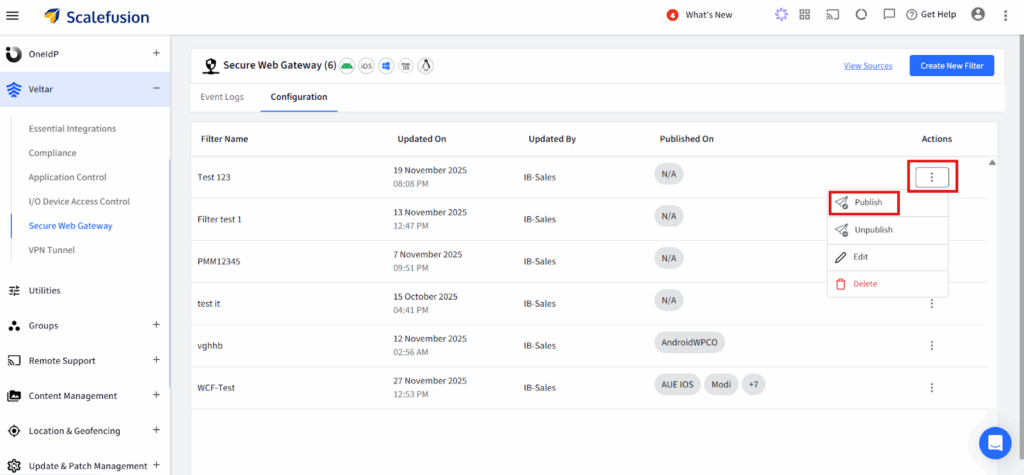
Select the three dots at the right corner of your configuration and click on publish to enforce the policy.
Step 8
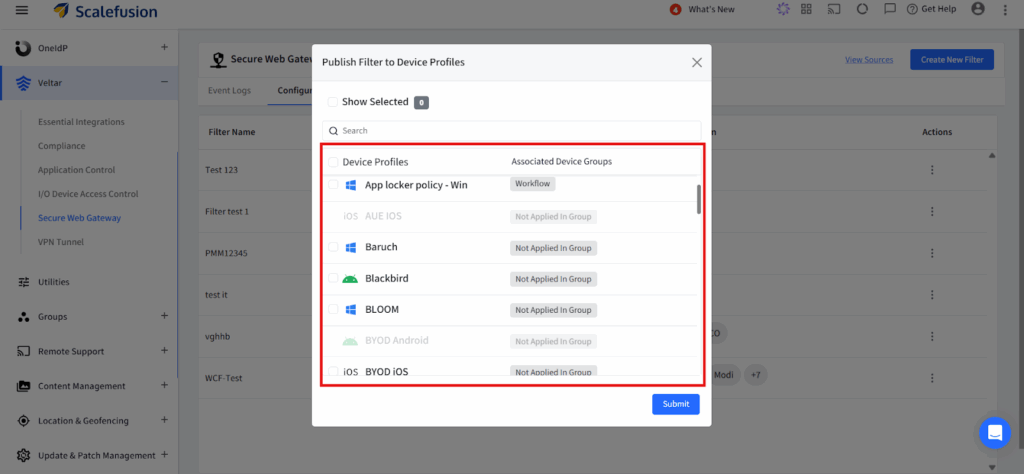
Select a device profile on which you want to enforce this policy and publish.
Block shopping websites for seamless productivity with Veltar
Blocking shopping websites with Veltar isn’t just an IT control, it’s a practical way to maintain digital discipline, enhancing productivity, and reduce unnecessary bandwidth consumption across your organization. Whether you’re managing school devices, enterprise endpoints, or shared systems, Scalefusion Veltar’s secure web gateway solution and its policy-based restrictions give you the precision and flexibility to enforce access rules without disrupting legitimate work.
With real-time monitoring, customizable blocklists, and seamless integration with Scalefusion UEM, Veltar ensures that distractions like e-commerce platforms stay out of the way while users stay focused and compliant. Scalefusion Veltar helps IT teams maintain a clean, controlled, and distraction-free browsing environment.
Secure Your Network—
Start Blocking Shopping Sites with Veltar Today.

