
Unwanted ads on iPhones disrupt productivity, slow down browsing, and expose users to risky or inappropriate content,especially in managed school or organizational environments.
Using Veltar’s advanced web filtering and policy controls, IT admins can easily block intrusive ads across Safari and apps on supervised iOS devices. With centralized management, automated enforcement, and granular rule creation, Veltar makes it simple to keep iPhones ad-free, distraction-free, and safe for students and staff.


This quick guide walks you through the exact steps to block ads using secure web gateway policies in Veltar.
The unseen risk with ads
Ads on corporate devices create multiple risks and productivity challenges. Many ads are designed to track user behavior, collect data, and profile browsing patterns, which exposes organizations to privacy and compliance issues. Some ads also deliver malicious scripts or redirect users to unsafe websites, increasing the chances of phishing, malware distribution, or credential theft. Even legitimate ads slow down browsing, consume bandwidth, and clutter user experience, reducing efficiency for employees.
On iPhones, ads appear across browsers, apps, and content feeds. Traditional ad blockers depend on specific browsers or extensions, so they fail once users switch apps or connect to different networks. This makes it difficult for IT teams to maintain a consistent, secure, and distraction free environment on managed devices.
How Scalefusion Veltar’s secure web gateway does it better
Scalefusion Veltar blocks ads by inspecting and filtering requests directly on the device. Since the secure web gateway solution works at the endpoint level, it stops tracking scripts, ad networks, pop ups, and redirect URLs across all browsers and apps without depending on extensions or add ons. Users cannot bypass the block by switching networks or using private browsing, because Veltar evaluates every outbound request before it loads.
The filtering configuration uses real-time categorization to identify ad domains, tracking pixels, and content delivery networks that are commonly used by advertisers. Veltar ensures to prevent both traditional ads and subtle tracking elements that often go unnoticed by basic blockers. By being built-on Scalefusion UEM, the control is enforced consistently through a unified policy, and admins gain visibility into blocked requests to understand how the device environment is improving.
Watch this demo to experience every step of the process.
How to block ads on iphone with Vetlar
Following is a step-by-step guide for blocking shopping websites using Scalefusion Veltar’s secure web gateway.
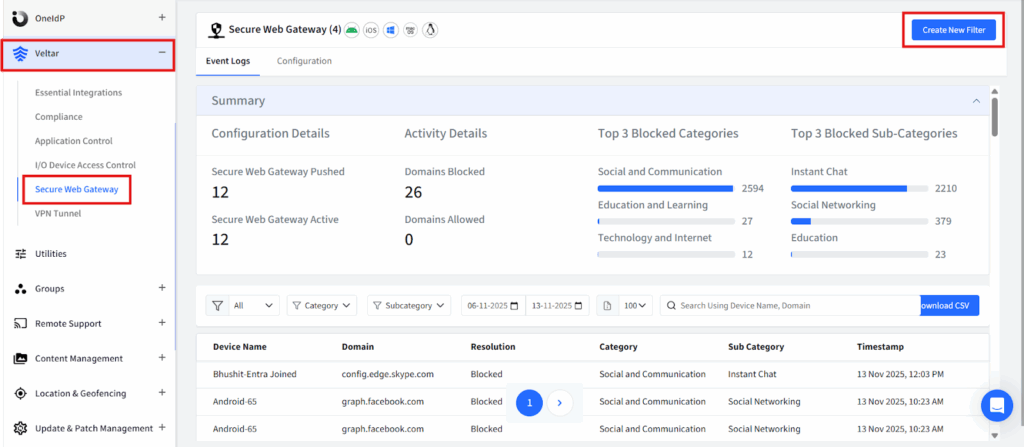
Step 1: Log in to your Scalefusion account and navigate to the Veltar section. Select Secure Web Gateway and click on ‘Create New Filter’ in the top right corner.
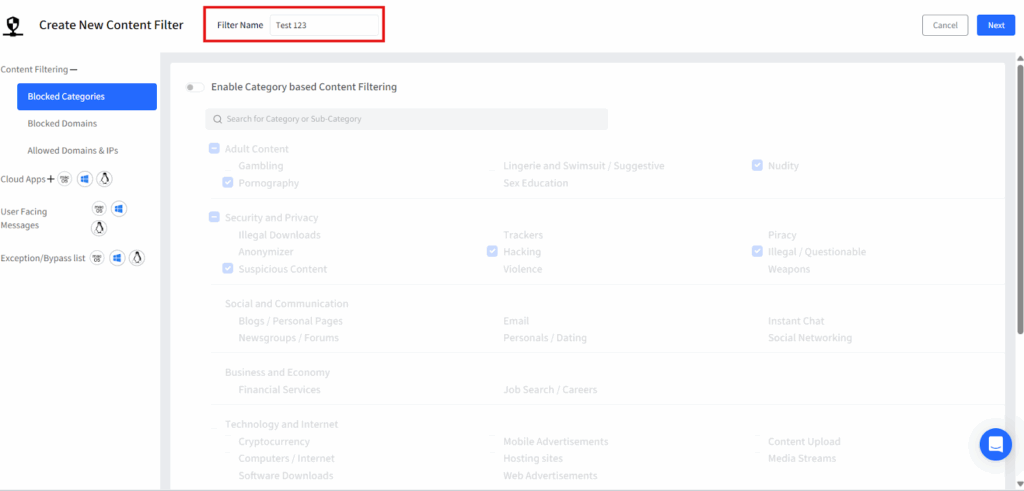
Step 2: Give this filter a unique name.
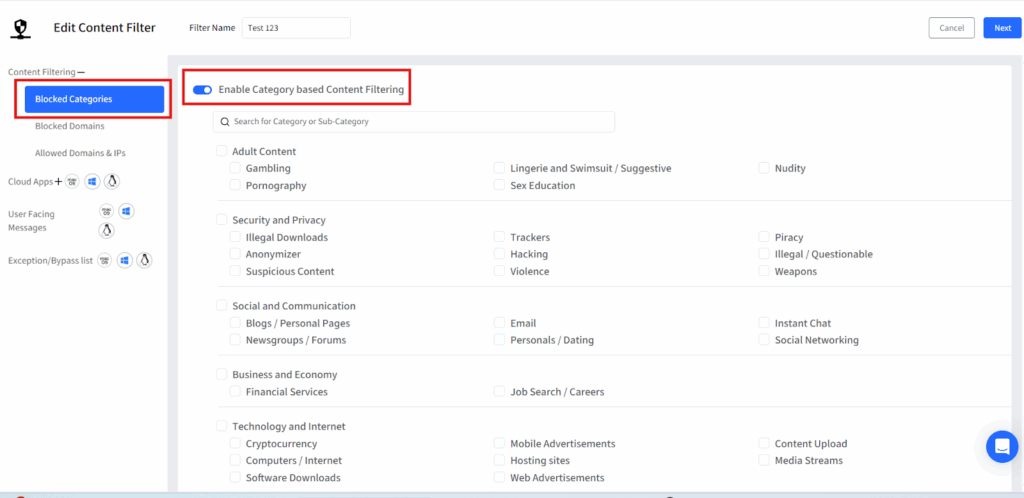
Step 3: Click on blocked categories from the left panel and a list of pre-built website categories will be displayed. Turn on the flag for “Enable Category based Content filtering”
Step 4: Select the ‘Technology and Internet’ category and under that select ‘Mobile Advertisements’ and ‘Web Advertisements’ subcategories.
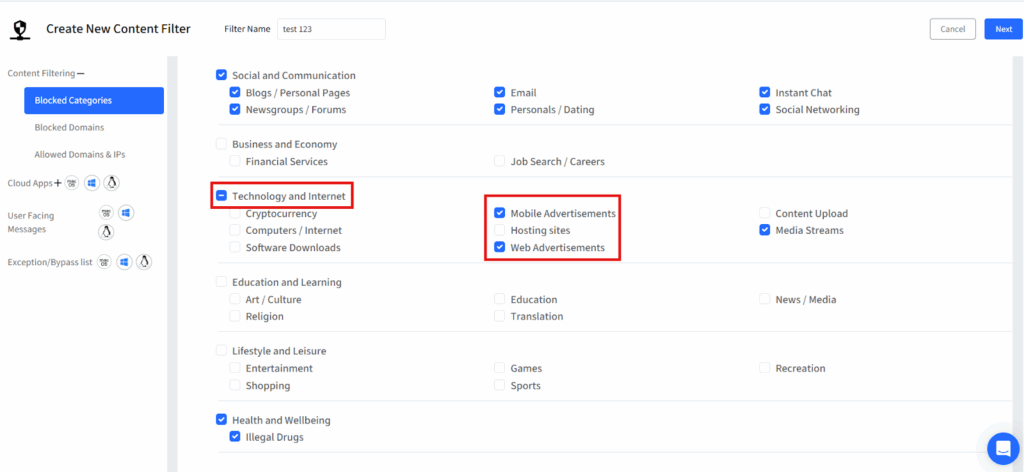
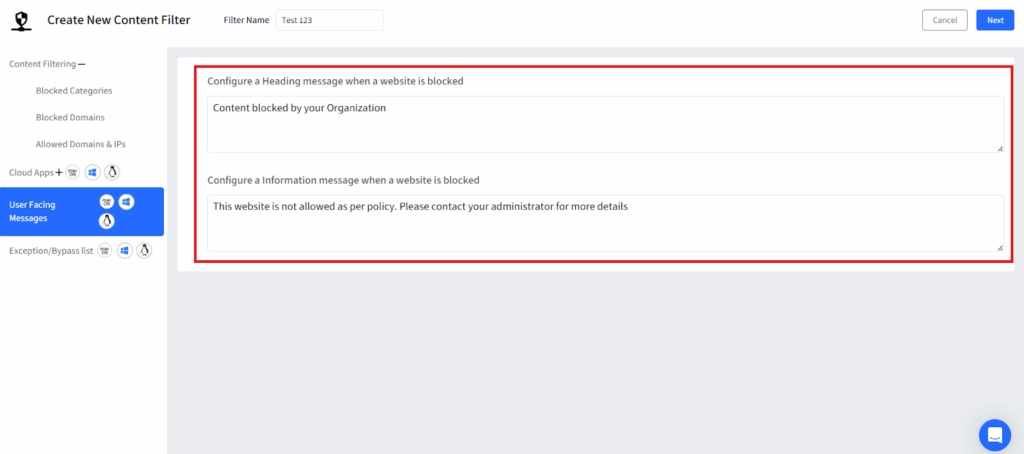
Step 5: Once the categories are selected, customize a message that will be displayed whenever a user sees an ad on a web page and then save the filter.
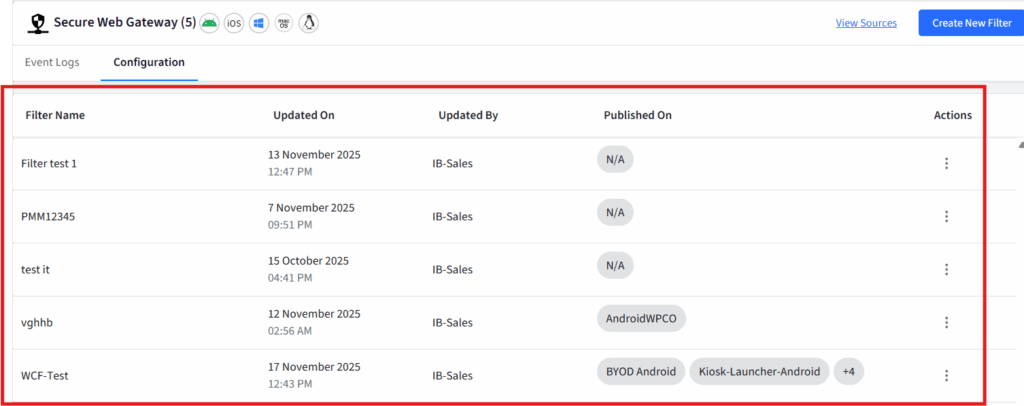
Step 6: Once you save it, your filter will be displayed on the dashboard.
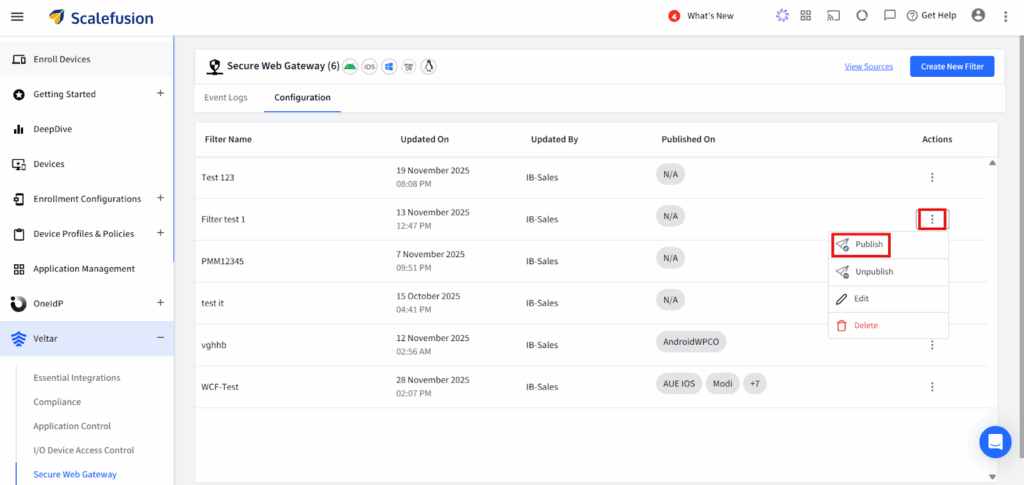
Step 7: Click on the three dots on the extreme right end of the filter configuration and click on publish from the drop down.
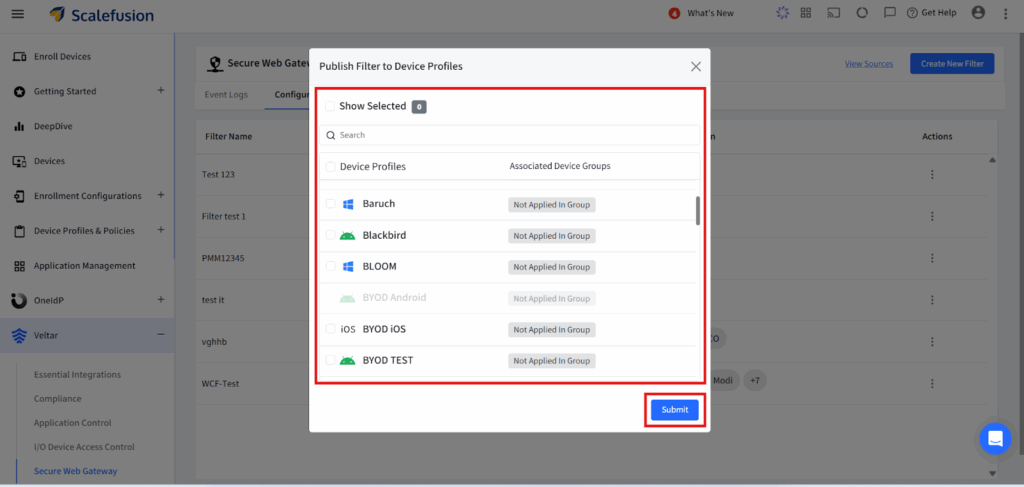
Step 8: Select the appropriate device profile on which you want to enforce the policy and apply this filter configuration.
Block ads on iphone with powerful endpoint web filtering
By combining powerful content filtering with device-level controls, Veltar ensures that ads stay blocked across all supervised iPhones without requiring user intervention. This leads to cleaner browsing sessions, improved bandwidth performance, and reduced exposure to malicious ad networks.
With scalable deployment and real-time policy updates, Veltar equips IT teams with a reliable, consistent way to maintain safe, distraction-free iOS environments, whether managing a classroom, a fleet of staff devices, or enterprise endpoints.

