
Managing Android devices at scale has become one of the biggest challenges for IT teams today. With hybrid work here to stay and industries like logistics, retail, healthcare, and field services relying heavily on Android smartphones, tablets, kiosks, and rugged devices, businesses need enterprise-grade mobility management to keep everything secure and organized.
That’s where Enterprise Mobility Management (EMM) comes in. The right Android EMM solutions help IT teams secure devices, manage apps, enforce policies, and support remote work without slowing down productivity.
But with dozens of Android EMM tools available, which ones actually deliver the best value in 2026? In this blog we will explore the three best Android EMM solutions worth considering this year.
What is Android Enterprise Mobility Management (EMM)?
Enterprise Mobility Management (EMM) is a way for businesses to manage and protect mobile devices, apps, and data. Companies use enterprise mobility management solutions to keep information safe while helping employees work without interruptions.
For Android, Android EMM solutions give IT teams control over devices. They can add or update apps, set security rules, and fix problems remotely. These platforms work like advanced mobility management software, combining app control, security, and compliance in one place.
Android EMM is important because:
- It keeps data safe: Protects company information with encryption, passwords, and secure access.
- It grows with you: Android EMM solutions help large organizations to manage thousands of devices easily.
- It improves productivity: Android EMM software gives employees secure access to work apps from anywhere.
- It fits every setup: Works for personal devices (BYOD), kiosks, and fully managed fleets.
In short, Enterprise Mobility Management (EMM) is the base of modern business mobility solutions. With the right Android EMM tools, companies can secure devices, reduce IT workload, and support growth.
Benefits of Android EMM for business
Enterprises today run on a mix of corporate and personal devices. Without proper mobility management software, IT teams often spend more time fixing issues than focusing on strategy. This is where Android enterprise mobility management comes in, offering control and visibility over every device, app, and connection.
Here’s how businesses benefit when they adopt the right enterprise mobility management solutions:
- Stronger security: An effective enterprise mobility solution enforces encryption, app controls, and secure access policies, protecting data on both company-owned and BYOD devices.
- Simplified IT operations: Instead of handling devices manually, IT teams use a centralized dashboard to push updates, configure policies, and provide remote support.
- Better compliance: For industries bound by regulations, business mobility solutions ensure devices meet security and compliance requirements without slowing operations.
- Improved productivity: Employees get seamless access to corporate apps and resources while IT ensures devices stay compliant in the background.
- Scalability: As device fleets grow, EMM platforms scale easily, making them future-ready enterprise mobility management solutions.
When comparing the best Android EMM software, enterprises should look at features that match their workflows like kiosk management, remote troubleshooting, or BYOD support. Running an Android EMM software comparison helps IT admins decide which platform aligns with their long-term mobility strategy.
Best Android EMM solutions in 2026
1. Scalefusion
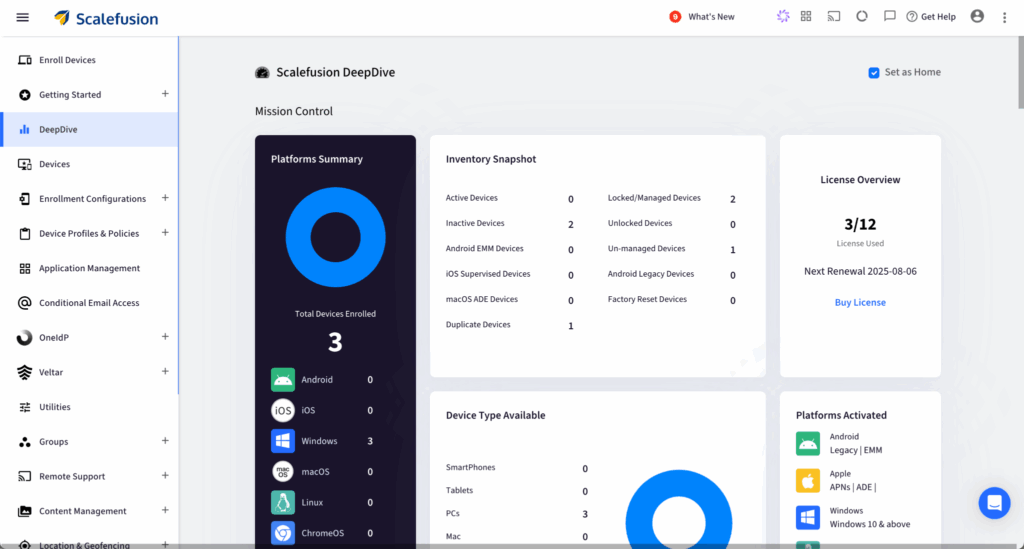
Scalefusion is one of the most versatile and easy-to-use Android EMM solution in the market. It gives IT teams a unified dashboard to manage Android smartphones, tablets, rugged devices, and kiosks. The platform also supports multi-OS management including iOS, Windows, macOS, and Linux, making it a strong fit for businesses with mixed device environments.
One of its standout strengths is remote troubleshooting. Features like remote cast and control let IT admins resolve device issues instantly without requiring physical access, cutting downtime and saving costs.
Key features:
- Unified dashboard for Android, iOS, Windows, macOS, and Linux.
- Remote troubleshooting via screen sharing and remote control.
- App whitelisting/blacklisting and distribution.
- Device lockdown for kiosks and dedicated use cases.
- Geofencing and location tracking.
- APIs for automation and third-party integrations.
Pricing: Starts at $2 per device/month with enterprise-grade plans available.
Best for: Companies looking for an affordable, user-friendly, and multi-OS compatible EMM with strong remote support features.
2. IBM MaaS360
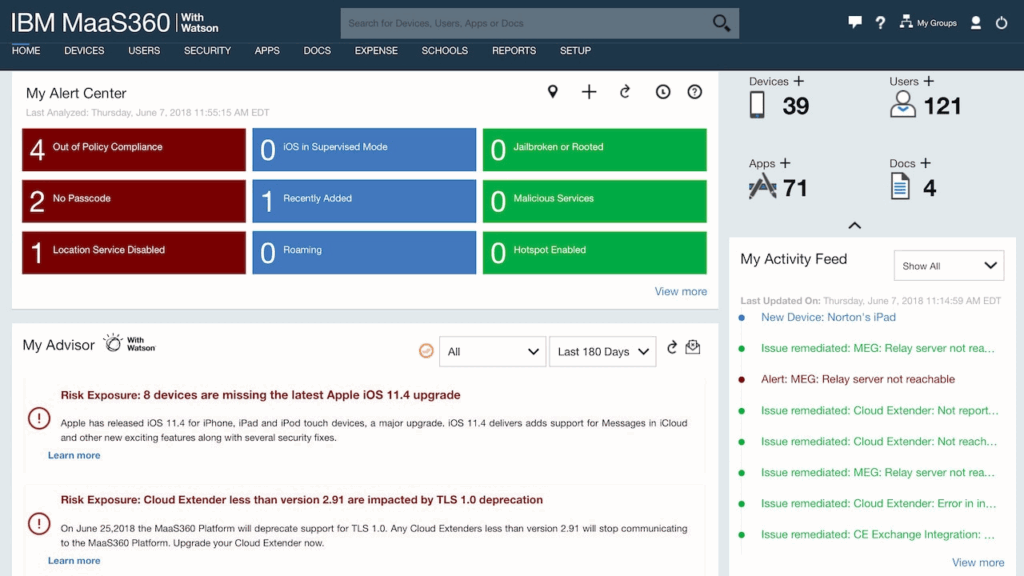
IBM MaaS360 is a well-established enterprise mobility solution known for its security and compliance features. It’s widely adopted in regulated industries such as healthcare, finance, and government.
Powered by IBM Watson’s AI, MaaS360 helps IT teams detect risks early and automate responses to minimize disruptions. It covers the complete device lifecycle from onboarding and securing devices to monitoring performance and enforcing usage policies.
Key features:
- AI-driven threat detection with IBM Watson.
- Secure containerization for corporate data.
- VPN and Wi-Fi management policies.
- Advanced app and content controls.
- Compliance and analytics reporting.
Pricing: Starts at $4 per device/month with higher plans available for compliance-heavy environments.
Best for: Large enterprises and regulated industries where compliance and data security are top priorities.
3. Microsoft Intune
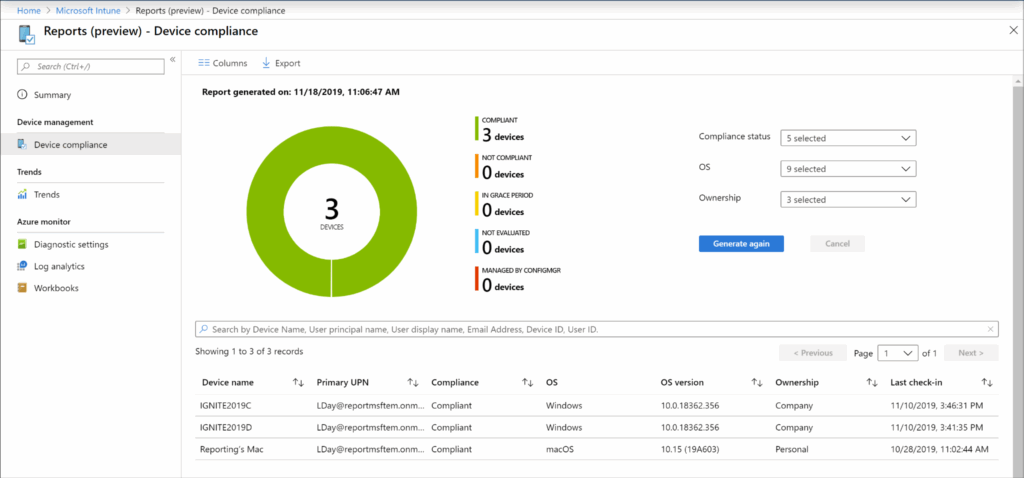
Microsoft Intune is a cloud-native mobility management software that integrates deeply with Microsoft 365 and Azure AD. It provides centralized control over both mobile devices and desktops, making it a strong choice for enterprises that already rely on the Microsoft ecosystem.
For Android, Intune offers flexible management models. Businesses can secure corporate data through app protection policies without enforcing full device enrollment which is ideal for BYOD setups where employee privacy is a concern. It also integrates with Microsoft Defender to add another layer of device security.
Key features:
- Unified management for mobile and desktop devices.
- Conditional access powered by Azure AD.
- Mobile Application Management (MAM) without full device enrollment.
- Compliance enforcement and auditing tools.
- Built-in integration with Microsoft Defender.
Pricing: Available with Microsoft 365 plans or standalone at $8 per user/month.
Best for: Organizations running heavily on Microsoft 365 and Azure who want centralized, cloud-based mobility management.
4. ManageEngine Mobile Device Manager Plus
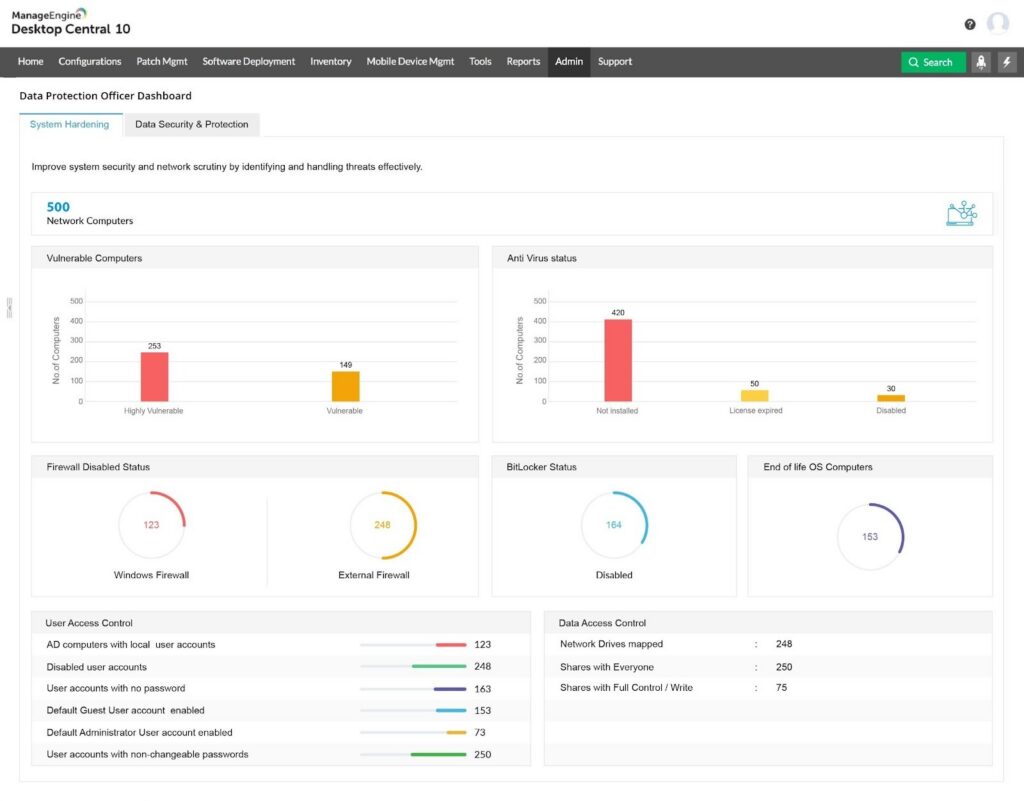
Mobile Device Manager Plus is an EMM solution that automates device enrollment with zero-touch and self-enrollment methods. The enrolled devices are provisioned with the required security policies, apps, and resources based on users’ roles in the organization.
It helps manage smartphones, tablets, laptops, desktops, TVs, and rugged devices across various OS.
Key features:
- Centralized device management for multi-OS devices
- App lifecycle monitoring across devices
- Support for kiosk mode on corporate devices
- Auto-update rollouts for content in bulk on devices
- Custom restrictions to keep the data stored on devices safe
Pricing: Contact sales for a custom quote.
Best for: Medium to large enterprises working in tightly regulated industries.
5. Omnissa Workspace ONE
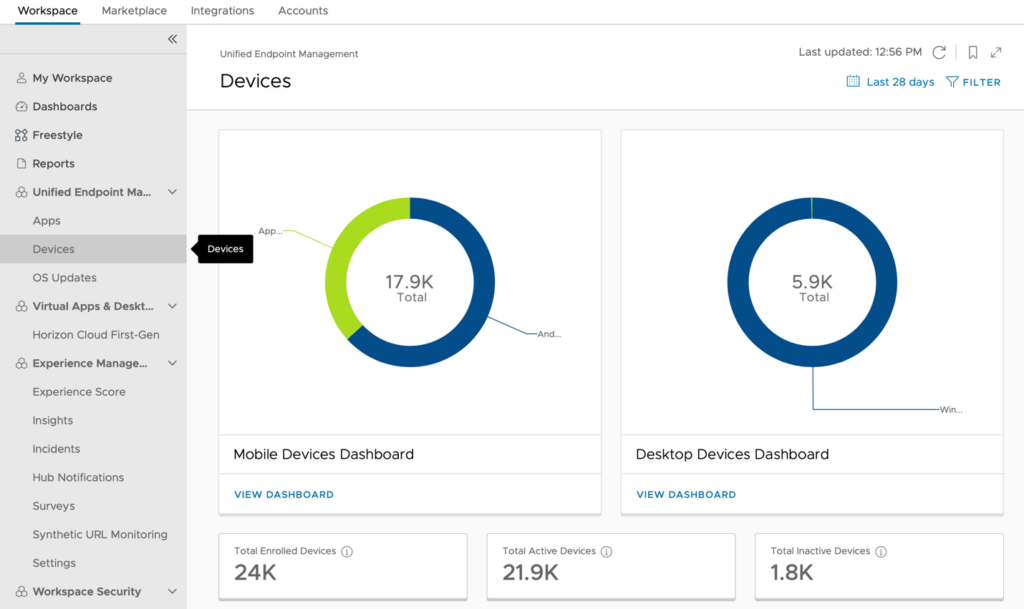
Omnissa Workspace (formerly VMware) ONE UEM is a cloud‑native unified endpoint management platform that helps IT teams manage devices from a single console. It helps streamline IT operations, manage and secure endpoints, and enhance the employee experience.
Key features:
- Multi-OS support (Android, iOS, Windows, macOS)
- Integrated with Okta and Azure AD
- Automated updates and app patching across endpoints
- Role-based administrative permissions by user or group
- Security features like device encryption and remote wiping
Pricing: Contact support for a quote.
Best for: Organizations using other Omnissa tools requiring mobile and desktop management.
6. SOTI MobiControl
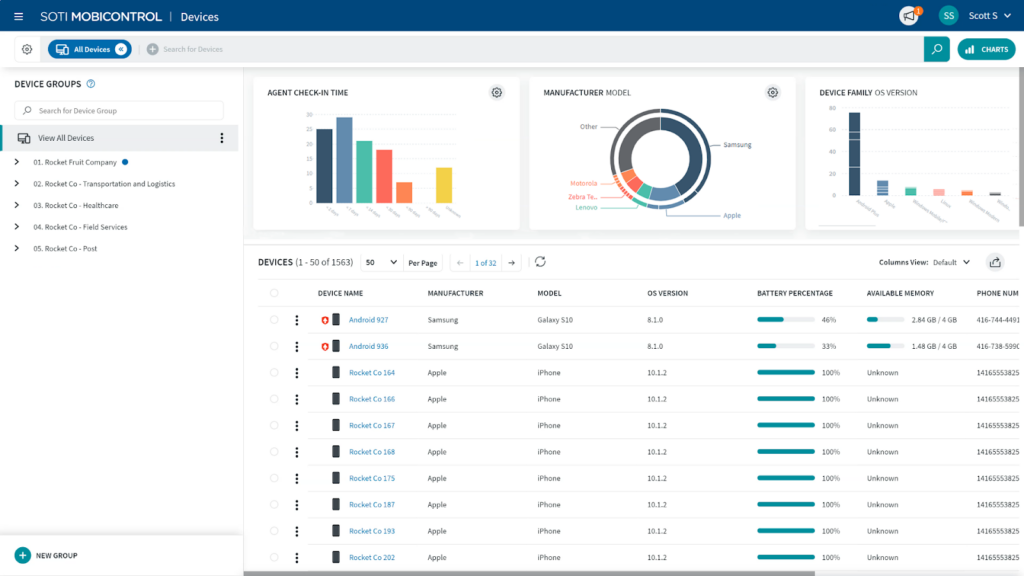
SOTI MobiControl is a powerful EMM solution for comprehensive device lifecycle management. It enables remote control and support for devices, ensuring seamless operations and data protection.
It is designed to provide organizations with the ability to manage and secure mobile devices across a variety of platforms, including rugged and IoT devices.
Key features:
- Over-the-air (OTA) updates and management
- Support for IoT and rugged devices
- Remote troubleshooting and diagnostics
- Live location tracking for online devices within a group
Pricing: Contact sales for a quote.
Best for: Large companies that need to manage various devices across different ecosystems in industries such as logistics, warehousing, and retail.
7. Esper
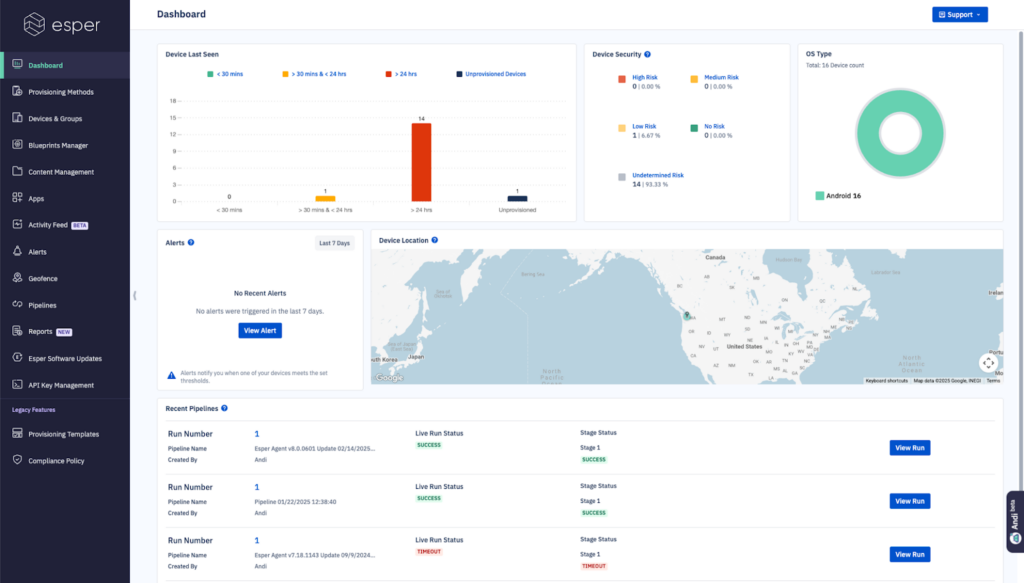
Esper is a modern EMM solution that offers centralized management of devices from a single cloud. It provides powerful real-time telemetry and remote control features for monitoring device health and performance.
Using Esper, IT teams can troubleshoot issues remotely using live access, logs, and diagnostics, reducing the need for on-site intervention.
Key features:
- Real-time drift detection and automation to maintain operational continuity
- Easy to customize workflows and plug into existing dev and ops pipelines
- Custom configurations for kiosk mode
- Granular control for update rollouts
Pricing: Starts at $2/month per device at the base plan.
Best for: SMBs looking for dedicated solutions for different device profiles.
Android enterprise mobility management solutions 2026: Comparison by feature
A brief overview of the comparison between these solutions can be viewed in the following table:
| Solution | Standout features | Best for | Android capability | G2 rating | Pricing |
| Scalefusion | Kiosk mode, multi-OS/device support, BYOD/COD/WPCO, single console, fast setup, robust security | Large enterprises, SMBs, frontline teams | Shared mobile device management, remote device and app management, zero-touch enrollment, app management, and geofencing | 4.7 / 5 | Starts at $2/device/month |
| IBM MaaS360 | AI-driven insights (Watson), strong compliance, threat detection | Security-focused enterprises | Threat detection, mobile threat defense, identity integration, app management | 4.2 / 5 | Starts at $4.24/device/month |
| Microsoft Intune | Deep Azure AD and M365 integration, compliance focus | Heavy Microsoft ecosystem | App protection, compliance policies, conditional access | 4.5 / 5 | Starts at $8/user/month |
| ManageEngine Mobile Device Manager Plus | Cost-effective, feature-rich, flexible deployment, strong security policies | SMBs, budget-conscious teams, and enterprises | App lifecycle management, geo-tracking, remote troubleshooting, device provisioning | 4.5 / 5 | Standard Edition (Cloud) starts at $64/month for 50 devices |
| Omnissa Workspace One | Unified endpoint + Zero Trust framework | Large enterprises | Lifecycle management, app deployment, policy enforcement | 4.0 / 5 | Available upon request |
| SOTI MobiControl | Deep device control, strong IoT, rugged support | Logistics, rugged devices | Remote control, app management, lifecycle management, BYOD/COBO | 4.3 / 5 | Available upon request |
| Esper | DevOps-style automation, deep Android focus | Dedicated Android fleets | Remote control, kiosk mode, automation, job-based policies | 4.5 / 5 | Starts at $2/device/month |
How to choose the best Android enterprise mobility management platform
Every organization manages mobility differently, which means the best Android EMM solution depends on the devices, compliance needs, and IT strategy. To make sure that you are picking the right EMM solution for your organization, you must evaluate certain factors such as:
1. Identify company needs
Clearly identifying your organization’s specific requirements is the first step toward picking the right EMM solution. These could be security, scaling to support a rapidly growing remote workforce, or finding a cost-effective solution.
By having clearly identified needs, organizations can narrow down the options and choose an EMM solution that aligns best with business goals. Consider the types of devices that need to be managed, the sensitivity of data, and the specific challenges to address.
2. Check compatibility
Ensure the EMM solution you choose is compatible with your IT infrastructure. This includes checking compatibility with the OS and the device profile, such as kiosk mode, COPE, and BYOD, as well as with any other critical systems or applications.
To choose the best Android EMM solution, it is important to ensure that it integrates seamlessly with the current environment to simplify deployment and minimize potential disruptions.
3. Assess security features
The best Android EMM solution must include all the necessary security features that are essential to the organization. These features can include data encryption, multi-factor authentication, and remote wipe capabilities.
Choose a solution that provides the necessary level of protection for your sensitive data and evaluate how the solution handles data privacy and compliance with regulations like GDPR.
4. Consider cost and scalability
While the EMM solution is essential to the organization, it shouldn’t come at the cost of a drained resource pool. Thus, it is imperative to focus not just on the initial cost of an EMM tool but also the long-term cost of ownership, including licensing fees, support costs, and any potential add-ons. Evaluate the cost and ensure it fits within the budget.
It is also critical to ensure that the chosen solution can keep up with the growth of the organization and accommodate emerging needs without requiring a complete overhaul.
5. Try it before you buy it
The smartest way to select the best Android EMM software is to test it in the organization’s setup. Run pilot deployments with the devices, apps, and workflows. This should provide a clear idea of how well the platform fits the organization, keeps data secure, and supports long-term growth.
Let your Android enterprise mobility management solution elevate productivity
Your Android EMM solution should be more than a convenience. The right solution should allow you to enhance your productivity, strengthen the security posture, and reduce downtime of the fleet.
If you are looking for a platform that balances usability, affordability, and cross-platform support while also handling different device profiles, Scalefusion is your solution. It is feature-rich yet simple, making it easier for both employees and IT teams to work efficiently.
Choose Scalefusion for EMM. Protect devices, reduce IT workload, and ensure business continuity without disruption.
Choose Scalefusion for EMM. Protect devices, reduce IT workload, and ensure business continuity without disruption.
Sign up for a 14-day free trial of Scalefusion UEM.
FAQs
1. What is enterprise mobility management (EMM)?
EMM is a set of tools and services that help organizations manage mobile devices such as smartphones, tablets, and laptops, and secure company resources.
2. How does EMM improve business security?
EMM improves business security by providing centralized control, monitoring, and protection of company data across mobile devices. It achieves this by various features such as device encryption, remote wipe capabilities for lost devices, and strict enforcement of security policies, like multi-factor authentication and patch management.
3. Can EMM work with BYOD policies?
Yes, Android EMM supports BYOD by separating personal and work data using Android Enterprise Work Profiles.
4. Does Android EMM include mobile device management (MDM) features?
Yes. Android EMM includes traditional MDM features like device configuration, lock/wipe, and inventory, but extends them with advanced app and content management.

