

The popularity of Macs, iPhones and iPads is no secret. Businesses and educational institutions continue to rely on Apple products to keep things running smoothly. But as the number of devices grows, so does the complexity of managing them. Organizations need solutions that go beyond basic setup and offer ongoing control over device management, security, and compliance. They need a reliable Apple MDM platform, not just a simple enrollment tool.

The right mobile device management platform can turn thousands of unmanaged devices into a well-orchestrated fleet making device management predictable, safe, and efficient.
In this comparison, we will walk through seven best MDM for Apple devices in 2026. For each, we explain what makes them stand out, where they shine, and where they might not fit. By the end, you will have a clear sense of which platform suits your organization, whether you run a startup, a school, or a global enterprise.
Why is Apple device management necessary?
Without a strong MDM backbone, Apple devices are like powerful tools without rules which may be useful, but risky. Here’s why using Apple MDM solution is essential:
- Device customization: Personalize device settings and configurations to specific job roles, ensuring a personalized and productive experience for each team or department.
- Zero-touch deployment: Automatically configure and enroll new devices without physical interaction, saving time for your IT team and making remote onboarding easy.
- Compliance for specialized industries: Meet industry-specific requirements, like HIPAA for healthcare or FERPA for education, with pre-built compliance templates and policy controls.
- Multi-user device management: Manage devices and shared devices in classrooms, kiosks, or retail settings, with user-specific profiles and settings, without losing control or visibility.
- Security for remote workforces: Ensure your remote teams’ devices are securely managed, with remote wipe, encryption, and secure access controls for sensitive corporate data.
- Automated reporting: Generate detailed reports on device health, OS versions, app usage, and compliance for easy auditing, planning, and tracking.
Best MDM solutions for Apple devices in 2026
1. Scalefusion MDM
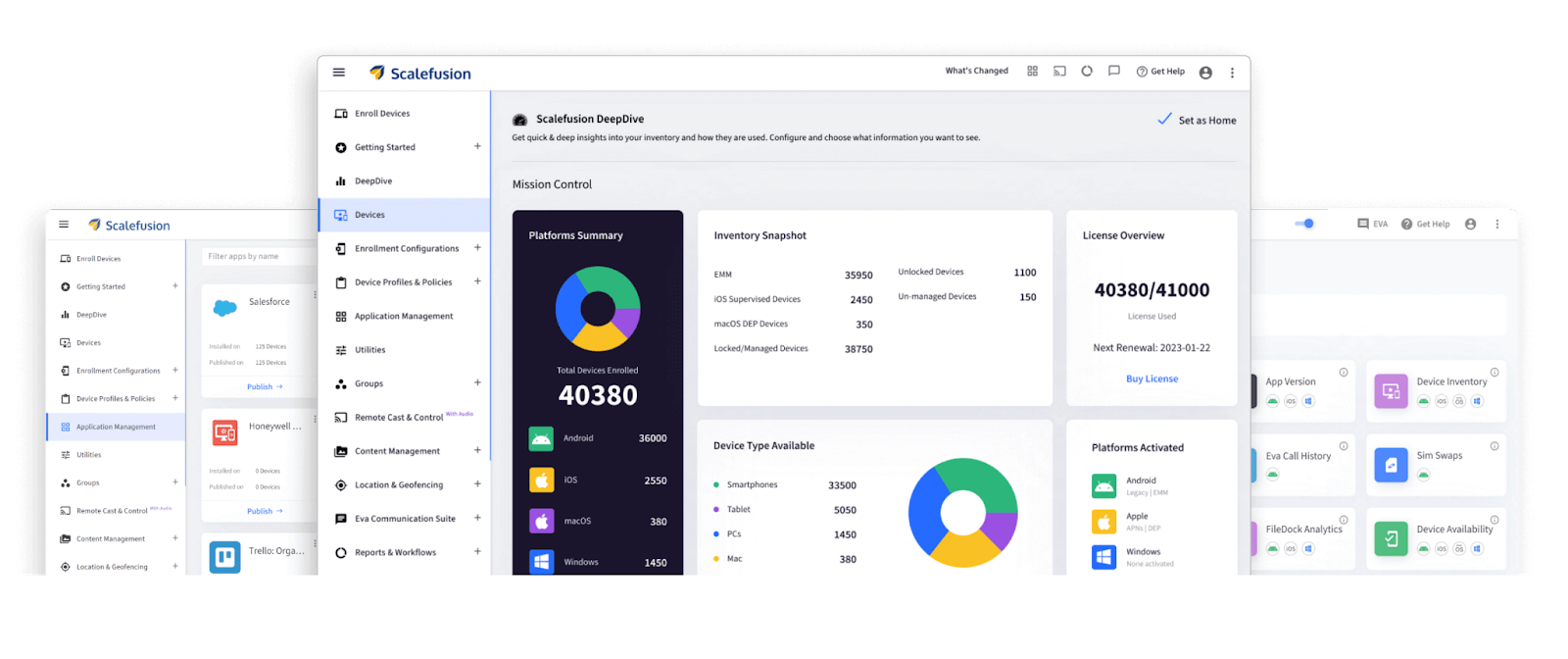
Scalefusion is one of the leading Apple MDM platforms that empowers IT teams to efficiently secure, manage, and monitor a diverse range of corporate-owned and employee-owned devices across various operating systems, including iOS, macOS, Android, Windows, ChromeOS, and Linux.
For businesses, Scalefusion seamlessly integrates with Apple Business Manager, enabling automated device enrollment, streamlined application management, and enhanced security configurations tailored to organizational needs.
For educational institutes, Scalefusion’s compatibility with Apple School Manager, makes it easier to manage shared devices, distribute educational apps, and ensure compliance with student data privacy policies. Teachers and IT admins can oversee device usage and provide secure, distraction-free learning environments.
Also, by unifying endpoint management, zero trust access, and security into a single platform, Scalefusion simplifies IT operations and supports the requirements of enterprises. This combination makes it a strong choice, especially for teams that also use Windows or Android alongside Apple hardware.
Key Features:
- Support for all Apple device types: Manage iPhones, iPads, and Macs from a single platform, simplifying operations across all devices.
- Device insights: Access real-time, graphical data on device inventory, enrollment, and license usage to make informed decisions.
- Endpoint protection: Leverage Veltar’s advanced security with real-time threat alerts, VPN integration, and proactive defense mechanisms, redefining how you safeguard macOS devices.
- Automated compliance: Prebuilt CIS Level 1 compliance for macOS, iOS, and iPadOS to stay audit-ready by automating compliance management.
- Effortless Enrollment: Integrate with Apple’s Device Enrollment Program for zero-touch onboarding, saving time and reducing effort.
- Security policies: Use remote locking, data wiping, and passcode enforcement to secure devices and ensure compliance.
- Kiosk Mode and App Control: Restrict devices to a single app or set of apps, ensuring they are used for their intended purpose using kiosk mode.
- Granular Policy Control: Organize devices into groups and subgroups to apply specific policies tailored to teams or departments.
- Workflow automation: Automate IT tasks without coding, simplifying task execution and compliance management.
Pros:
- Supports iOS, macOS, Android, Windows, ChromeOS, and Linux, offering true multi-OS management.
- Zero-touch enrollment through Apple’s DEP streamlines device onboarding.
- Strong security with remote lock & wipe data from iOS, iPadOS, and macOS, as well as passcode enforcement.
- Workflows automate IT tasks for efficiency and ease, making it suitable for both small businesses and large enterprises.
Cons:
- Some initial learning curve due to the range of features available.
Pricing: Plans start at $2 per device per month, and a 14-day free trial with full feature access is available, allowing prospective users to explore the platform before subscribing.
Try Scalefusion and simplify Apple device management today.
A unified platform built for simplicity and control.
2. Jamf
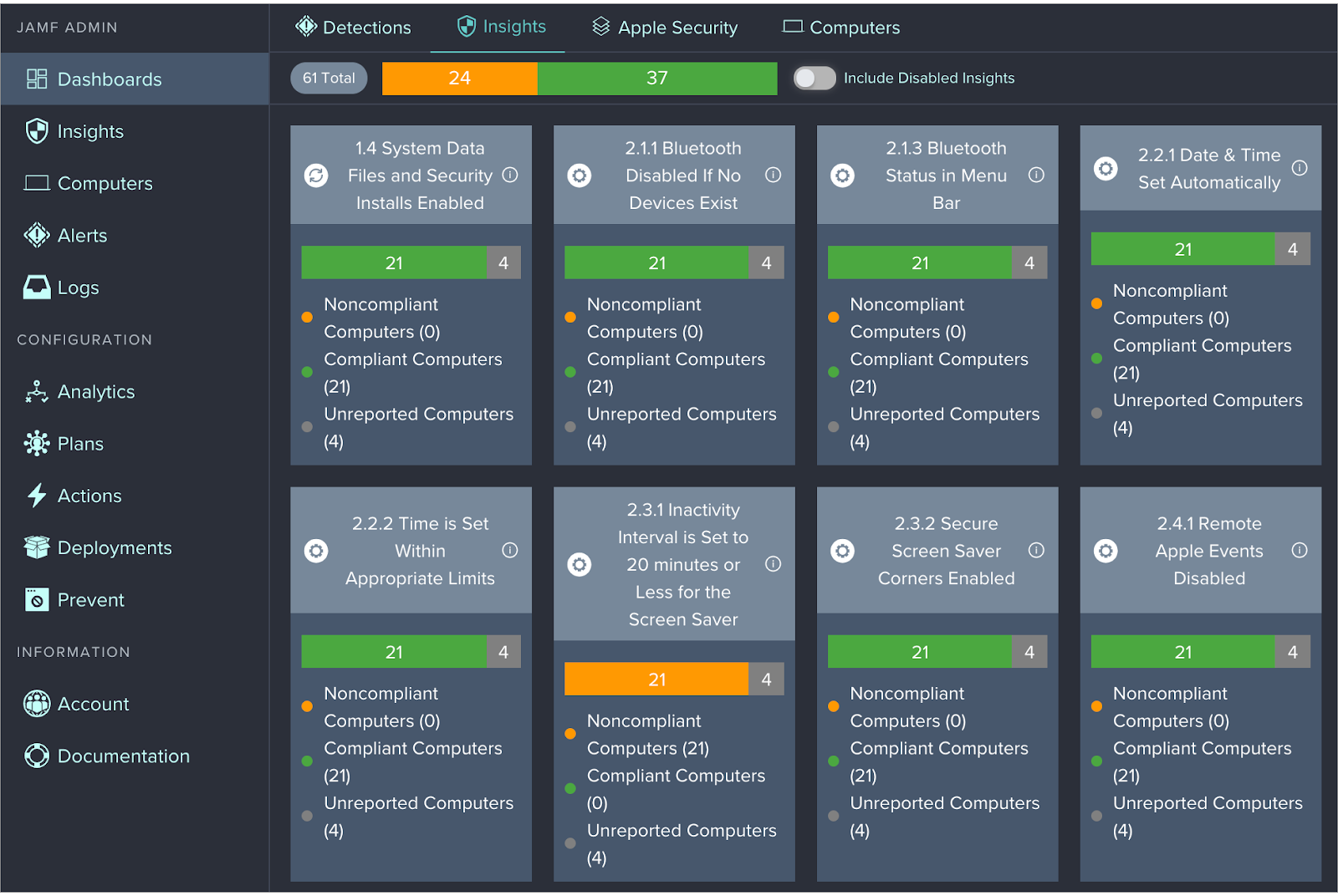
Jamf is an enterprise-grade management solution built specifically for Apple devices. The platform is dedicated to Apple-only management, which allows it to offer rich, OS-deep functionality and same-day support for new versions of iOS, iPadOS, and macOS. For organizations that live entirely in the Apple ecosystem, Jamf is often one of the first tools considered.
Jamf integrates tightly with Apple Business Manager and Apple School Manager, allowing devices to be drop-shipped to users and auto-enrolled with zero-touch setup. IT teams can push configurations, apps, security policies, and restrictions from a central dashboard, ensuring every device is compliant and ready for use as soon as it comes online.
A major strength of Jamf is its strong ecosystem and community. Jamf Nation, its user community, is widely known for sharing scripts, best practices, and solutions. This makes it attractive not just as a management platform, but also as an environment where admins can learn, experiment, and troubleshoot faster.
Jamf also offers separate flavors for business and education, with specific features for classroom management, shared iPad usage, testing environments, and content distribution. If your organization is entirely Apple-based and you want a tool that goes deep into Apple-native management, Jamf is worth serious consideration.
Key features:
- Zero-touch deployment: Enables seamless device onboarding by automatically configuring and enrolling devices out of the box.
- Automated inventory collection: Provides real-time insights into device details with its automated inventory tracking system, including hardware, OS, and app data.
- Integrated endpoint protection: Ensures robust security by integrating advanced endpoint protection directly into its management solution.
- Visibility and compliance: Offers detailed monitoring, smart groups, and actionable compliance reporting to help businesses stay audit-ready.
Pros:
- User-friendly interface with built-in templates, making it easier for new administrators to configure and maintain devices.
- Extensive documentation, including a detailed administrator guide, serving as a reliable reference for troubleshooting and learning.
- Jamf Nation fosters a strong, interactive community where users can seek support, share ideas, and solve challenges collaboratively.
Cons:
- Lacks an automated device-naming feature, making the process manual and time-consuming for admins.
- The “Select All” and “Deselect All” buttons in the pre-stage scoping area can create confusion by selecting or deselecting entire lists instead of filtered items.
- Limited granularity in some smart group controls restricts advanced grouping options, reducing flexibility for complex configurations.
Pricing:
- Jamf Pro plans start at $4 per device per month, offering flexible pricing for businesses.
- Education pricing starts at $9 per device annually, requiring a minimum of 25 devices.
- A 14-day free trial is available to explore Jamf Pro’s features before committing.
3. Kandji
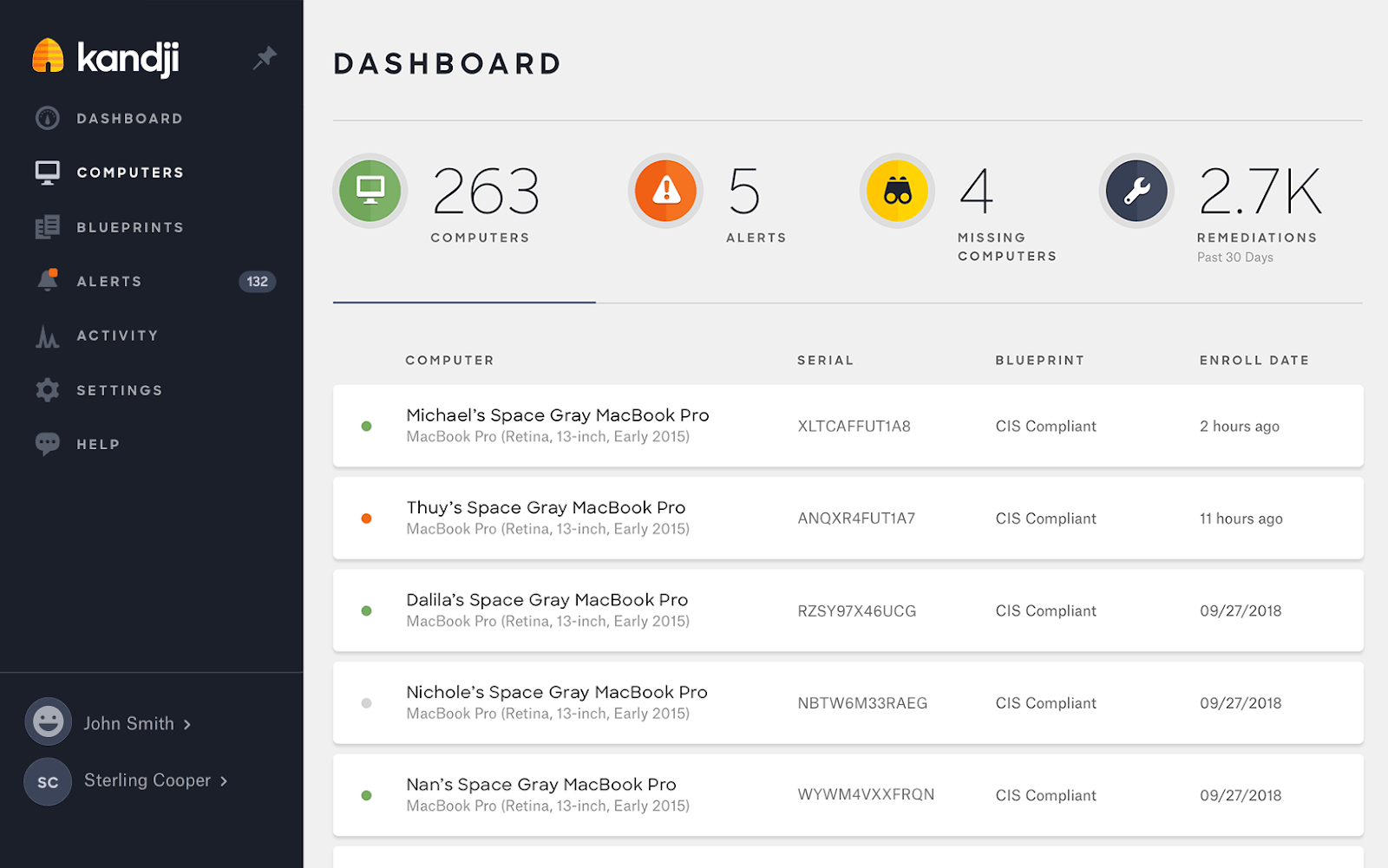
Kandji is a cloud-based platform for managing and securing Mac, iPhone, iPad, and Apple TV devices. It focuses heavily on automation and security, making it a strong candidate for organizations that want a compliance-driven environment with minimal manual overhead.
In addition to the standard Apple MDM framework, Kandji uses a proprietary macOS agent that extends what admins can do on Macs. This agent powers features like enforcing custom security baselines, running scripts as root, installing custom apps, blocking specific applications, and monitoring system drift from compliance templates. For teams that need automated hardening and remediation, this is a significant advantage.
Kandji is especially popular with security-conscious companies and remote-first organizations. Its automation capabilities reduce the need for hands-on adjustments. Once policies, blueprints, and compliance rules are set, Kandji continuously checks devices and fixes issues, even if devices are offline for periods and later reconnect.
Key features:
- Zero-touch deployment: Automatically configures and enrolls Apple devices for effortless, out-of-the-box setup without manual intervention.
- Automated app and OS updates: Keeps devices up to date by automating app installations and OS updates, reducing manual maintenance and patch gaps.
- CIS compliance security templates: One-click templates help devices adhere to industry-standard CIS security benchmarks, ideal for regulated industries.
- Offline remediation: Enables continued security enforcement and compliance management even when devices are offline, ensuring they remain secure at all times.
- Single Sign-On (SSO) integration: Integrates with your identity provider for SAML-based SSO, offering secure and simplified administrative access across the platform.
Pros:
- Excellent customer support with quick, knowledgeable responses and personalized assistance.
- Intuitive design that simplifies policy implementation and ongoing management, even with complex security requirements.
- Seamless integration with Verizon devices for easy, automated setup in some environments.
Cons:
- Device manufacturer limitations can occasionally restrict functionality or delay certain feature rollouts.
- Learning curve for new users with little MDM or compliance experience.
- No out-of-the-box solution for managing Mac computer labs with multi-user devices.
Pricing: Kandji provides custom pricing based on the number of devices and OS type.
| Also, see how Scalefusion compares to Kandji |
4. Addigy
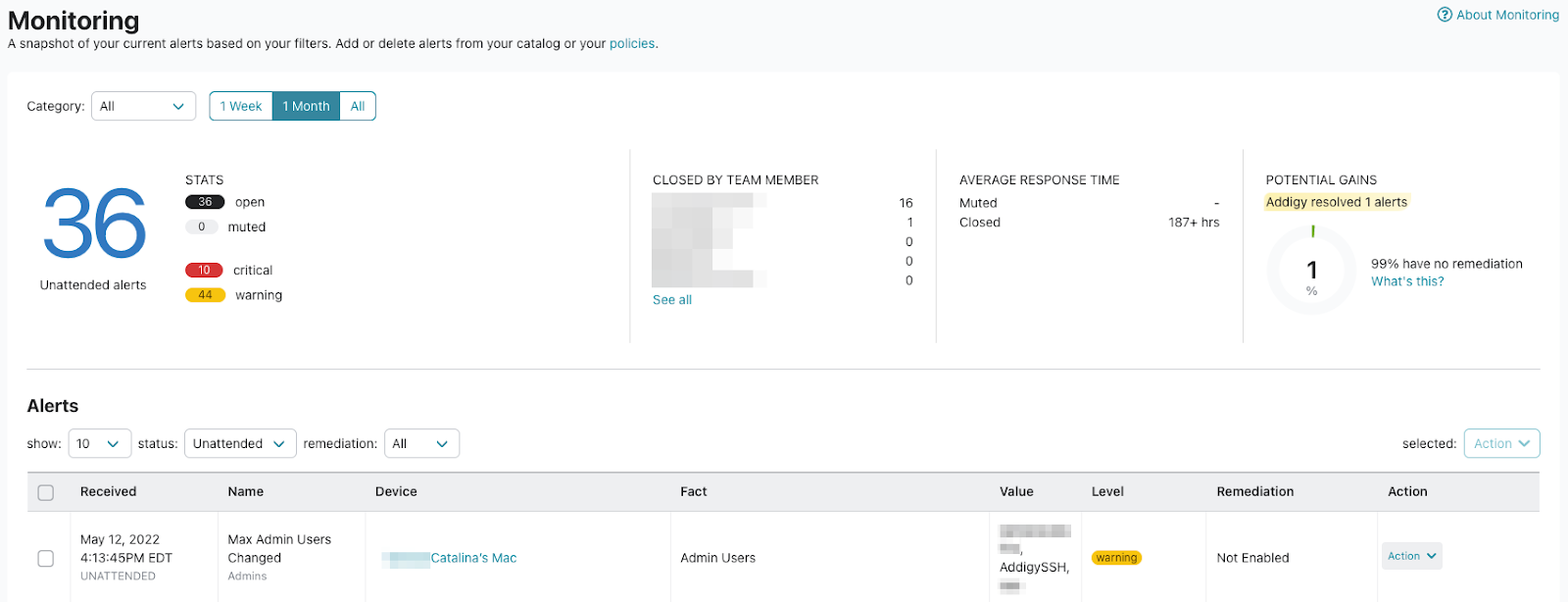
Addigy provides cloud-based Apple management software for enterprises, education, and MSPs. It combines traditional device management capabilities with powerful remote support tools, making it especially appealing for IT service providers and internal IT teams that support large Mac fleets.
With Addigy, onboarding new team members with a ready-to-use Apple device becomes straightforward. Automated device enrollment with Apple Business Manager integration can quickly equip devices with the necessary apps, configurations, and security settings as per the job role. This makes Addigy a strong option if you’re evaluating platforms geared toward hands-on support and ongoing troubleshooting.
The platform stands out for its Live tools like LiveDesktop and LiveTerminal that allow real-time remote access and command-line control, reducing resolution times for support tickets and helping IT teams maintain a consistent, secure environment. For organizations or MSPs that need strong remote control capabilities, Addigy is a serious contender.
Key features:
- Live desktop: Provides remote access and control of macOS devices without the need for additional software installations, helping IT troubleshoot issues quickly.
- Live terminal: Enables instant command-line access to devices directly from the browser, facilitating quick troubleshooting and script execution.
- Go live: Allows IT teams to view over 100 data points of a device’s current state, including hardware and software status, security compliance, and more.
- Live chat: Facilitates real-time communication with end-users, enabling immediate support and guidance during troubleshooting.
Pros:
- All-inclusive pricing, making deployment easier without needing to research different packages.
- Automation for updates and app deployment simplifies IT management.
- Easy macOS management with tools like SSO and Malwarebytes integrations.
Cons:
- The UI can be clunky, and saving actions may not close pop-ups, causing confusion.
- Remote utility doesn’t always work reliably, even after refreshing.
- Lacks support for other operating systems like Windows and Linux, limiting flexibility compared to more universal tools.
Pricing:
- Standard plan starts at $6 per device per month with essential features like zero-touch deployment and OS management.
- Premium plan at $8 per device per month includes advanced features like compliance monitoring, 24/7 remediation, and premium support.
- A 14-day free trial is available to explore both plans.
| Also, see how Scalefusion compares to Addigy |
5. Mosyle
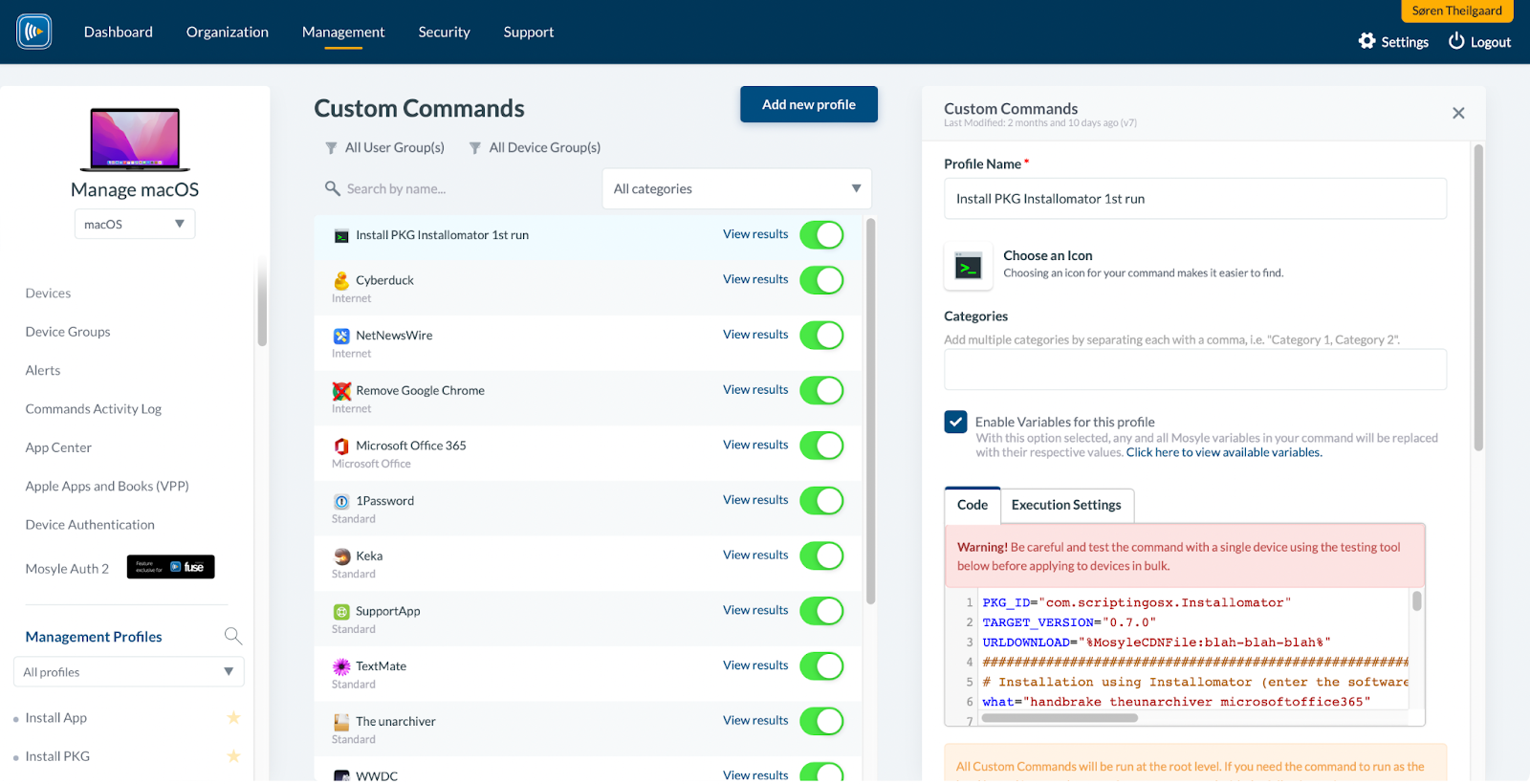
Mosyle is a relatively new contender in the Apple management space, offering cloud-native software, security, and provisioning tools for Mac, iOS, and tvOS. It targets businesses that want strong Apple-native controls and integrated endpoint protection without the cost of some high-end enterprise platforms, making it very attractive for growing companies and schools.
Its enterprise offering, Mosyle Manager and Mosyle Fuse, combine MDM, identity management, automated application installation and patching, and multi-layer endpoint security. These features help companies standardize configurations, keep OSs and apps updated, and protect against common threats on macOS and iOS devices.
Mosyle is also appealing to teams that want to gradually expand their Apple footprint. With automation around patches and app updates, IT teams spend less time chasing outdated software and more time planning strategic improvements.
Key features:
- Enterprise-grade Apple device management: Provides advanced tools for remotely managing and securing Apple devices within your organization.
- Next-generation Apple endpoint security: Automated hardening, AI-based zero-trust security for Macs, and privilege management through Admin On-Demand.
- Apple-specific online privacy & security: Uses native encrypted DNS on iOS and macOS to deliver continuous web security, privacy, and filtering.
- macOS identity management & SSO: Automates local account creation via your identity provider, integrates single sign-on for Mac logins, and offers two-factor authentication for extra protection.
- Patch management: Simplifies OS updates, app installations, and patches to keep your devices secure and up to date with minimal manual input.
Pros:
- The support team is responsive and offers personalized assistance, ensuring smooth deployments and quick resolutions.
- Intuitive and easy-to-use interface, allowing new users to get up to speed quickly.
- Commands execute quickly, enhancing device management efficiency and performance.
Cons:
- Limited community support and fewer publicly available resources compared to some older vendors.
- Lack of a dedicated authentication solution for iPads, similar to macOS, requires some workarounds.
- The platform’s 15-minute automatic logout can interrupt workflow for admins who need longer console sessions.
Pricing:
- Mosyle Fuse for macOS: $3 per device/month, with a minimum of 30 licenses, billed annually.
- Mosyle Fuse for iOS, iPadOS & visionOS: $1.50 per device/month, with a minimum of 30 licenses, billed annually.
- Mosyle Business Premium: $1 per device/month for Mac, iPhone, iPad, and Vision Pro, with a minimum of 30 licenses, billed annually.
- Mosyle Business Free: Free for up to 30 devices, with Apple Watch and Apple TV management included at no extra cost.
| Also, see how Scalefusion compares to Mosyle |
6. Miradore


Miradore is a cloud-based device management platform that focuses on simplicity and ease of use. While it supports multiple platforms, its Apple management capabilities make it a helpful option for organizations that want a lighter, straightforward tool, especially when IT resources are limited.
Miradore is well-suited to smaller companies or teams that need essential features like remote configuration, app deployment, passcode enforcement, and remote wipe, without diving into complex security frameworks or advanced compliance. It’s a good starting point if you are just beginning with MDM and want to get comfortable before upgrading to a more advanced platform.
Key features:
- Centralized device management: Manage iPhones, iPads, and Macs from a single cloud console, with visibility into device status, OS versions, and basic security posture.
- Configuration profiles: Push Wi-Fi settings, email configurations, VPN, and restrictions over the air, ensuring devices are ready for work with minimal manual setup.
- App Management: Deploy business apps remotely, update them, or remove them when no longer needed.
- Security controls: Enforce passcodes, screen locks, and encryption where supported, and remotely lock or wipe lost or stolen devices.
- Reporting and inventory: View simple reports on device inventory, OS versions, and basic compliance to help with planning and audits.
Pros:
- Very simple to set up and manage, even for teams new to MDM.
- Clean, minimal UI that reduces confusion and speeds up onboarding.
- Free tier available, which makes it attractive for small businesses testing MDM for the first time.
- Works well for small fleets or environments with basic management needs.
Cons:
- Lacks advanced, enterprise-grade security and compliance features.
- Limited automation compared to more full-featured tools like Scalefusion or Kandji.
- Not ideal for large enterprises, regulated industries, or very complex device policies.
Pricing:
- Offers a free plan with limited features, ideal for evaluation.
- Paid plans are available per device/month, with pricing tiers based on feature needs and scale.
7. JumpCloud

JumpCloud is best known as an open directory and identity management platform, but it also provides device management capabilities for macOS, Windows, and Linux. For Apple teams, this combination of identity and device management makes JumpCloud a unique option.
Instead of treating devices and identities as separate worlds, JumpCloud connects them. You can enforce access rules based on user, group, device state, and compliance posture. For example, only devices that meet certain security standards (like encryption and screen lock) can access specific apps or data. This identity-first model is ideal for organizations focused on Zero Trust principles.
While JumpCloud’s Mac and iOS management features are not as deep as those of a dedicated Apple-only tool, it works well for companies that want device policies tightly integrated with identity, SSO, and multi-factor authentication.
Key features:
- Directory-as-a-service: Centralized identity management across users, groups, and devices.
- Device management for macOS: Enforce security policies such as disk encryption, screen lock, password rules, and OS patching for Macs.
- SSO and MFA: Single sign-on to SaaS apps and multi-factor authentication built into the same platform.
- Conditional access: Control access to resources based on device status, user role, and security posture.
- Cross-platform support: Manage Apple, Windows, and Linux devices alongside each other.
Pros:
- Strong identity and access management combined with basic device controls.
- Good fit for remote and hybrid organizations that rely heavily on SaaS and cloud apps.
- Reduces tool sprawl by blending directory, SSO, MFA, and device policy in one place.
Cons:
- Apple-specific MDM features are not as rich or granular as dedicated Apple management platforms.
- Limited kiosk mode, app management, or education-specific controls.
- May need to be paired with a dedicated Apple MDM (like Scalefusion) if you require deeper device-level control.
Pricing:
- Offers a mix of free tiers and paid bundles, with device management and identity features typically billed per user/month.
- Pricing scales with the number of users and feature modules selected.
How top Apple MDM solutions stack up (Feature-by-Feature)
| Feature | Scalefusion | Jamf Pro | Kandji | Addigy | Mosyle | Miradore | JumpCloud |
|---|---|---|---|---|---|---|---|
| Remote support (screen-sharing) | Full remote access for iOS (Remote Cast) and macOS, including real-time screen-sharing, chat and session recording. | Mac screen sharing (Jamf Remote Assist); no native iOS screen-share support. | No built-in remote support (uses third-party tools or native ARD). | Mac remote control (LiveDesktop); no iPad remote (requires Splashtop integration). | Peer-to-peer screen sharing on Apple devices (Screen View for macOS/iOS/iPadOS). | No native remote support for iOS or macOS; relies on third-party remote tools. (requires LogMeIn Resolve or TeamViewer integration). | Agent-based remote access via JumpCloud Remote Assist; no native Apple MDM screen-sharing for iOS. |
| Kiosk / single-app mode | Unified kiosk lockdown across all platforms: Windows, Android, Linux, macOS, and iOS (single-app, digital signage, browser kiosk). | iOS single-app mode (Apple’s Guided Access/SAM). | iOS single-app mode. | iOS single-app mode (via MDM restrictions). | iOS single-app mode. | iOS single-app mode supported; basic kiosk controls with fewer advanced lockdown options. | Supports iOS Single App Mode. |
| Ease of use / UI | Highly rated for usability (modern, intuitive UI). Reviewers cite high ease-of-use scores. | Powerful but often noted as complex; steeper learning curve. | Apple-specific features, but setup can be complex. | Automatable platform; some users find UI less intuitive. | Apple-focused interface; some report complexity. | Feature depth is limited for enterprise Apple management. | Identity-first interface; device management feels secondary for Apple-only teams. |
| Pricing flexibility | Low, per-device pricing (~$2 per device/month) with a full 14-day free trial. | Premium per-device (~$10 per Mac) (no free tier). | Custom pricing (generally higher). | ~$6 per Mac, $2 per iPhone/iPad per month. | Free plan for up to 30 devices; then ~$1.50/device for full features. | Free tier available; paid plans per device/month with advanced features in higher tiers. | Per-user/month pricing; device management bundled with identity modules, which can increase total cost. |
| Multi-platform support | Cross-platform UEM: Manage Apple, Android, ChromeOS, Linux and Windows devices from one console. | Apple-only (macOS, iOS, tvOS). | Apple-only (macOS, iOS, iPadOS). | Apple-only (macOS, iOS). | Apple-only (macOS, iOS, iPadOS). | iOS, Android, Windows, macOS; but cross-platform controls are more basic than full UEM suites. | Windows, macOS, Linux, iOS, and Android devices. |
| Identity & access (IAM) | Integrated OneIdP IAM supporting Azure AD (Entra), Google Workspace, Okta, LDAP, etc. | Jamf Connect (separate) for Azure/Okta (Apple-centric). | Relies on cloud SSO (Azure, Google) – no built-in IAM platform. | Supports Okta/LDAP integration; no built-in identity suite. | Basic Apple ID integration; no enterprise IAM built-in. | No built-in IAM suite; integrates with external identity providers. | Built-in IAM. |
| Compliance & reporting | Built-in compliance templates (e.g. CIS benchmarks) and detailed audit-logging; remote support sessions can be recorded for audit trails. | Extensive reporting; no native remote-session audit logs. | Reporting available; no native session recordings. | Has compliance tooling; remote session logging via Splashtop (if used). | Reports available; no built-in session recording or advanced audit trails. | Reporting available; basic compliance visibility, no built-in session recording or advanced security baselines. | Compliance reporting and policy enforcement available; no native remote-session recording or Apple-specific compliance templates. |
| G2 Rating | 4.7 out of 5 | 4.8 out of 5 | 4.7 out of 5 | 4.5 out of 5 | 4.6 out of 5 | 4.6 out of 5 | 4.5 out of 5 |
Key factors to consider when choosing the best Apple MDM solution
With Apple tightening its ecosystem and organizations managing increasingly diverse device fleets, choosing the right MDM isn’t just about basic enrollment anymore. Here’s what to look for when evaluating your options:
1. DEP & Apple Business Manager (ABM) Compatibility: A must-have. Your MDM should support zero-touch provisioning through ABM/DEP, so devices can auto-enroll and be ready for use out of the box—especially critical in remote and hybrid setups.
2. Declarative Device Management (DDM) Support: Apple’s future-forward approach to MDM is here. DDM allows devices to act more autonomously, improving speed, reliability, and battery efficiency. Look for solutions that already support DDM or are actively investing in it.
3. App Lifecycle Management: From installation and version control to forced updates and app removal, robust app management across iOS, iPadOS, and macOS should be seamless. Especially helpful for managing business-critical or licensed software.
4. Policy Granularity: Good MDMs offer broad control. Great ones let you target policies at the user, device, or group level. This is key for tailoring configurations based on role, department, or ownership model (BYOD vs. corporate-owned).
5. Cross-Platform Support: If you’re managing Android, Windows, or Linux alongside Apple, look for MDMs that handle all platforms under one roof. It reduces tool sprawl and gives IT a single pane of glass.
6. Ease of Deployment & UI Experience: A powerful MDM doesn’t need to be complex. Clean UI, intuitive workflows, and logical navigation make a huge difference—especially when scaling your team or handing off responsibilities to junior admins.
7. Compliance-Ready Features: Remote wipe, encryption enforcement, audit logs, and integration with identity providers help organizations meet HIPAA, SOC2, ISO, or GDPR mandates. If compliance is on your radar, your MDM needs to support it out of the box.
8. Reliable Customer Support & Documentation: MDM rollouts often need quick answers. Evaluate the quality of onboarding, response times, documentation, and community forums before you commit. The best Apple MDM vendors don’t just sell you a tool—they partner with your team.
So, with all these factors in mind, let’s explore the best Apple MDM solutions to suit your unique device management needs.
Choose the right Apple MDM software for your business
Managing Apple devices is much easier when you have the right MDM in place. While many options exist, Scalefusion stands out as one of the strongest choices in 2026 among Apple MDM providers, especially if you want cross-platform support plus deep Apple controls.
That said, the “right” platform will always depend on your environment, team size, security needs, and budget. A solution that works brilliantly for a school district may not be ideal for a fast-scaling SaaS startup, and what fits a 50-device setup might not work for a global enterprise.
The safest way to make a confident choice is to:
- Shortlist 2 to 3 tools that fit your use case such as education, MSP, mixed OS, security-first, or identity-first.
- Use the free trial period each vendor offers to test real-world scenarios including enrollment, app rollout, policy changes, remote wipe, reporting, and daily admin workflows.
- Involve both IT and a small pilot group of end users to gather feedback on performance, usability, and friction points.
- Check support responsiveness during the trial to see how quickly and clearly vendors help when something breaks or you get stuck.
Once you have actually used the products in your own environment, the differences become very obvious. Some will feel too complex, some too limited, and one or two will naturally fit your processes and team.
Use this guide as your starting point, but let hands-on testing drive the final decision. The best Apple MDM for your organization is the one that fits your workflows, scales with your growth, and your IT team is comfortable using every day.
Why settle for complexity when Scalefusion makes Apple device management effortless?
Try it with a 14-day free trial and see how it transforms your IT management.
FAQs
1. How do mobile device management solutions help in Apple deployment?
Mobile device management solutions streamline Apple deployment by automating device enrollment, configuration, app installation, and security enforcement. When paired with Apple Business Manager, devices are preconfigured before first use, reducing IT workload and ensuring devices follow company policies from day one.
2. Do Apple MDM solutions support Macs?
Yes. Apple MDM solutions fully support macOS devices. IT teams can manage Mac configuration profiles, enforce security settings, deploy applications, control OS updates, and remotely monitor or troubleshoot Macs from a centralized dashboard.
3. What is Apple Business Manager?
Apple Business Manager is Apple’s free deployment portal for businesses and schools. It allows organizations to automatically enroll iPhones, iPads, Macs, and Apple TVs into an MDM solution, assign devices to users, and distribute apps and content without manual setup. Apple Business Manager works with MDM to enable zero-touch deployment and centralized device control.
4. What is Unified Endpoint Management (UEM)?
Unified Endpoint Management (UEM) is a platform that manages multiple device types and operating systems from a single console. In Apple environments, UEM enables centralized management of iOS, iPadOS, and macOS devices alongside other endpoints, helping organizations maintain security, compliance, and visibility at scale.
5. Why is it important for enterprises to select an MDM solution for managing mobile devices?
Enterprises need an MDM solution to securely manage mobile devices used for work. An MDM platform helps enforce security policies, protect business data, control apps and updates, and remotely lock or wipe devices when needed. As organizations scale and support remote or BYOD environments, choosing the right MDM solution ensures consistent security, compliance, and centralized control across all mobile devices.

